Configure the quality program
Configure quality tracking to identify information needing review and help owners keep it reliable. Administrators and the Owner manage these settings when the plan includes repository quality. Freshness, completeness and ownership answer different questions; see quality and freshness.
Enable quality tracking
- Open Organization settings > Repository quality.
- Click Manage.
- Turn on Enable quality tracking.
- Click Validate, then check the page's enabled status.
This form switches tracking on or off. Revalidation delays are set further down the same page; completeness rules belong to the metamodel.
Disabling tracking does not delete assets, owners or their existing attestation information. It closes attestation, freshness, owner notifications, the owners' weekly digest and its reminders, and the To attest and Incomplete categories of Home. The daily suggestions digest and the Weekly administrator report are still sent; the report leaves out its quality and attestation lines. Suggestions stay on Home, in their owners' Suggestions, and saved filters on attestation fields keep applying with a padlock.
Set freshness by asset type
- Open Organization settings > Repository quality.
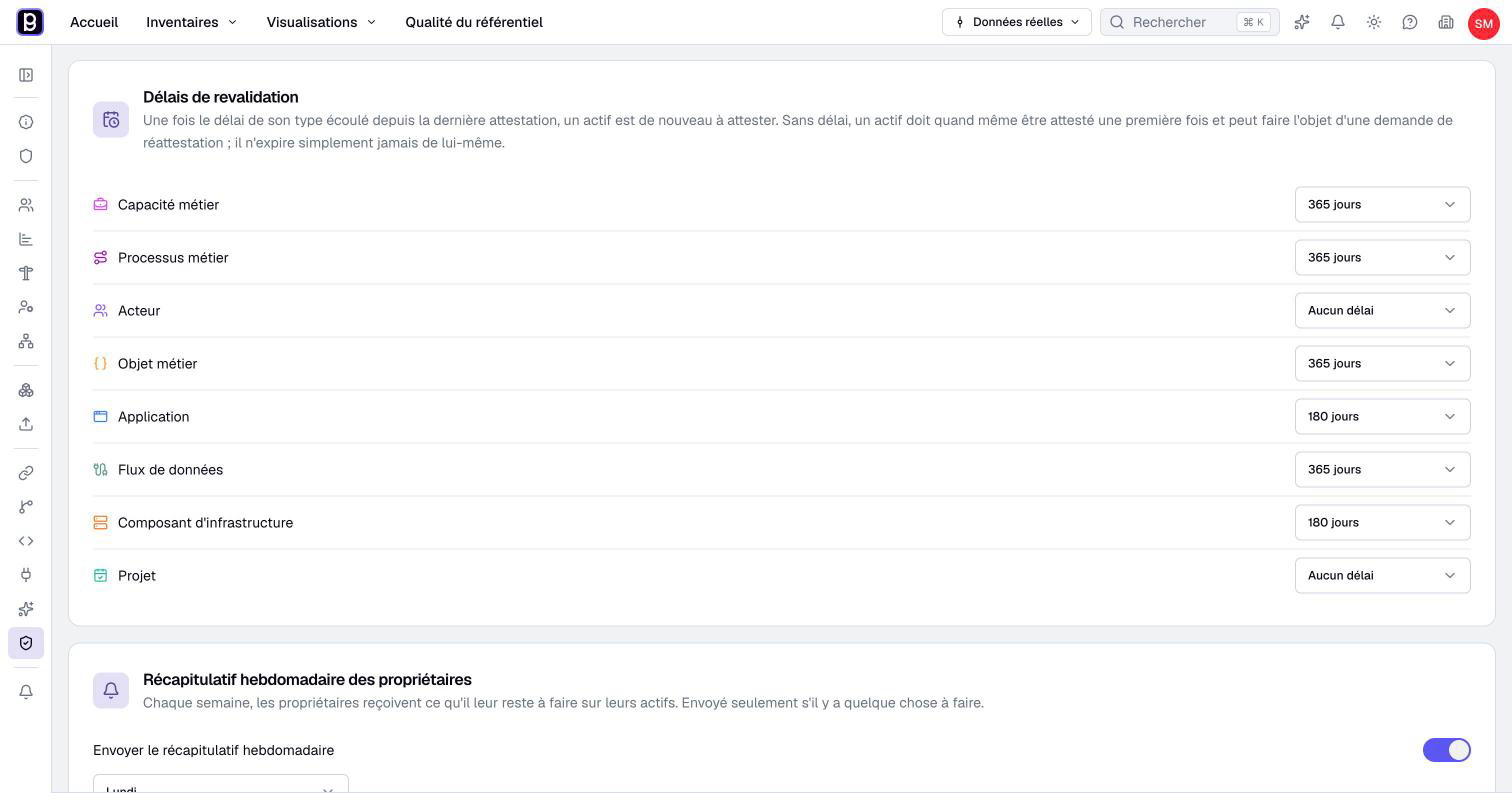
- In Revalidation delays, find the intended type.
- Choose a delay, such as 90 days, or No delay. The change saves immediately.
- Refresh an asset of this type and inspect its freshness state and last attestation.
Delays can be set as soon as the plan includes repository quality, before tracking is turned on. The delay starts from the last attestation, not the last edit. Editing a description therefore does not restart the period. An attestation confirms that the information has been reviewed and restarts that reference date.
The approaching-due state starts at 80% of the period; the asset then becomes stale as its delay is reached. A never-attested asset has its own state and needs an attestation, whatever its type. Choose No delay when attestations of a type should not expire. Its assets still need a first attestation, and a re-attestation can still be requested.
An authorized owner or administrator can request a new attestation at any time, whether or not the type has a delay. This explicit request is cleared by the next attestation. Choose delays according to how often the information needs review, not how often the asset happens to be edited.
Choose completeness fields
Open the type's Properties, then edit each relevant property. Optional excludes the field from completeness. Nonoptional, visible, noncalculated properties contribute equally to the score. See property configuration before changing existing definitions.
A blank text, empty selection, missing value or Score of zero does not count as filled. A Boolean false or ordinary Number of zero does. A type with no counted properties has a nonapplicable score, rather than 0%, and is excluded from incomplete-asset averages and queues.
The Home completion queue lists every asset below 100%: a single empty counted property is enough. There is no global threshold field for this queue in these settings. An asset's score can include fields the current member cannot see; completing every visible field does not necessarily produce 100%.
Attesting and completing are separate actions. Use completeness to explain a low score and review coordination to organize the work.
Schedule digests
- Return to Repository quality with tracking enabled.
- In Owners' weekly digest, enable Send the weekly digest.
- Choose the day.
- In My preferences > Notifications, under Email schedule, choose the hour and time zone.
- Wait for each change to save; these sections have no shared Validate button.
- Check the intended recipients' notification preferences.
The day controls the weekly digest and is disabled while the weekly digest is off. The hour (7:00 by default) and time zone are the organization's email time, available without repository quality: they also apply to the daily suggestions digest and to the weekly administrator report, sent every Monday.
An enabled schedule does not guarantee an email to every member each week. Recipients need relevant work to review and the corresponding notification enabled. Check ownership, pending work and preferences before interpreting a missing digest as a delivery failure.
After setup, inspect a representative owned asset, one never attested and one with missing fields. Confirm that the expected people can see the work and perform the appropriate review action.