Asset 360 page
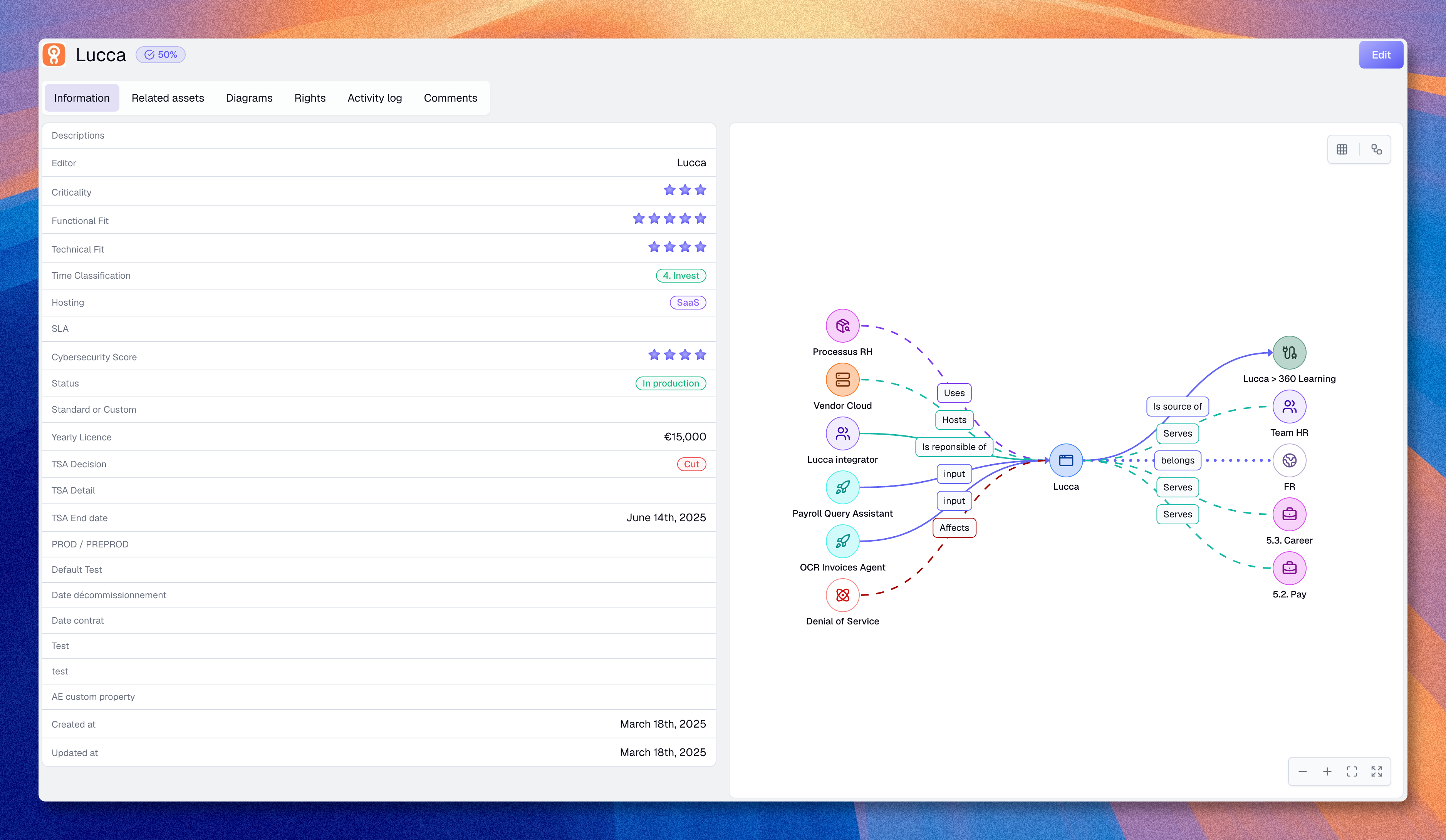
The Asset 360 page is the central page for understanding one asset in Boldo. It brings together the asset's main information, its direct relationships, its diagrams, and its surrounding context in the knowledge base. You can open it by clicking an asset name from the inventory, a saved view, a related asset link, or a search result.
Page structure
The page combines a summary header, several sections of information, and a direct Edit action when your role allows it.
Header
The header helps you confirm quickly that you are looking at the right asset:
- Completion score shows whether the asset's properties are filled in enough
- the domain badge shows the asset's access domain context when domains are used
When share links are available and allowed for your account, the header also includes a Share action. It creates a read-only public page for the asset's properties, relationships, and optional flow. Read Share content with links for the role and default-tab settings.
For an archived asset, the header displays its archived status and replaces editing actions with Restore and Delete permanently when your rights allow them. The page remains available for reviewing retained information. Read Archive and restore assets for the complete lifecycle.
Flow editor
For asset types with flow enabled, the Flow editor tab appears as the first tab on the page. It displays the process flow canvas where you can model workflows with steps, branches, and asset references. This tab is visible when your role grants flow access rights.
The full setup path is: an administrator enables Flow on an asset type, configures the referenced asset types and rights, then a user opens an asset of that type to work in Flow editor.
Read Process flows for the full guide.
Information section
Use Information as the main reading section for the asset. It brings together the core fields on the left and an interactive relationship graph on the right.
When the asset type defines property groups, properties are split into titled cards, one per group. Empty groups are hidden, ungrouped properties appear in an untitled card, and creation and update dates sit in their own card.
The graph is a true explorer for the asset's connections. Click any node to open an inspector panel that lists all its relationships organized by direction (incoming and outgoing). From the inspector, you can expand individual relationships to add them to the graph, or hide them to simplify the view. You can also select any expanded node to inspect its own relationships and keep exploring from there.
When a relationship type has five or more linked assets, they are grouped into a single node. You can expand individual assets out of the group or show them all at once. A search field appears in the inspector when the list is long enough.
You can also create a diagram directly from the current exploration state to save it as a persistent visualization.
Related assets section
Use Related assets to understand the local network around the asset. This tab groups connected assets by type in an accordion view. Expand a relationship type to see all linked assets and navigate to any of them directly.
Diagrams section
Use Diagrams to see where the asset already appears in visual material. Use this section when you want to know whether the asset is already documented in one or more diagrams.
Activity log section
Use Activity log to review the history of changes made to the asset. This is the right tab when you want to understand what changed, when it changed, and who made the update. This section is available depending on your plan.
Rights section
Use Rights to see the effective rights that apply to the asset. This is useful when you need to understand who can view or modify it, or when some fields are not editable and you need to know who to ask. This section is available depending on your plan.
Comments section
Use Comments to discuss the asset directly with your team. This is useful when the asset needs clarification, review, or follow-up. This section is available depending on your plan.
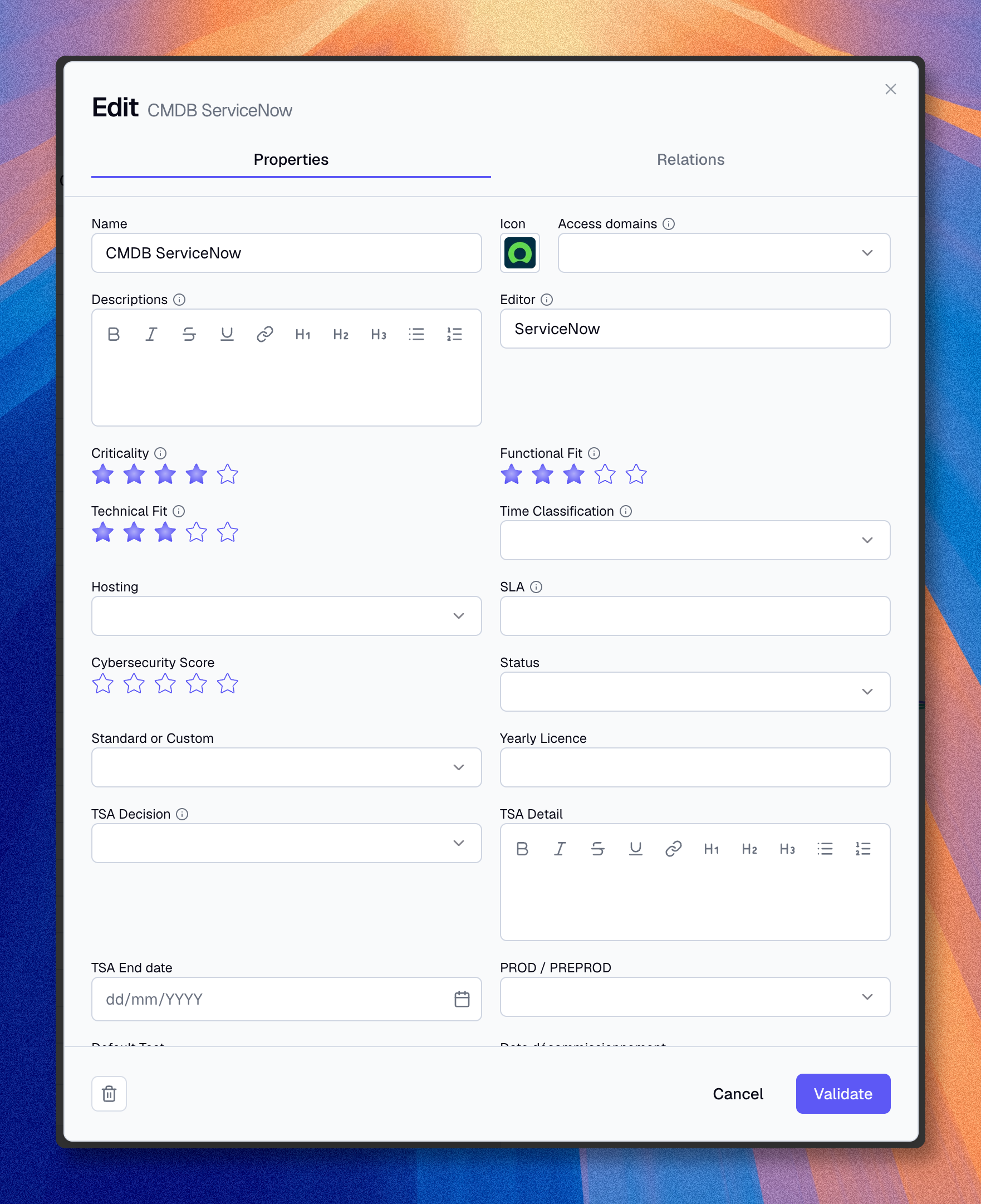
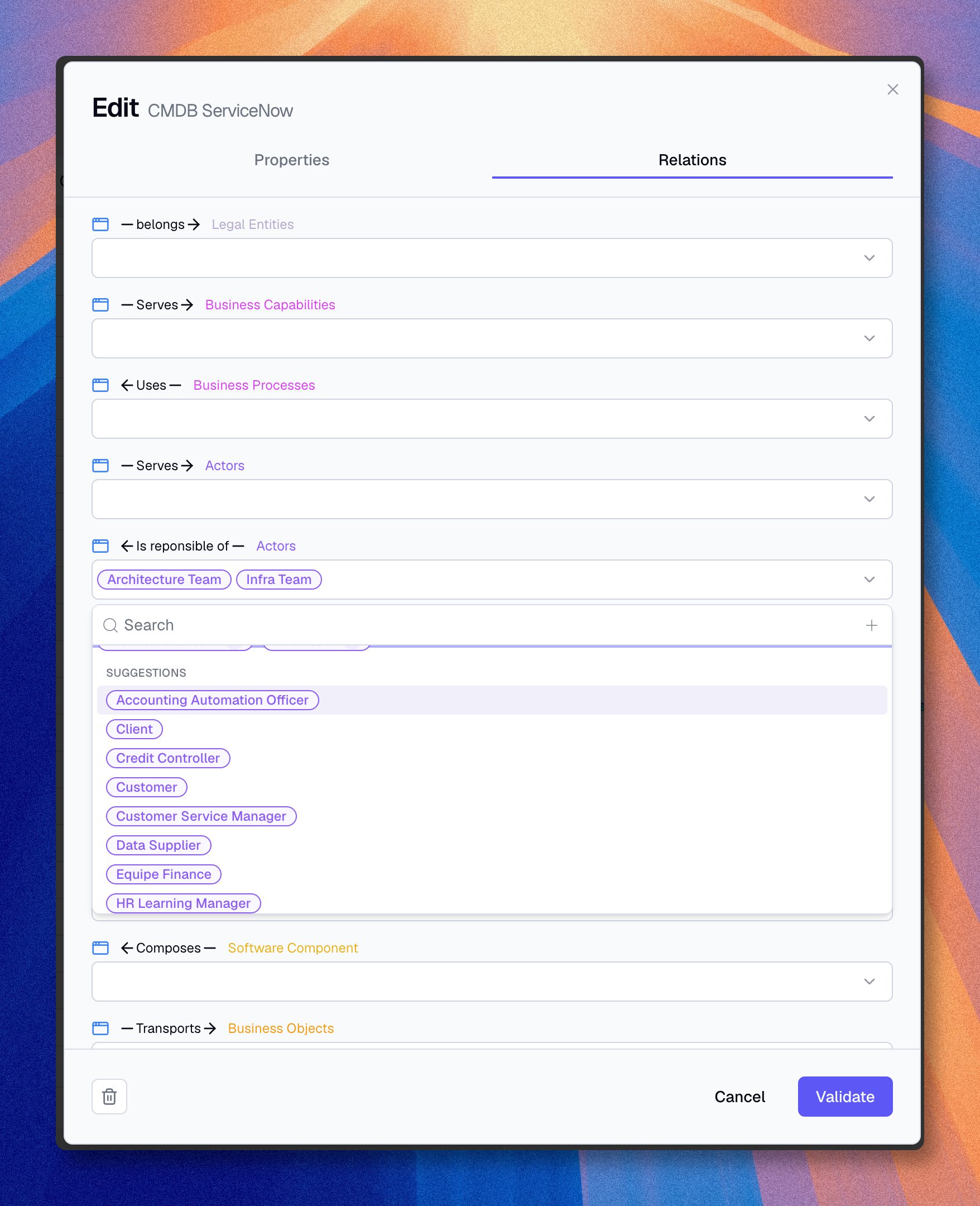
Use the breadcrumb to return to the inventory, and use the Edit button when you are ready to modify the asset.
When to use this page
Use the Asset 360 page when you need to:
- decide whether the asset is complete enough to rely on
- understand what other assets are directly connected to it
- see where it is already used in diagrams
- review its recent changes before making your own update
- understand who can access or modify it
- continue navigating from one asset to the next without losing context