Document data flows
An order placed on the website must reach the ERP, then the warehouse. When an exchange breaks, or when the data protection officer asks where customer data goes, you need to know what moves between applications. This guide shows how to describe these exchanges in Boldo, show them by domain, and follow where personal data goes.
Before you start
- Being able to view Boldo is enough to read the flows. To create or change them, you need the relevant asset and relationship editing permissions. Relationship rights are checked on the source asset’s domains: ask an administrator if an action is unavailable.
- The views, diagrams and analyses used here come from the example. Build your own the same way.
1. A data flow is an asset
In this example, each exchange between two applications is an asset of the Data flow type. Your organization must configure this asset type, its properties, and the relationships used below in its metamodel. Open Inventories, then Data flow, and click a flow to open its page.
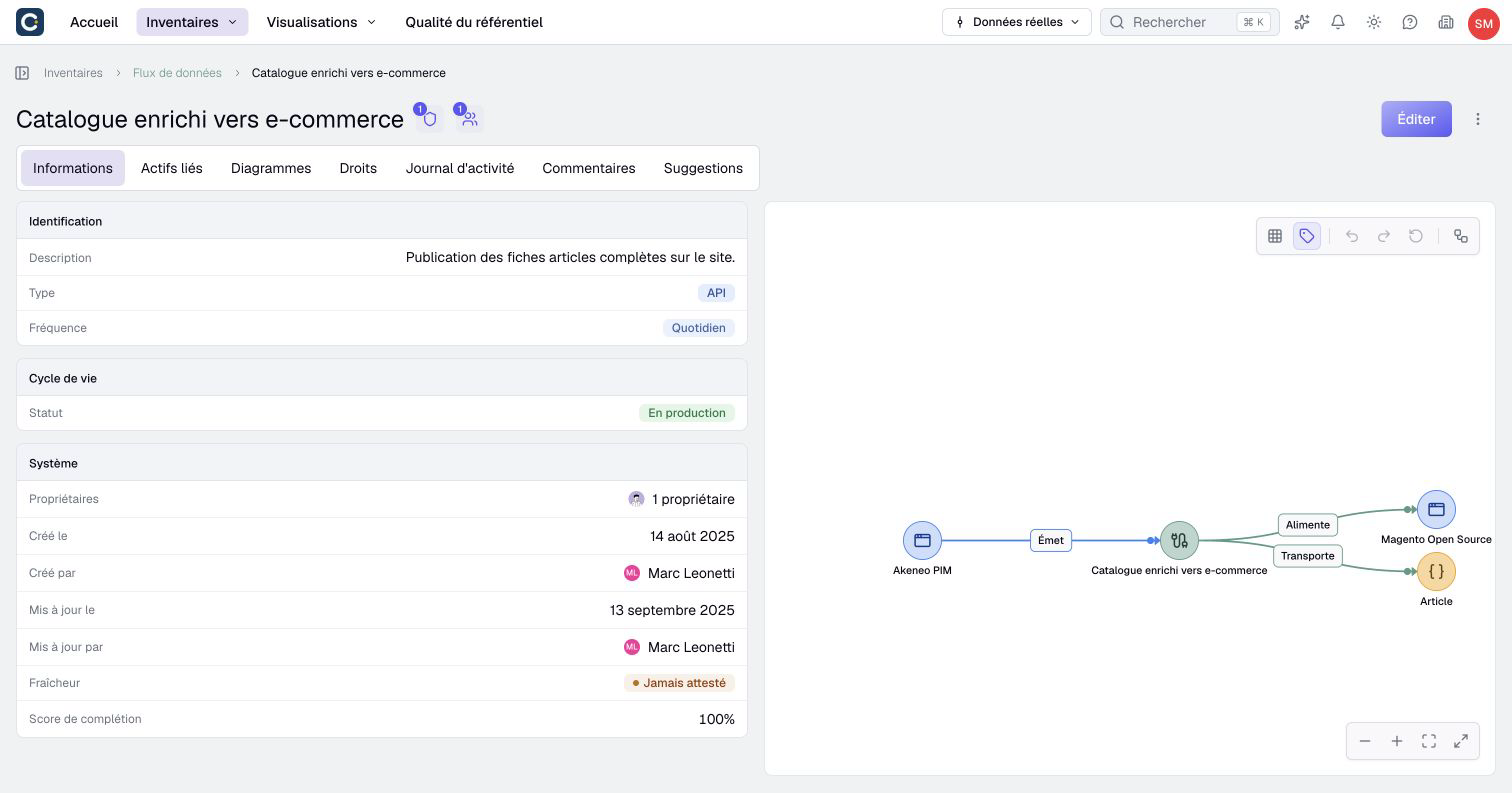
A flow carries its own information: its type (API, EDI, file), its frequency, its status. This is why it is an asset and not a simple relationship between two applications. Its relationships tell the rest:
- the application that sends it;
- the application it feeds;
- the business object it carries, for example a customer order.
2. Keep a view of all flows
Open Visualizations, then Views, and open the view of data flows. It groups them by type.
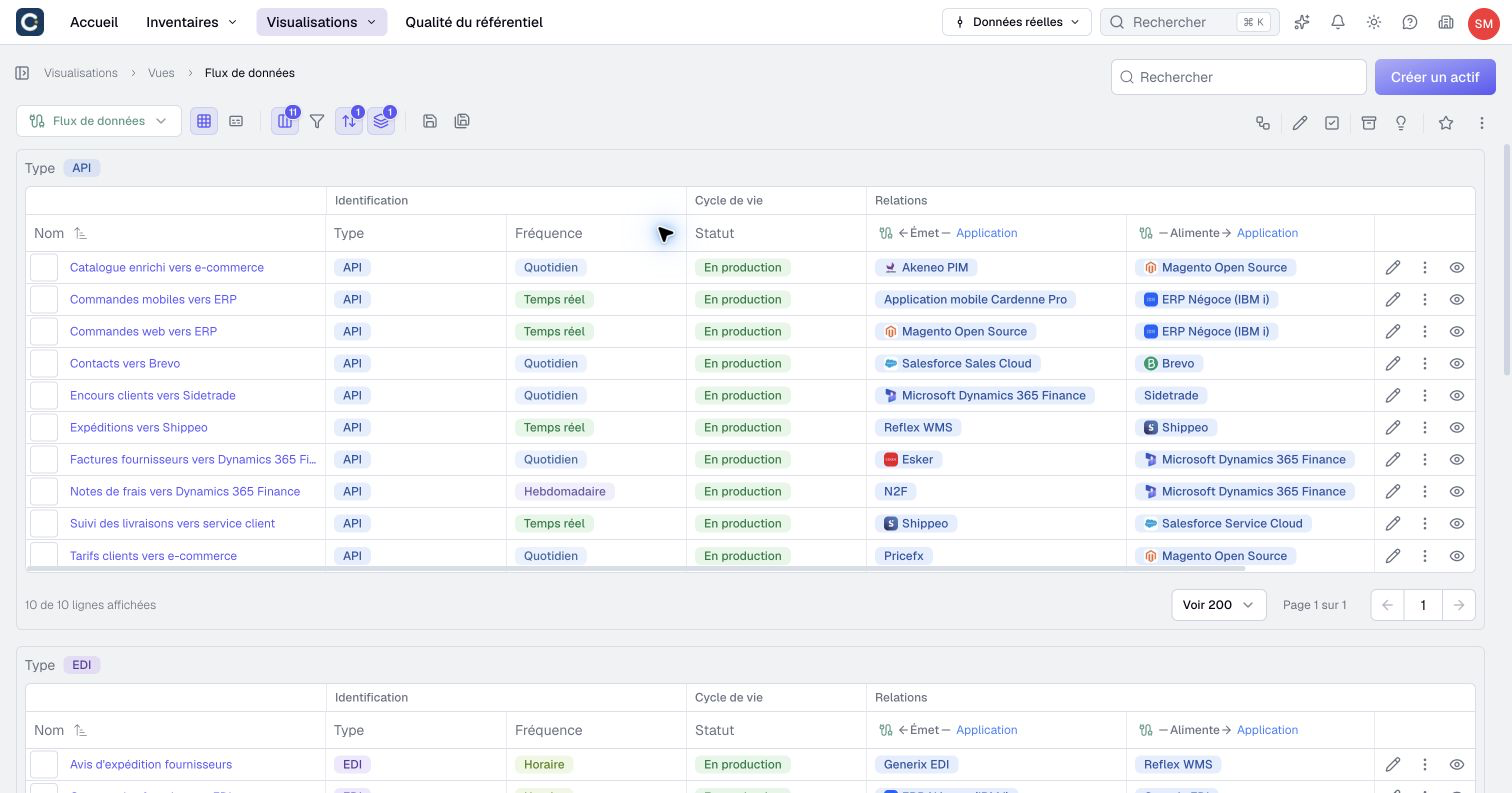
Use it to spot a flow without a frequency, a flow still in production while its source application is switched off, or a kind of exchange to modernize. File and EDI exchanges are often the first to review.
3. Draw the flows by domain
To explain a domain, a diagram draws its data flows. Open Visualizations, then Diagrams, and open the diagram of the sales flows.
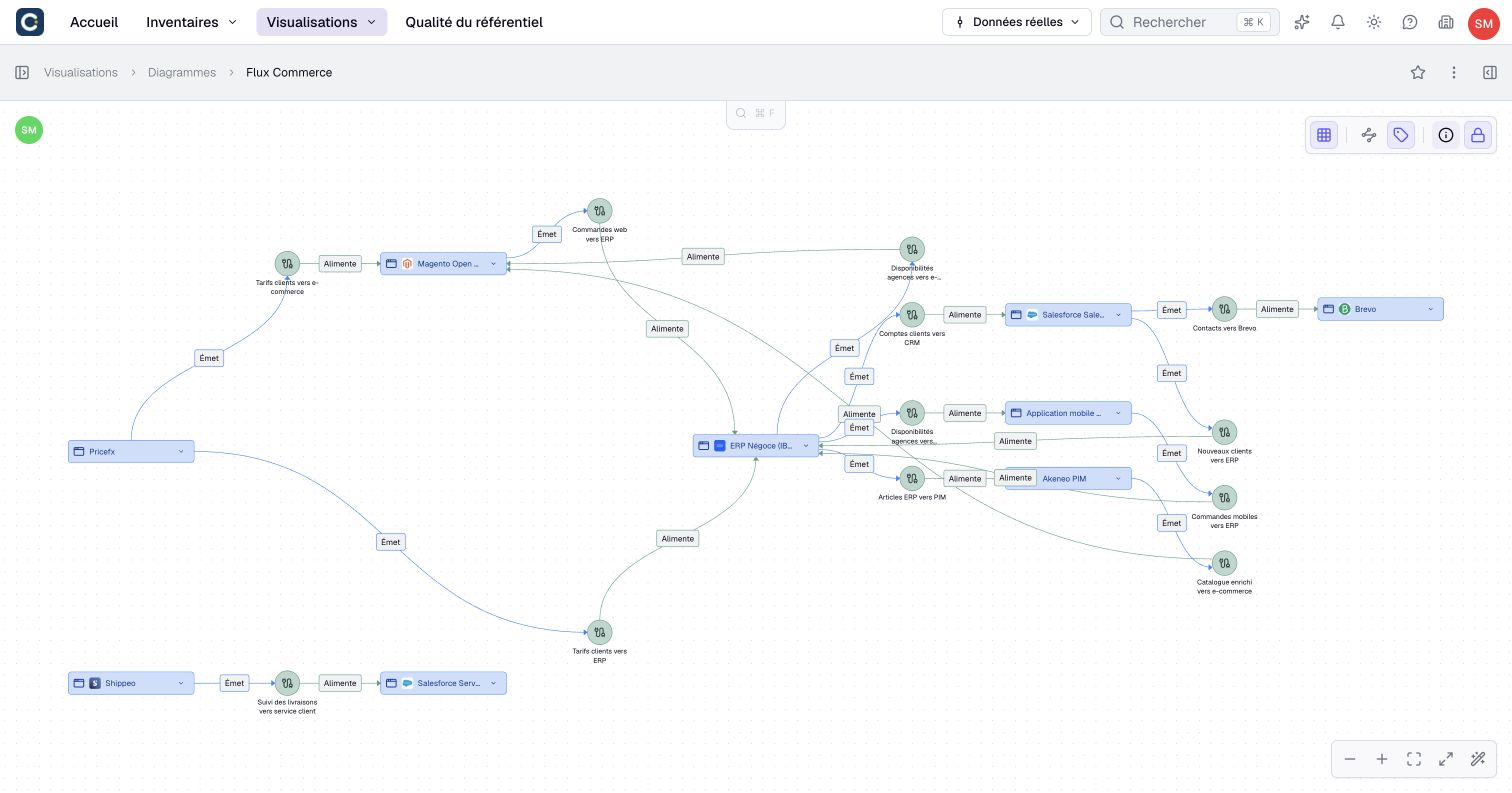
The diagram does not replace the flows: it shows them. Each green circle is a Data flow asset, and each link is a real relationship. When a flow changes in the inventory, the diagram stays right.
4. Follow personal data
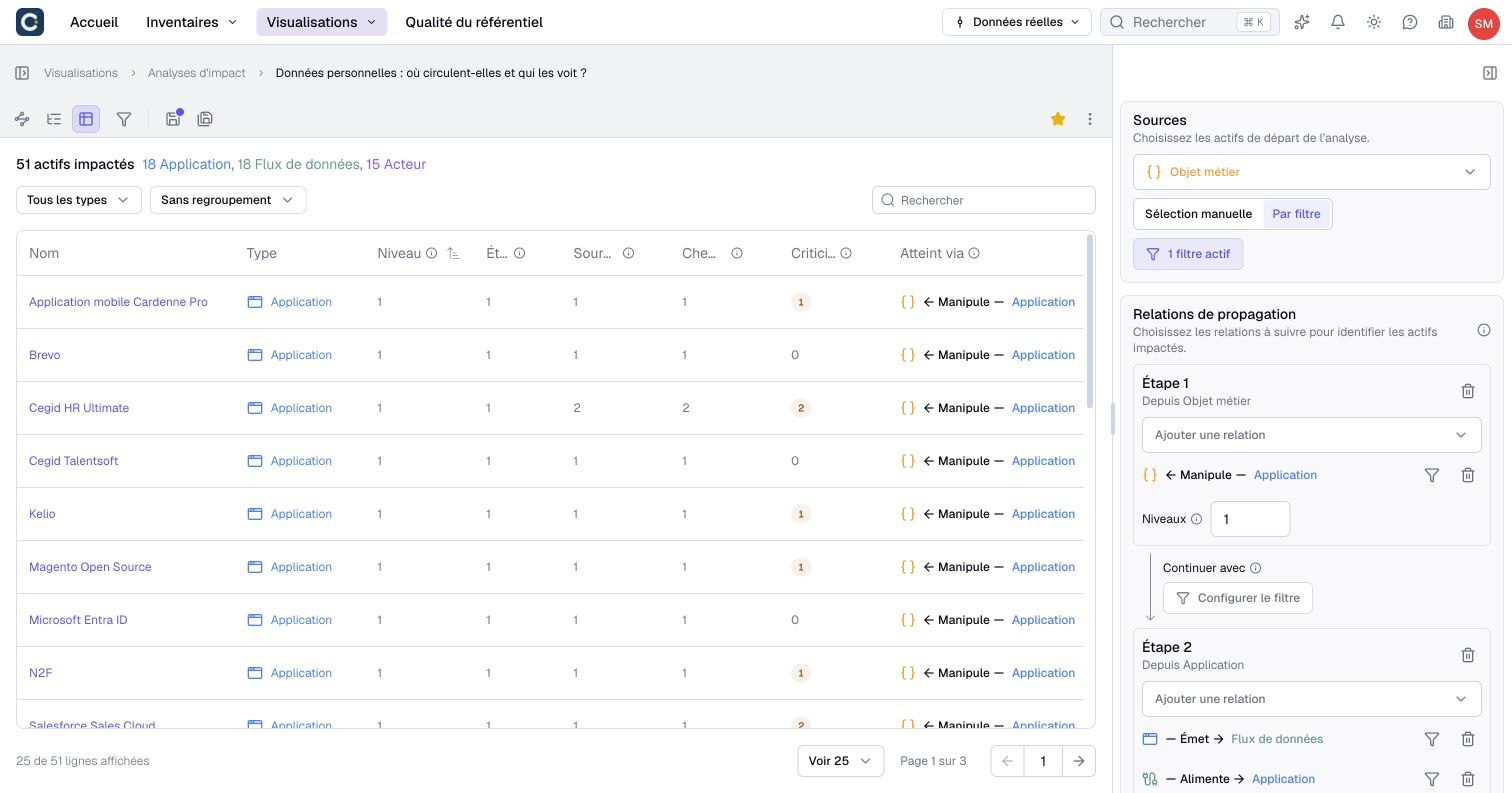
Where does personal data go, and who can reach it? An impact analysis answers by following the relationships. Open Visualizations, then Impact analyses, and open the personal data analysis.
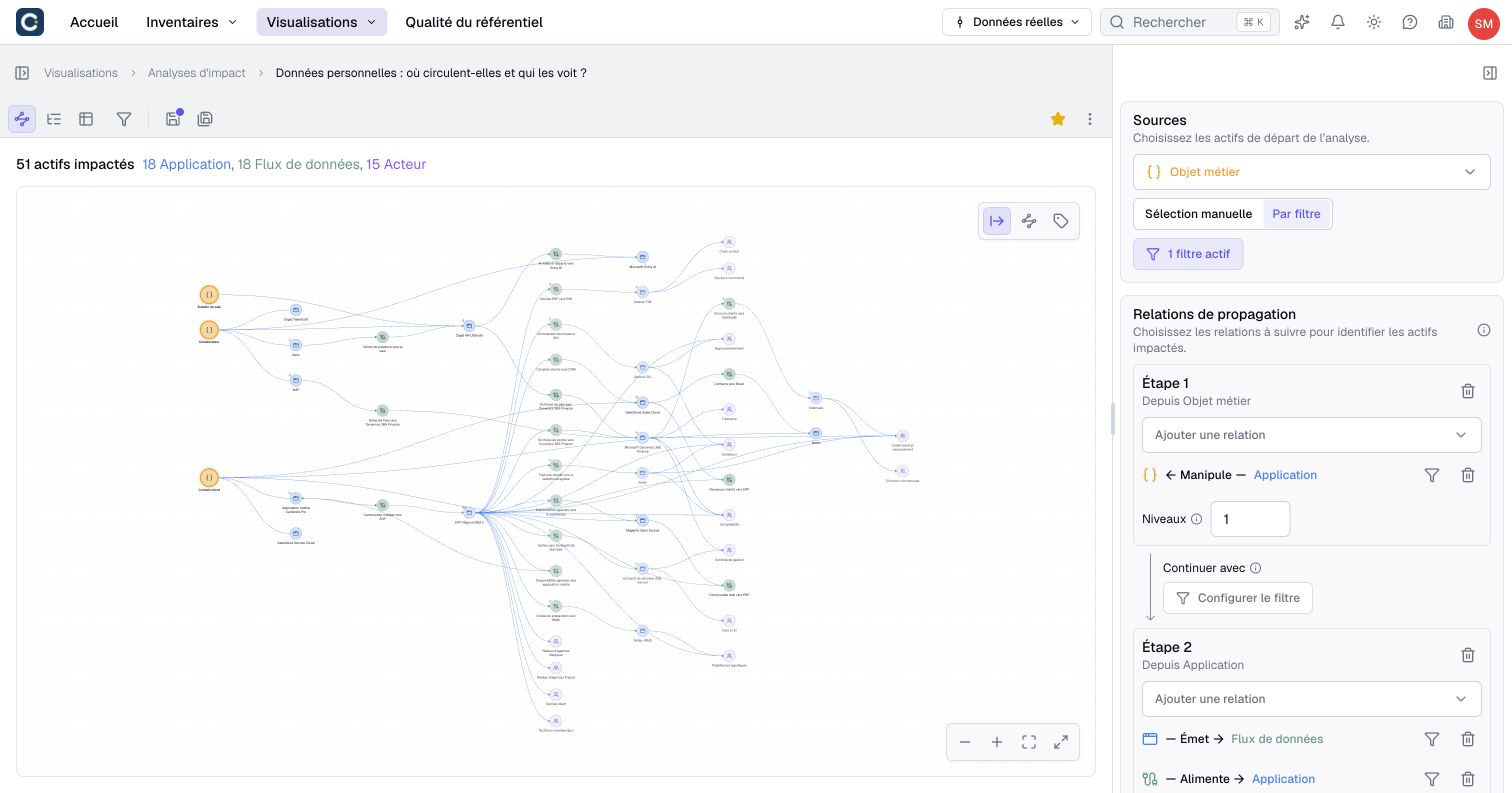
In the example, the analysis starts from the business objects marked as personal data, chosen By filter. It first follows the applications that handle them, then the flows they send and the applications those flows feed.
Switch to the table view for the list to hand over to the data protection officer.
Key points
- A data flow is an asset: it has its type, frequency and status, and it links a source, a target and the data carried.
- A diagram draws the flows of a domain. It stays right when the flows change in the inventory.
- An impact analysis follows personal data from application to application.
Go further
- Your first impact analysis: to build your own analysis on sensitive data.
- Document a relationship: to link a flow to its applications and to the data it carries.
- Draw a diagram: to draw the flows of your domain.