Keep the repository alive with business teams
Business teams know their tools better than anyone: who uses them, what does not work, what is about to change. But you do not want everyone to edit everything. This guide shows how to let them contribute safely: they suggest, they comment, and authorized reviewers decide.
Before you start
- Business people have an account that lets them view Boldo, without the right to edit the assets concerned.
- Suggestions reach the asset's owners who can accept them, on their Home page and in the daily suggestions digest. With repository quality, owners are also notified in Boldo. A suggestion on an asset without an owner reaches no one.
- An administrator can organize rights by domain. For example, one referent per domain edits and owns their scope, and business readers suggest.
1. Business teams suggest, without editing
When a person cannot edit an asset, its page shows Suggest instead of Edit.
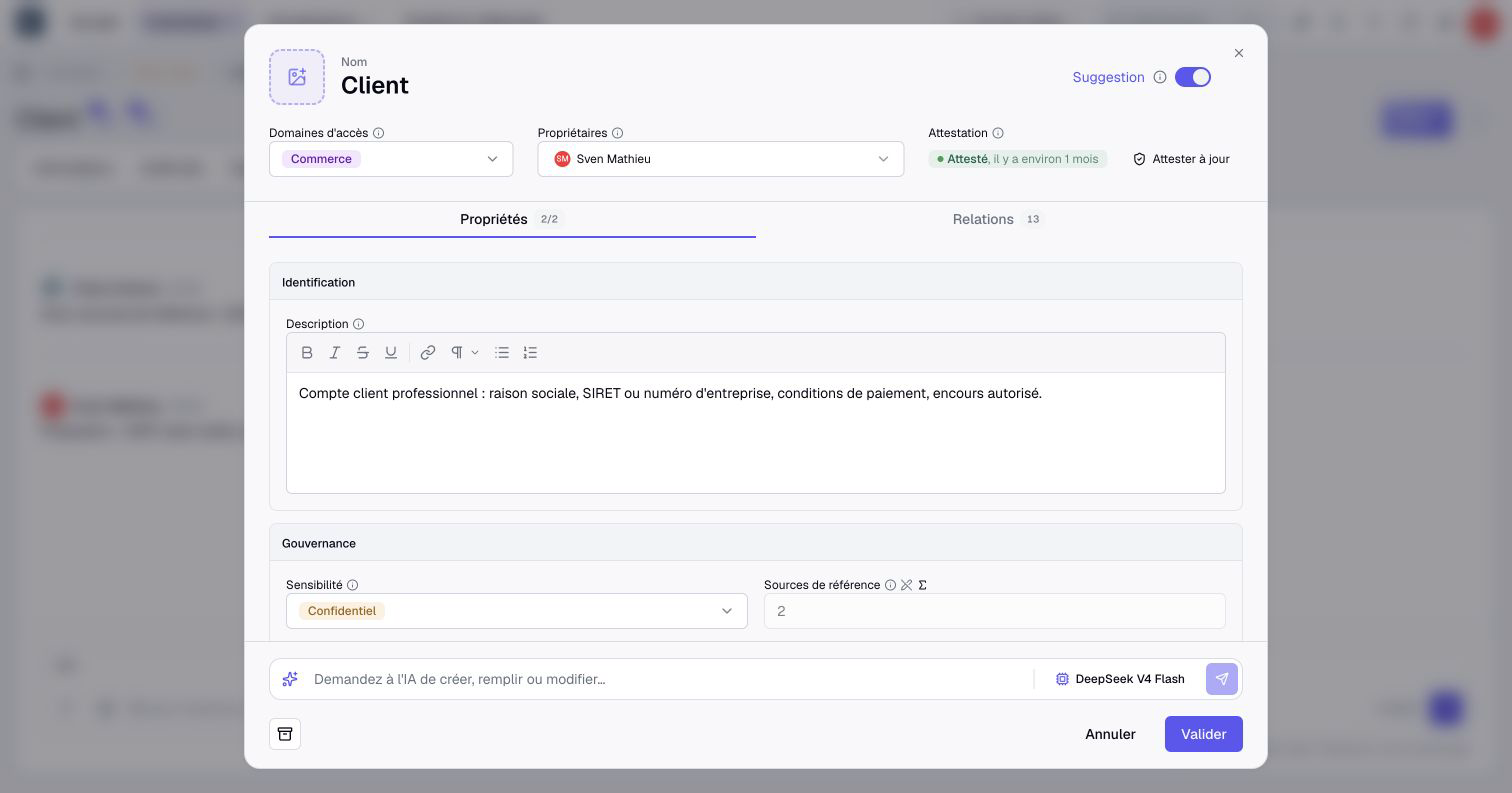
They open the form, change the value they know is wrong and add an explanation with Add a note. Then they click Suggest.
A suggestion writes nothing in the data. It waits for a reviewer with an Editor account or higher and permission to apply the suggested changes. Being an owner alone does not grant this permission.
2. They ask their questions on the asset
For a question rather than a correction, the Comments of the asset keep the conversation in the right place. Type @ followed by a name to bring the right person into the discussion.
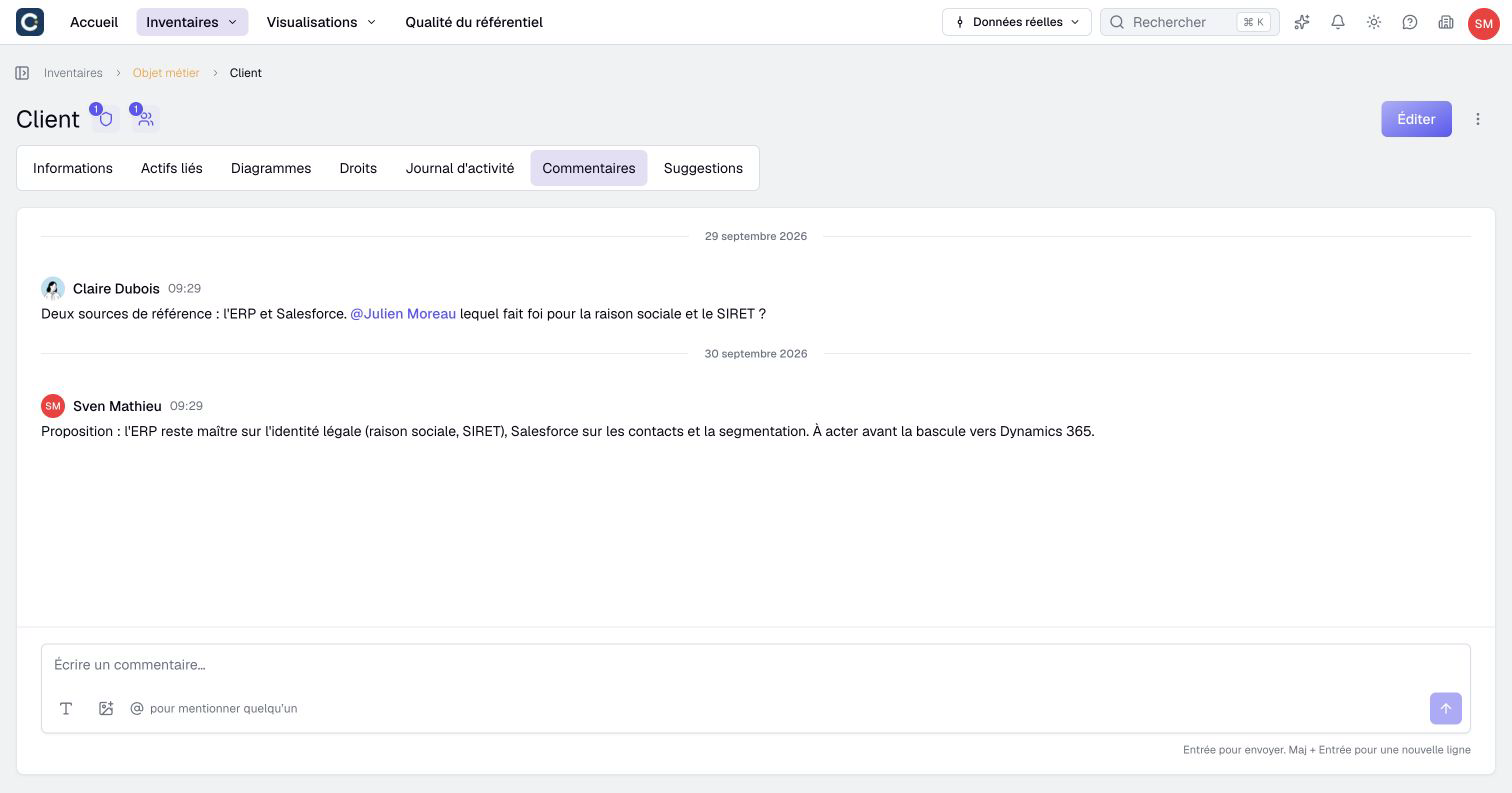
In the example, an architect asks a referent which tool is the reference for a customer's legal name, and the answer stays attached to the business object concerned.
3. Review with the required rights
An owner who can accept them finds the suggestions on their Home page, in Suggestions. They click Review all to go through them one by one.
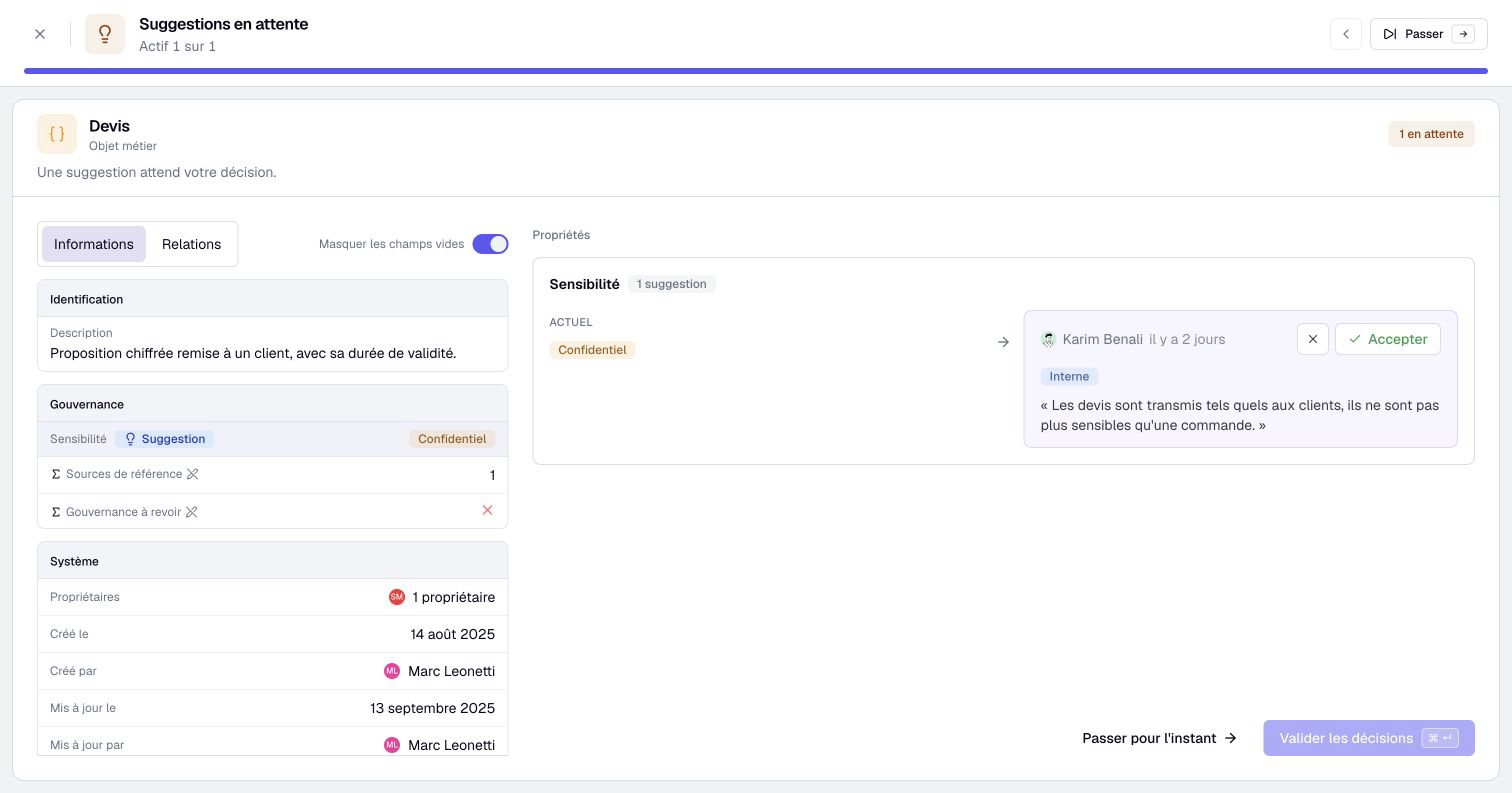
Reviewers with the required permissions accept or decline each suggestion, explaining a refusal. An owner without these permissions can read the suggestion and ask an authorized editor to review it. The author is told whether it was accepted. The daily suggestion digest reminds owners of the new suggestions they can accept on their assets.
4. Check the result
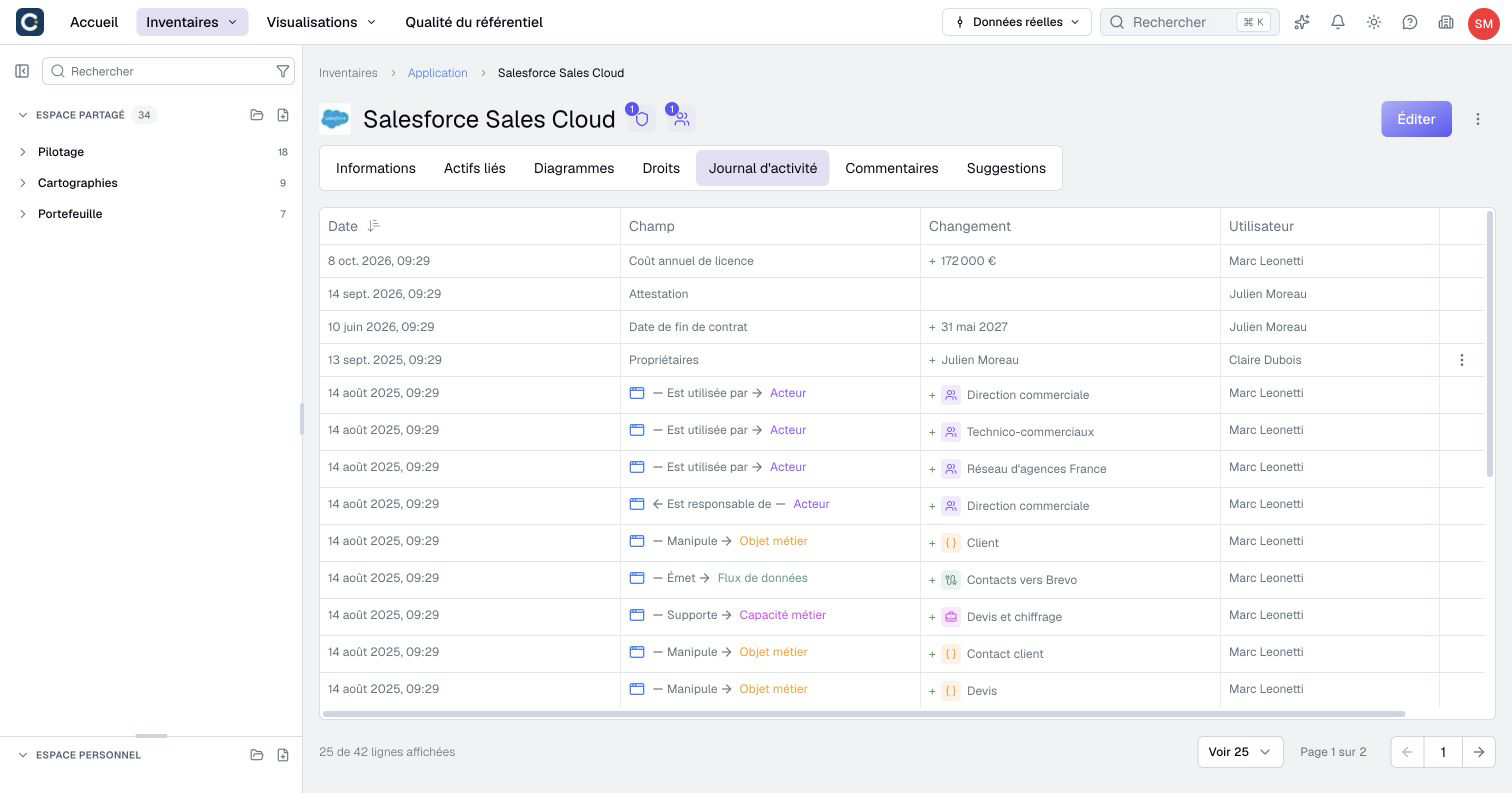
An accepted suggestion becomes a change like any other. The Activity log of the asset keeps track of who suggested, who accepted, and when.
Key points
- A suggestion writes nothing until an authorized reviewer accepts it.
- Comments and mentions keep the conversation in the right place, on the asset.
- Reviewers handle suggestions from their home page, and the author learns whether each one was accepted.
Go further
- Suggest a change: the guide to share with business people.
- Work together: comments, mentions and notifications: to set who is told, and how.
- Your home page, day to day: for reviewers who handle suggestions.
- Set up your first role: to organize rights by domain.