Map business capabilities and their coverage
Management asks you where the IT budget goes, business by business, and where the company depends on a fragile tool. To answer, you need a stable map of what the company knows how to do: sell, invoice, deliver, pay. This is the map of business capabilities. This guide shows how to read it in Boldo, see which applications carry each capability, and spot the gaps, the overlaps and the costs.
Before you start
- Being able to view Boldo is enough to follow this guide. To change capabilities or their relationships, you need to be able to edit them: if you cannot, ask an administrator.
- Applications must be linked to the capabilities they support. Without these relationships, the map stays empty.
- The views, maps and diagrams used here come from the example. Build your own the same way. An administrator must also configure the computed properties for application counts and annual costs used below.
1. Understand what a capability is
A capability describes what the company knows how to do, not who does it or with which tool. "Invoicing" stays a capability, whether invoices go through the ERP or through another tool. This is why the capability map stays stable when tools and teams change.
Capabilities are sorted in levels. Level 1 gives the large domains, such as sales or finance. Level 2 details them, for example customer account management or general accounting.
2. See coverage and costs
Open Visualizations, then Views, and open the view of capabilities and their costs. It groups capabilities by level.
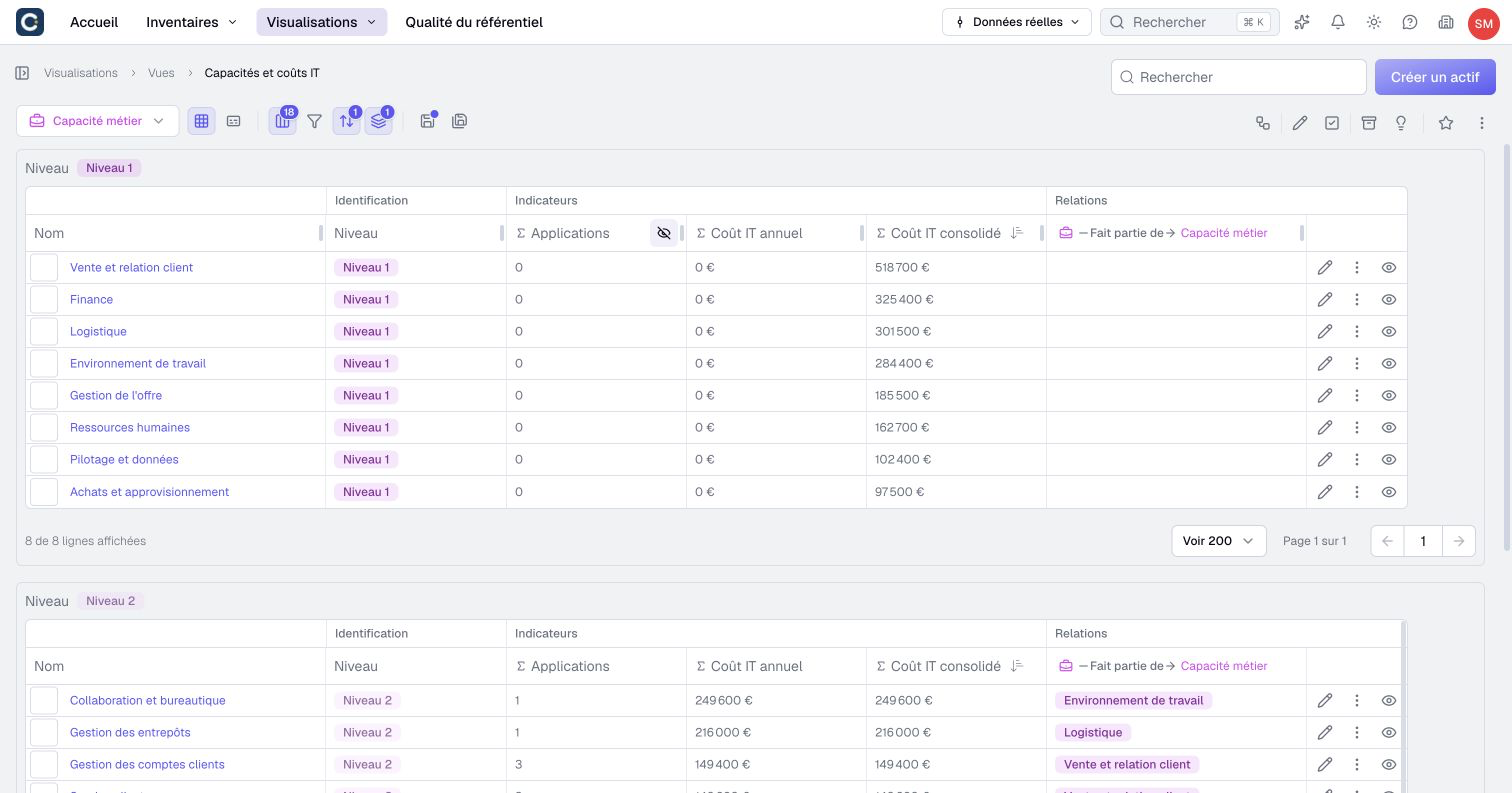
Three columns marked Σ are computed by Boldo: the number of directly linked applications, their annual IT cost and the consolidated IT cost. Level 1 capabilities show 0 for the direct count and cost because applications are linked to level 2 capabilities. The consolidated cost rolls up the costs of their sub-capabilities.
Sort by cost to see where the money goes. In the example, collaboration and office tools come first, ahead of warehouse management.
3. See who carries each capability
Open Visualizations, then Nested maps, and open the capability map. Each capability holds its sub-capabilities, then the applications that support them, with their recommendation.
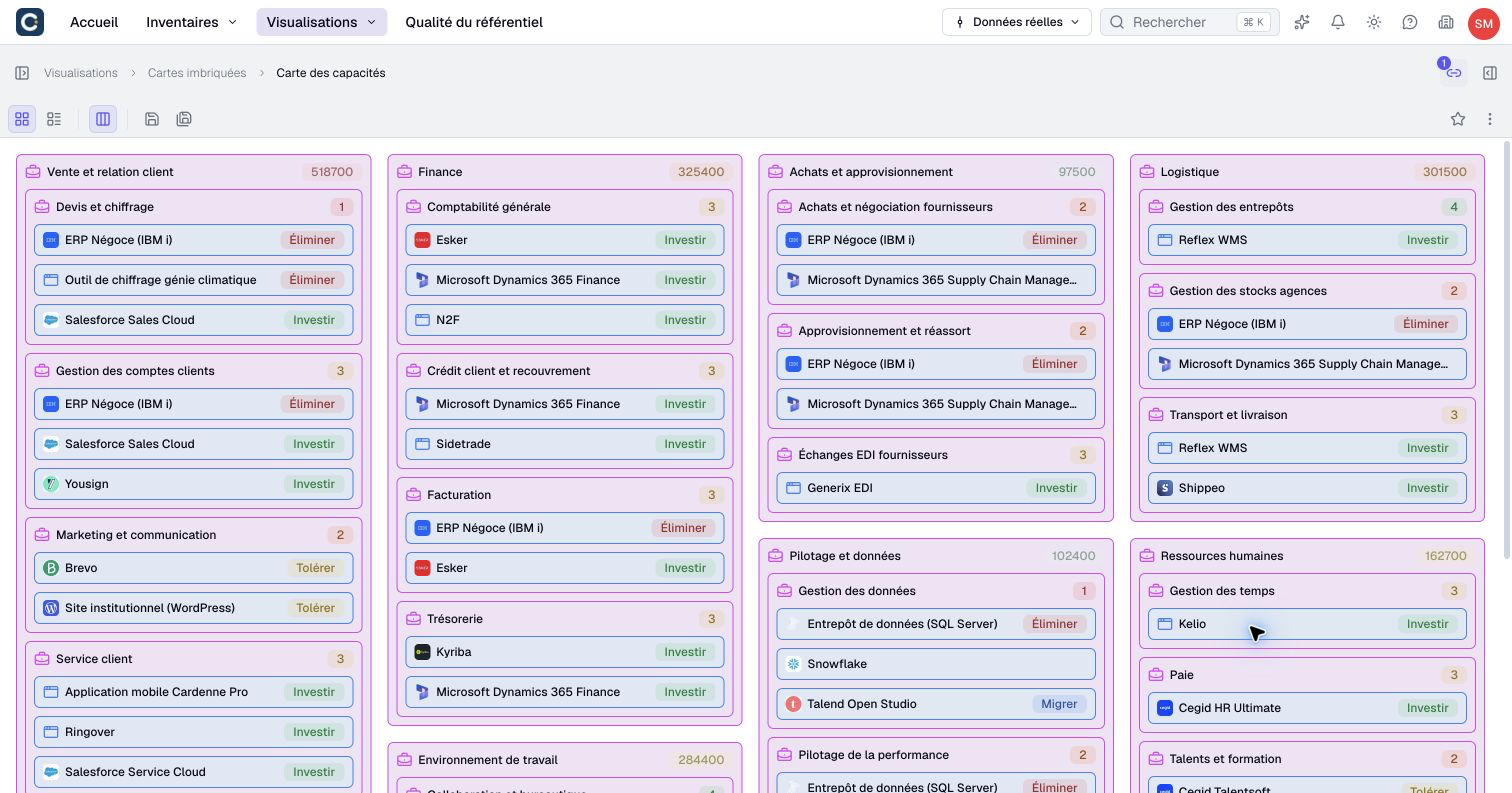
The map is computed from the relationships. When an application is linked to a new capability, it shows in the map, without redrawing anything.
4. Spot gaps and overlaps
Go through the map and the view with two questions in mind:
- A gap: a level 2 capability without any application. Either the work is done by hand, or a relationship is missing in Boldo. In the view, its Σ Applications column shows 0.
- An overlap: several applications on the same capability. Sometimes it is intended, often it is an extra cost. In the example, quotes go through three tools at once.
A capability carried only by an application to eliminate is a warning sign. Plan the replacement before retiring the tool.
5. Show the urbanization plan
For a presentation, a diagram sorts applications by functional area. Open Visualizations, then Diagrams, and open the urbanization plan.
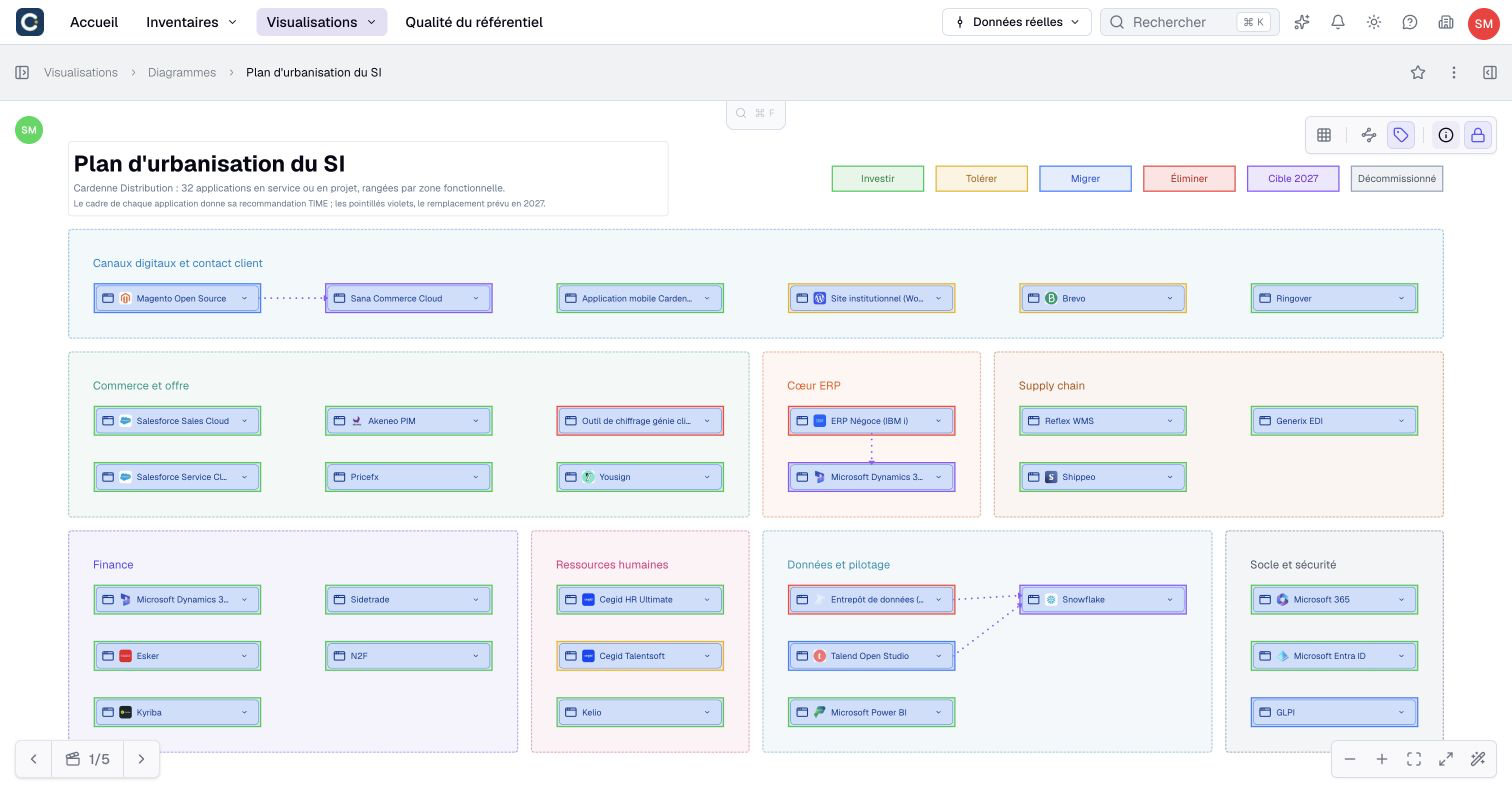
Each frame takes the color of the application's recommendation: invest, tolerate, migrate or eliminate. Dotted lines show planned replacements. Each block stays a real asset: click it to see its information.
Key points
- A capability describes what the company knows how to do, not with which tool. The map stays stable when tools change.
- The capability view gives coverage and costs, the nested map shows who carries what.
- A capability without an application is a gap, a capability with several applications may be an overlap.
Go further
- Build a nested map: to build your own capability map.
- Rationalize your application portfolio: to decide what to do with the overlaps you found.
- Create a view and filter: to keep the list of capabilities without any application.