Set up repository governance
You look after your organization's repository, and you want people to trust it. A repository is only useful if they do. That trust does not come from a big clean-up once a year, but from a simple rule: every asset has an owner, and every owner confirms from time to time that their assets are still right. This guide shows how to put that rule in place in Boldo and how to follow it without chasing people by hand.
Before you start
- This guide is for administrators of the organization.
- Repository quality must be included in your subscription. Turn it on in Organization settings, the building icon at the top right, then Repository quality.
Select Real data for this campaign. Attestation, reminders and departed-owner administration are unavailable in a scenario.
1. Understand the principle
Governance in Boldo rests on three ideas:
- An owner is the person who keeps an asset up to date. They are not necessarily the one who uses it the most, but the one who knows it best.
- Attesting means saying "I checked, it is still right". It is not the same as editing: an owner can attest an asset without changing anything.
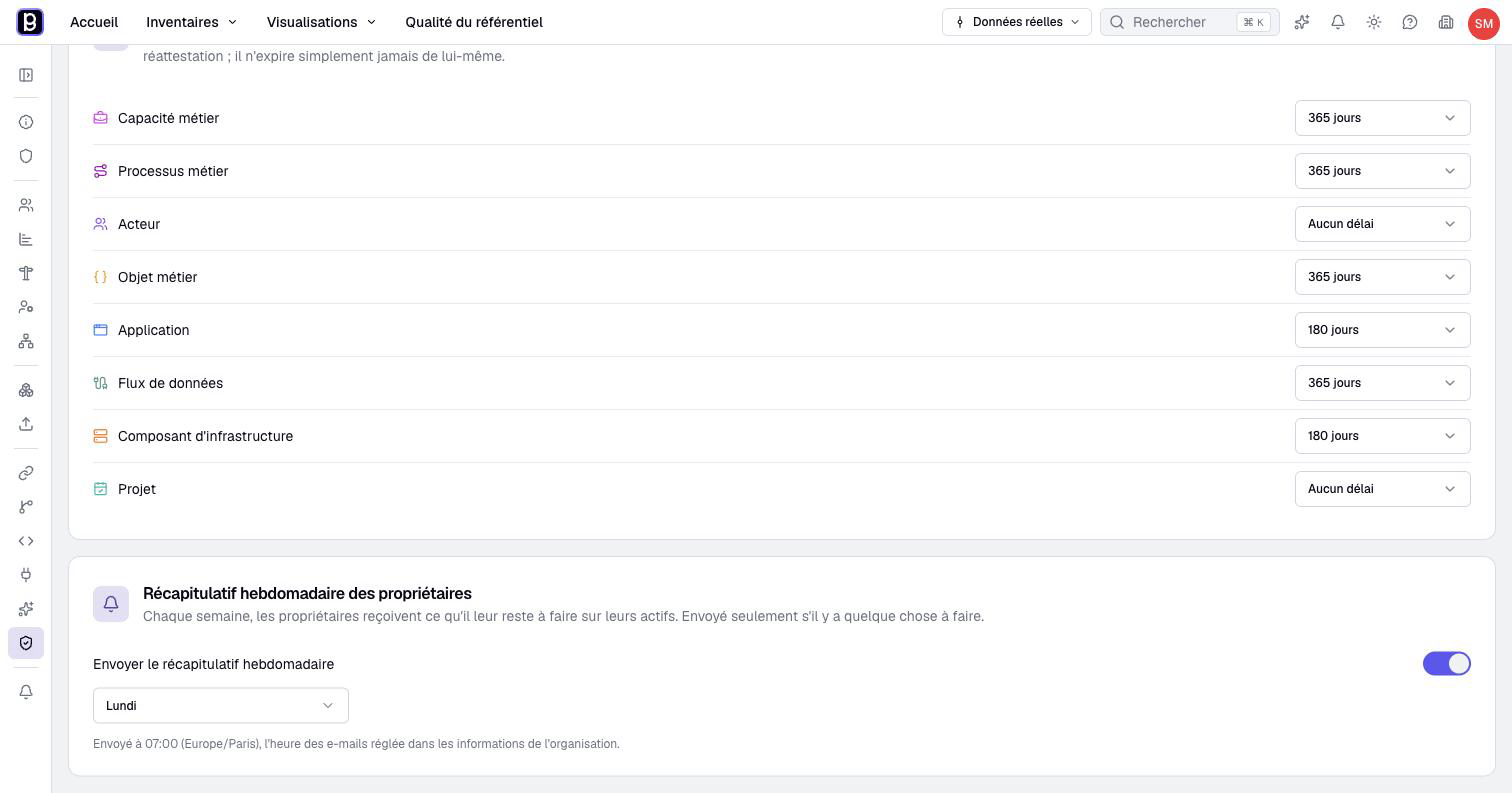
- Freshness tells whether assets were attested and are still valid. An asset type can have its own rhythm, its revalidation delay in Repository quality: an application every six months, a server every year, for example. Without one, an attestation holds until someone requests a new one.
2. Read the state of your repository
Open Repository quality in the top bar. The page sums up the whole repository in three measures: the share of assets with an owner, their completeness and their freshness.
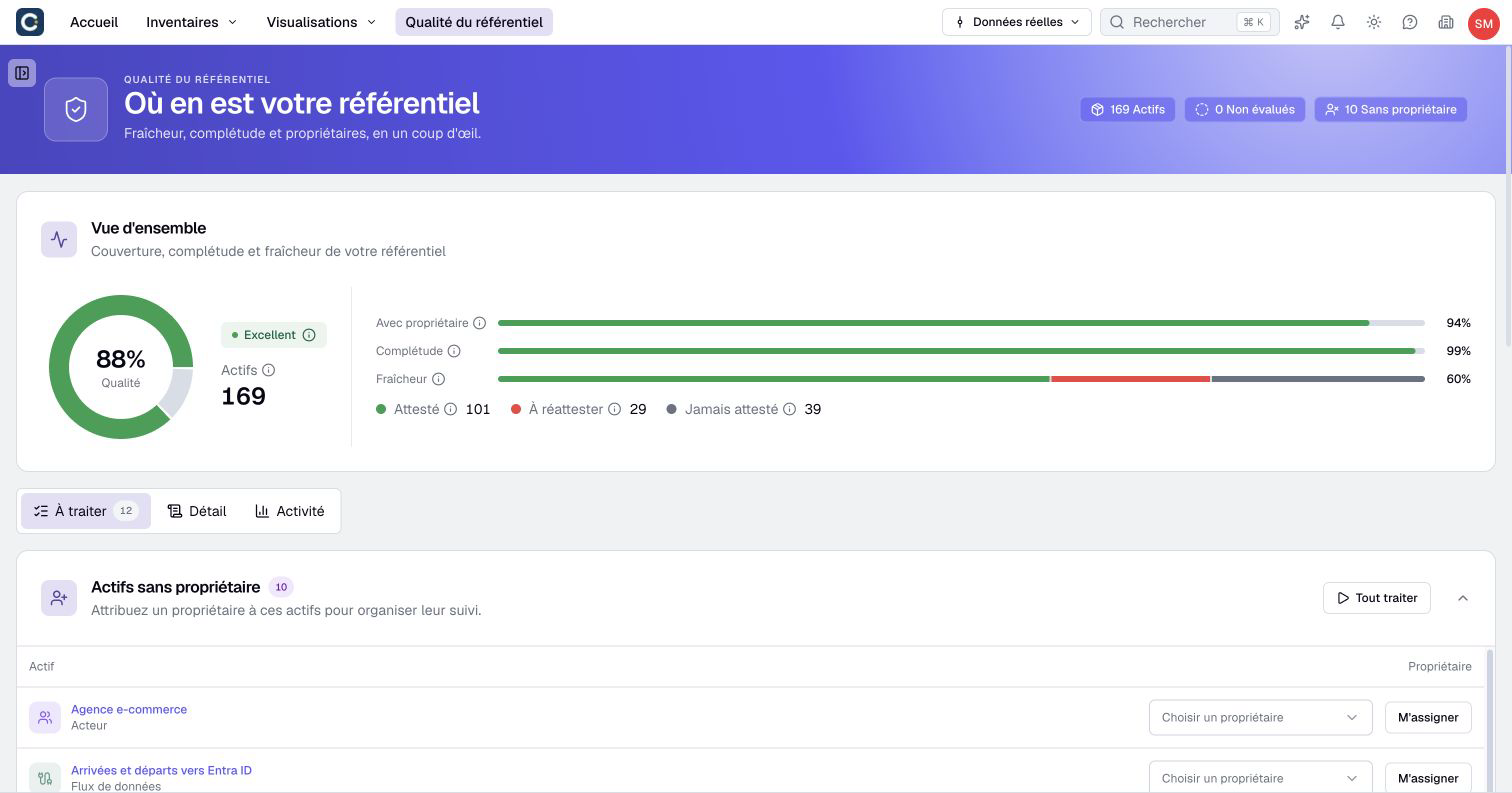
In the example, the information is complete but has aged: 29 attestations have expired and 38 assets were never attested. That is where the effort goes.
3. Give every asset an owner
The To handle tab starts with the assets without an owner. Choose an owner for each one, or click Assign me to take it yourself.
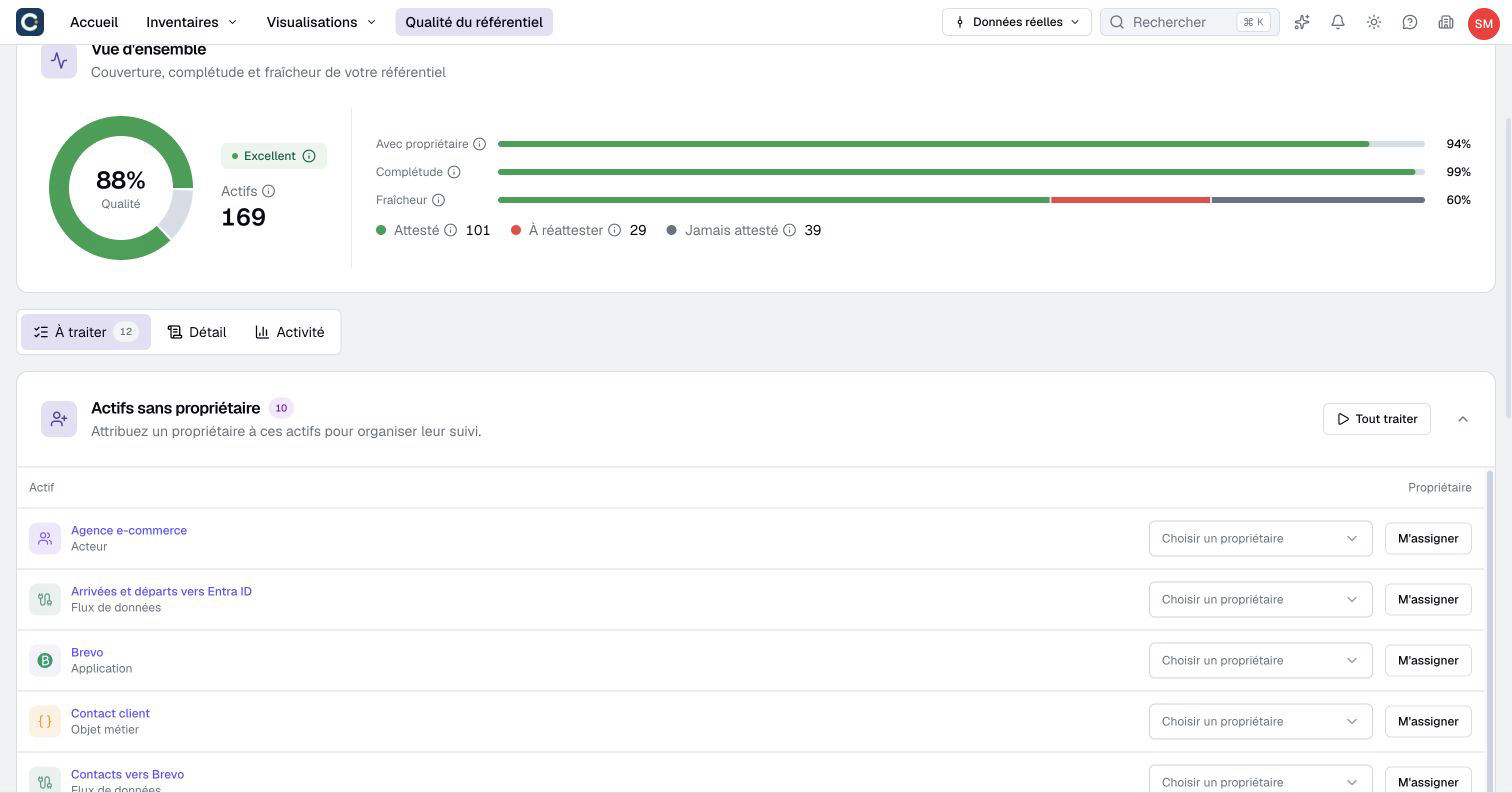
You can also set owners on the asset page itself, when you edit it.
4. Handle departures
People leave, their assets stay. Lower on the same tab, Owners who left the organization lists the former members who still own assets.
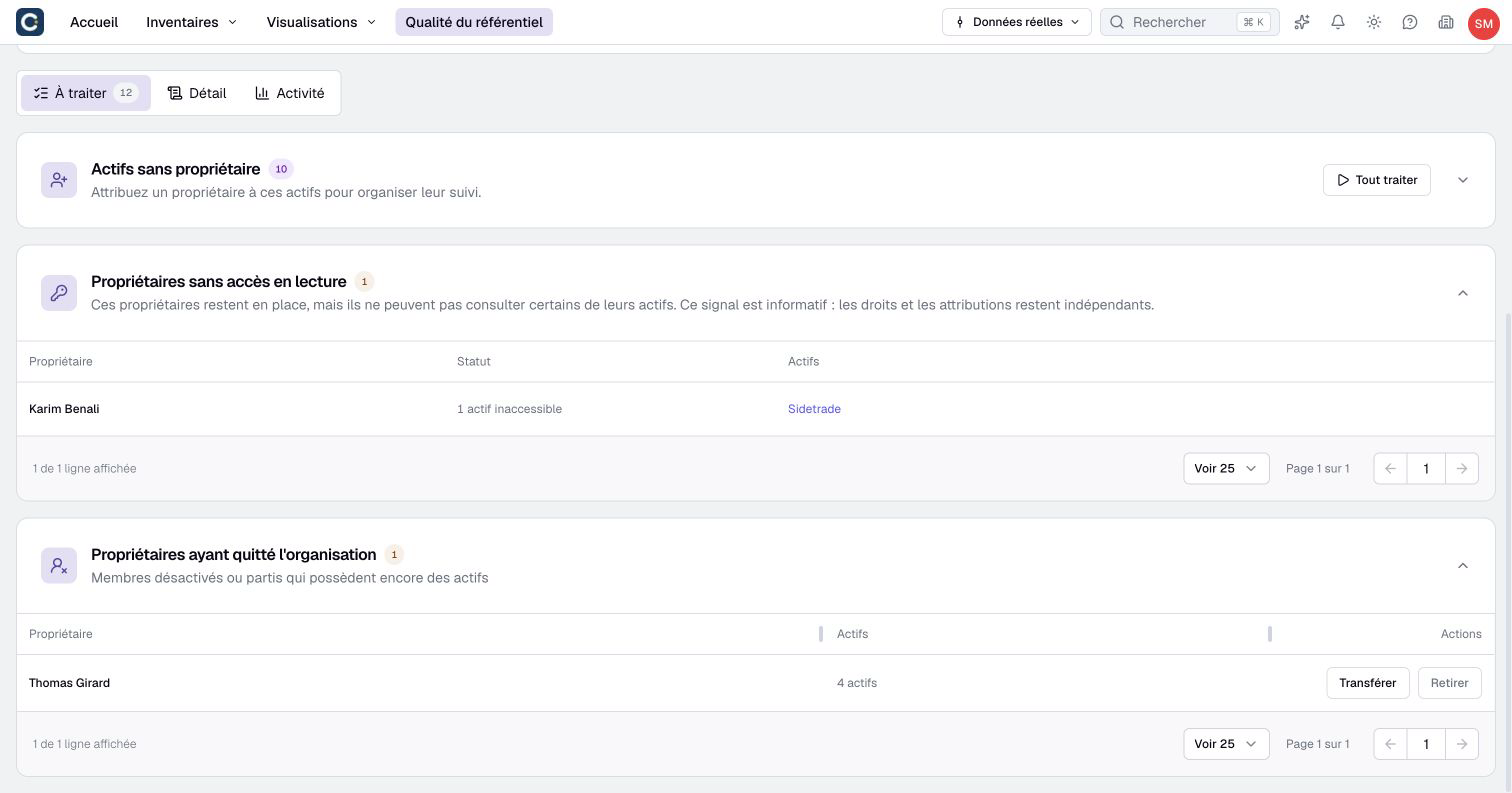
Click Transfer to open the handover dialog. Choose an active member and confirm with Transfer, or choose Leave without owner to remove the former member’s responsibility. Other owners remain. The section Owners without read access flags owners whose rights no longer let them see some of their assets.
5. Launch the attestation campaign
Nothing to organize: each owner finds their assets to attest on their home page, with a guided review that takes them through one asset at a time.
The Breakdown tab shows where each owner stands.
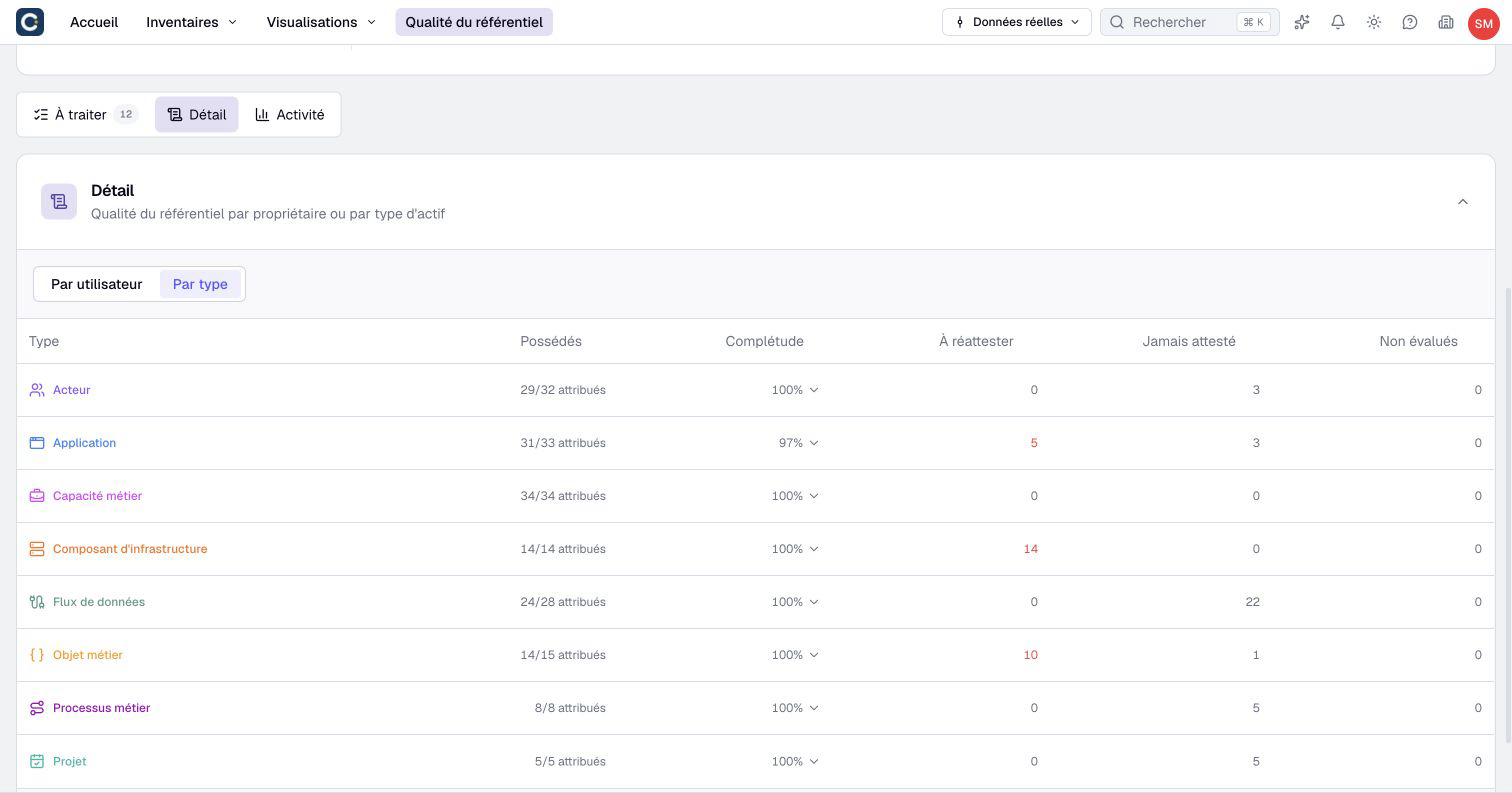
The bell at the end of a row sends that owner an email reminder. Boldo sends at most one reminder a day to the same person, and owners can turn these emails off.
The email only gives counts and a link: how many assets to complete, to attest, and suggestions waiting. The owner clicks and lands on their home page, ready to start.
6. Let the weekly digest do the chasing
In Organization settings, then Repository quality, turn on Send the weekly digest and choose its day. It goes out at the organization's email time, set in My preferences > Notifications under Email schedule. Each week, owners with pending work receive a summary, according to their notification preferences. You no longer need to send reminders one by one: keep the bell for the exceptions.
Come back to Repository quality once a month. The freshness bar is the one to watch: when it stays green, your repository can be trusted.
Key points
- One asset, one owner. Give an owner to every asset without one, and hand over the assets of people who leave.
- Attesting is saying "I checked", not editing.
- Owners work from their home page. Reminders and the weekly digest do the chasing.
Go further
- Your home page, day to day: what owners see when they attest their assets.
- Track technical obsolescence: the end of support dates that owners keep up to date.
- First steps in Boldo: the guide to send to new members before asking them to attest.