Steer a transformation program
You lead a transformation program that runs over several years and several steps. Each step changes the information system, and the next one starts from what the previous one delivered. Boldo lets you describe the program, prepare every step as a working copy of your data, see what each step changes, and know in advance which processes and teams are affected.
In the examples, the program replaces the historic ERP with a new one, in three steps.
Before you start
- You need to be allowed to create projects and scenarios. If a button is missing, ask an administrator.
- Never used a scenario? Read Work in a scenario first.
1. Describe the program in the repository
Create the program in the Project inventory, like any other project: its description, dates, budget, the department that leads it, and the applications it transforms.
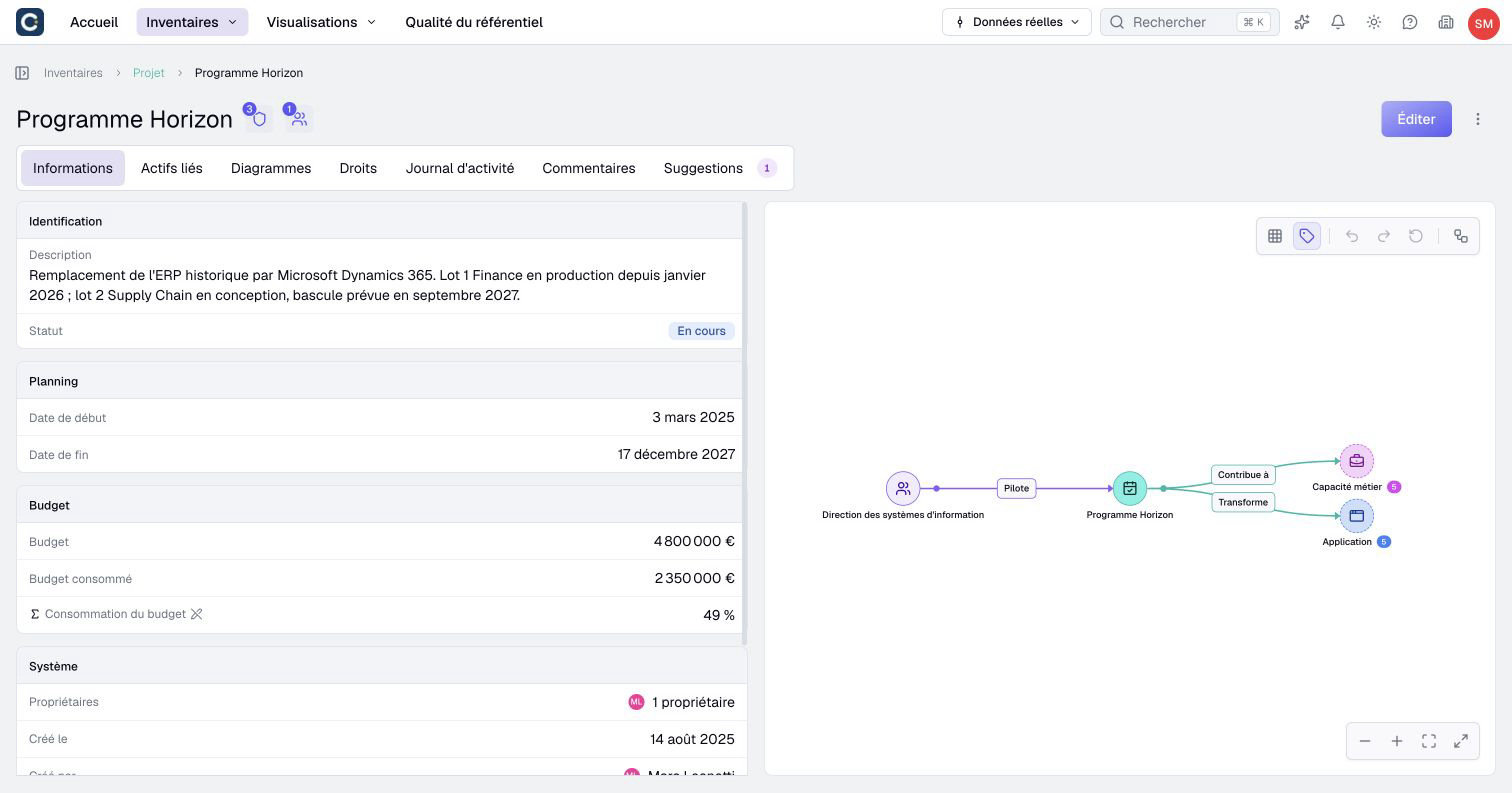
This page is the program's identity card. Members with the required read permissions can consult its status and budget, and its relationships show what it touches.
2. Prepare one step per scenario
Each step of the program becomes a scenario. The first one starts from the real data. Each following step is a sub-scenario of the previous one, a scenario built on top of another: it starts from everything the previous step changed.
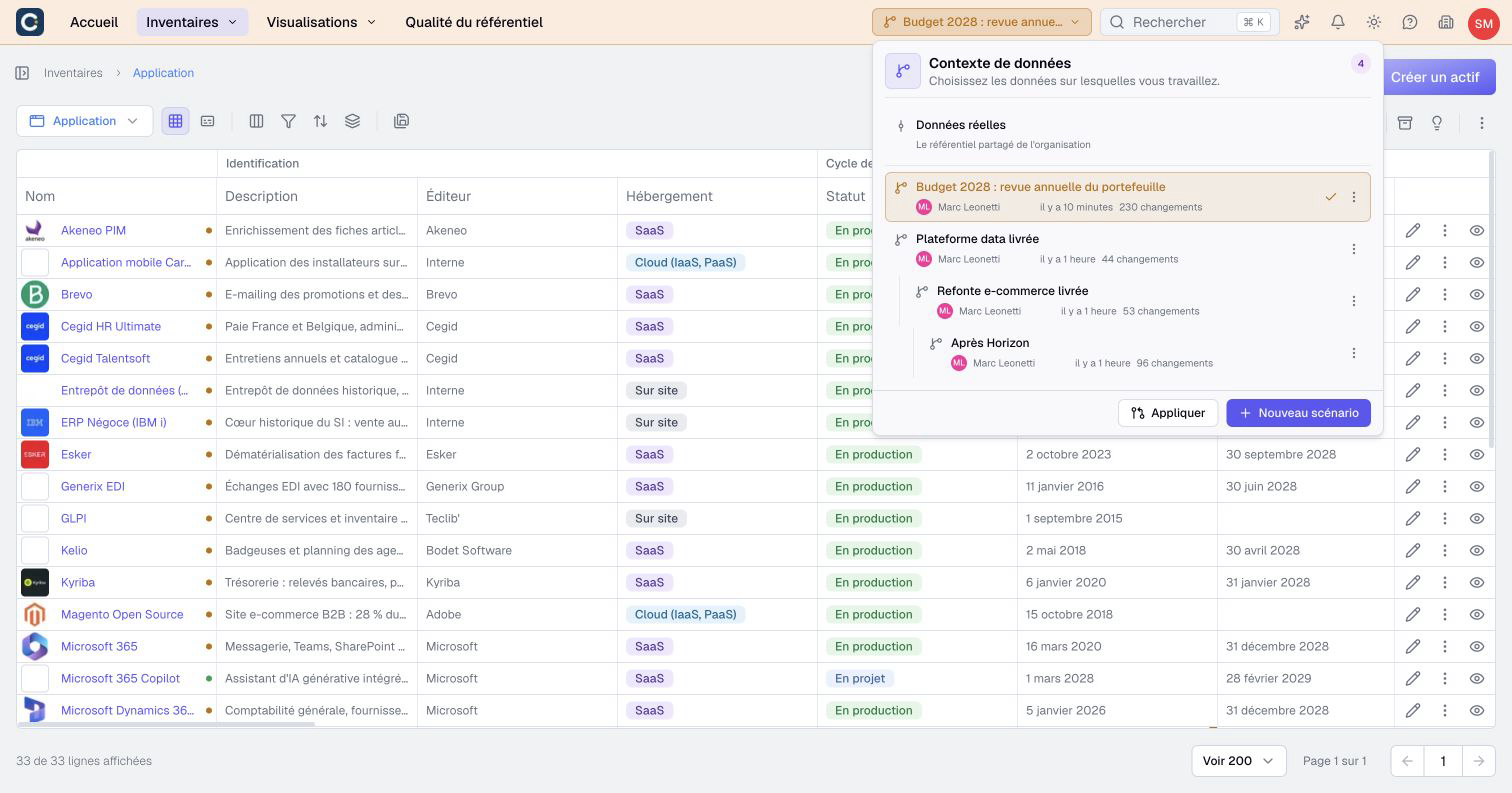
In the example:
- The first step replaces the old data warehouse with a new data platform.
- The second step builds on it and replaces the e-commerce site.
- The last step builds on the e-commerce step, replaces the historic ERP and switches off the server it runs on.
To create a step, open the menu of the previous step in the Data context selector and click New sub-scenario.
3. See what each step changes
Open the review of a step, then Overview in its More menu. By default, a sub-scenario is compared with its parent: you see only what this step adds to the previous one.
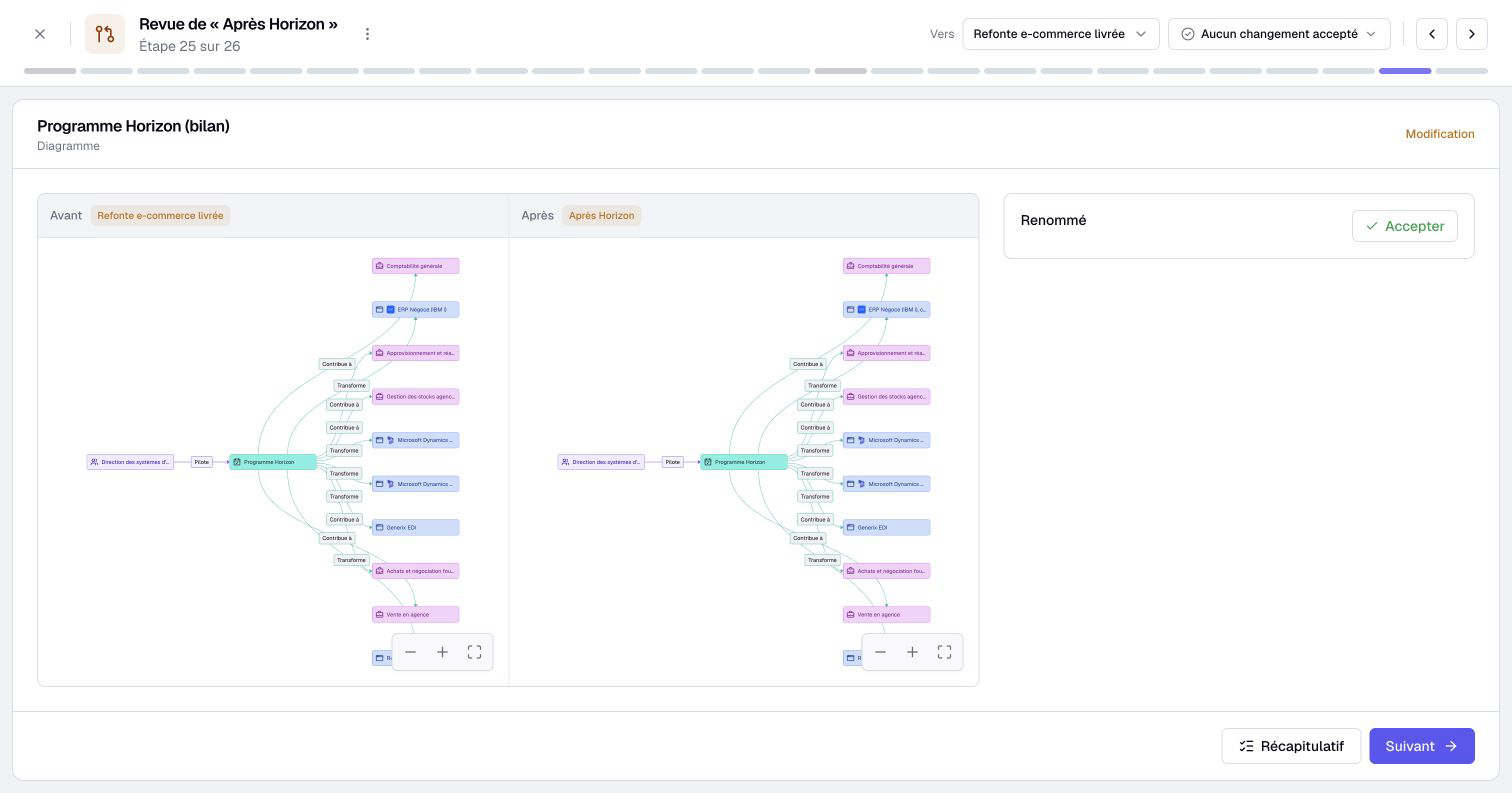
The Compare with selector lets you compare a step with the real data instead, to see the whole road travelled since today.
4. Find out who is affected
An impact analysis starting from the program answers the question every program manager gets: which processes and which teams are touched?
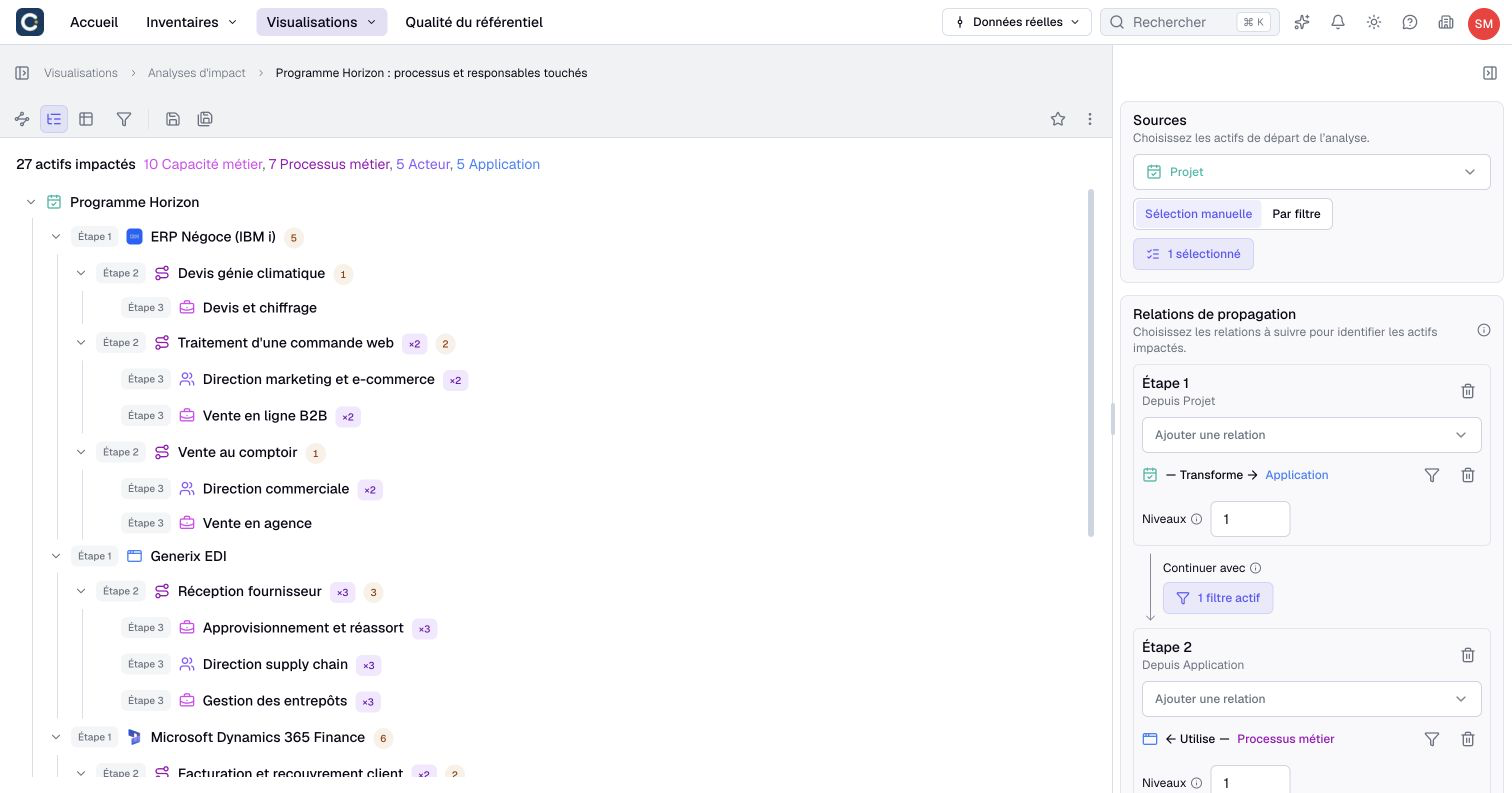
In the example, the analysis reaches 5 applications, 7 business processes, 10 business capabilities and 5 teams. Each stage of the analysis goes one level further: applications first, then processes, then capabilities and teams. It is your list for the change management plan.
Open the same analysis inside a step to see the situation at that step: in a scenario, the analysis reads the scenario's data.
5. Deliver wave by wave
Deliver each step when it goes live, starting with the first:
- Apply the first step to the real data.
- Once it is fully applied, the next step moves up: it now starts from the real data, with its own changes intact.
- Apply it in turn when it goes live, and so on until the last step.
A step can also be delivered in part: apply only the changes that are ready, and the rest waits for the next wave.
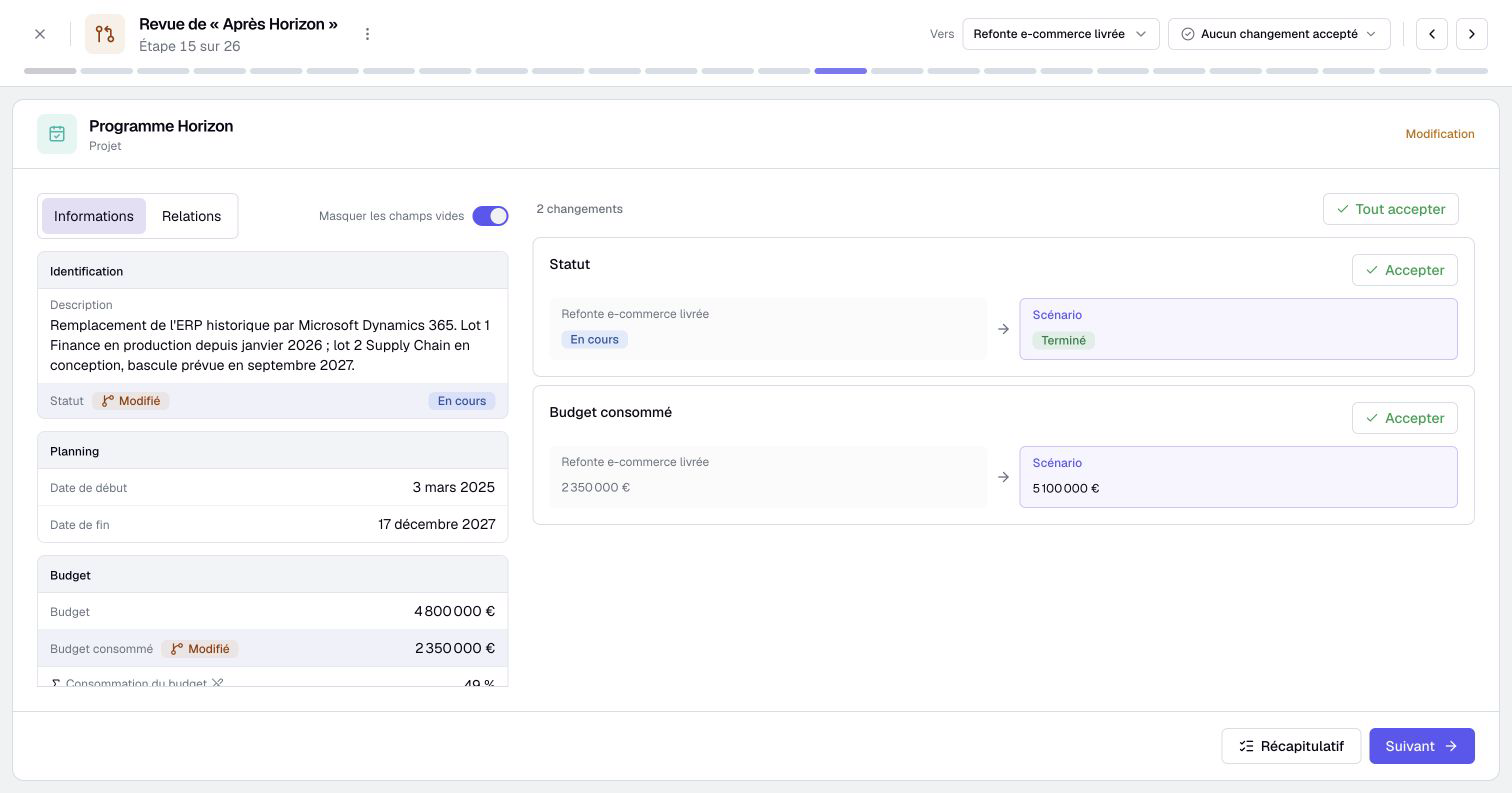
Each application goes through the review, element by element, as described in Apply a scenario, and undo if needed. Along the way, keep each step in line with the one it builds on: Resynchronize takes in the latest data of its source.
Key points
- The program is a project: its page gathers dates, budget and what it transforms.
- One step, one scenario. Each step is a sub-scenario of the previous one.
- An impact analysis starting from the program lists the processes and teams to support.
- Deliver wave by wave: apply each step to the real data when it goes live, starting with the first.
Go further
- Sub-scenarios, copying changes and archiving: chain steps, copy changes from one step to another, tidy up old steps.
- Rationalize your application portfolio: decide which applications the program should replace.
- Assess the impact of a decommissioning or an outage: set up the analysis that lists who is affected.