Suggest a change
An item looks incorrect, but you cannot edit it or want someone to review the change. A suggestion preserves the current value until an authorized person accepts it.
This guide follows a date correction on an application. You need access to the asset and the information concerned.
Open the form
Open the asset’s page and click Suggest. If your profile shows Edit, open that form and enable Suggest instead of apply to request review.
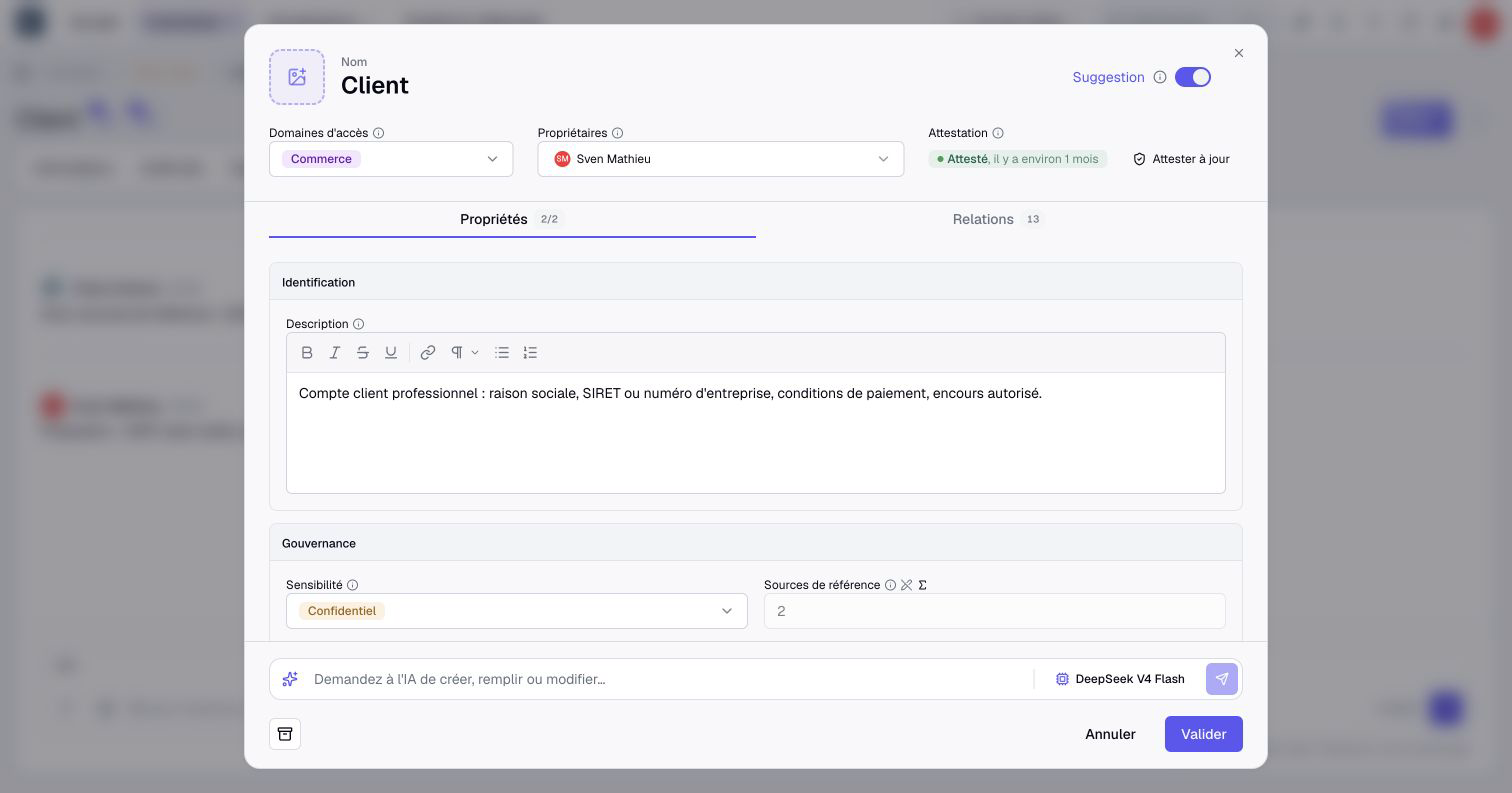
The form contains Properties and Relationships. Available fields depend on permissions; suggesting a change does not reveal hidden information.
Prepare the correction
- Change the relevant date.
- Select Add a note and identify your source, such as “contract renewed in March”.
- Check that the change is marked as a suggestion, with no unintended direct edit.
- Click Suggest to submit the suggestion.
A form can mix direct changes and suggestions. It then displays Validate and can immediately change some fields. Review its indicators before submitting it.
Follow the review
Open Suggestions on the asset’s page to find your suggestion. An authorized person compares the current value, your suggested value and your note. Ownership alone does not grant permission to accept or reject it.
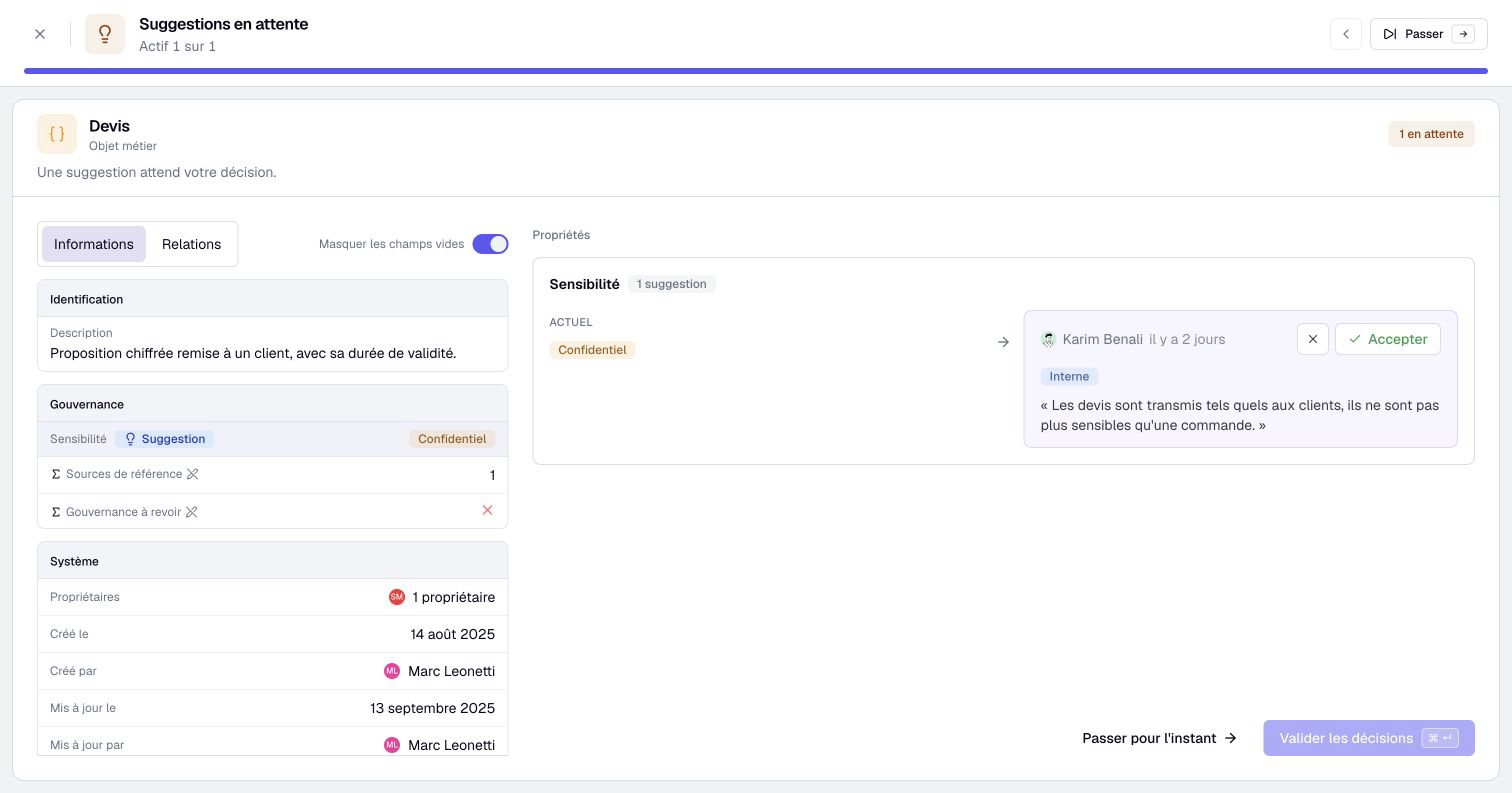
For a value change, Accept or Reject only prepares the answer. Confirm N suggestions applies it, or Accept the suggestion / Reject the suggestion when there is only one. A rejection reason remains in the resolved suggestion. An individual refusal can also show its reason in the author’s in-app notification. The notification for suggestions resolved together does not include individual reasons.
While your suggestion is pending, you can Withdraw it after confirmation. Withdrawal does not change the asset’s value.
Suggest creation or archiving
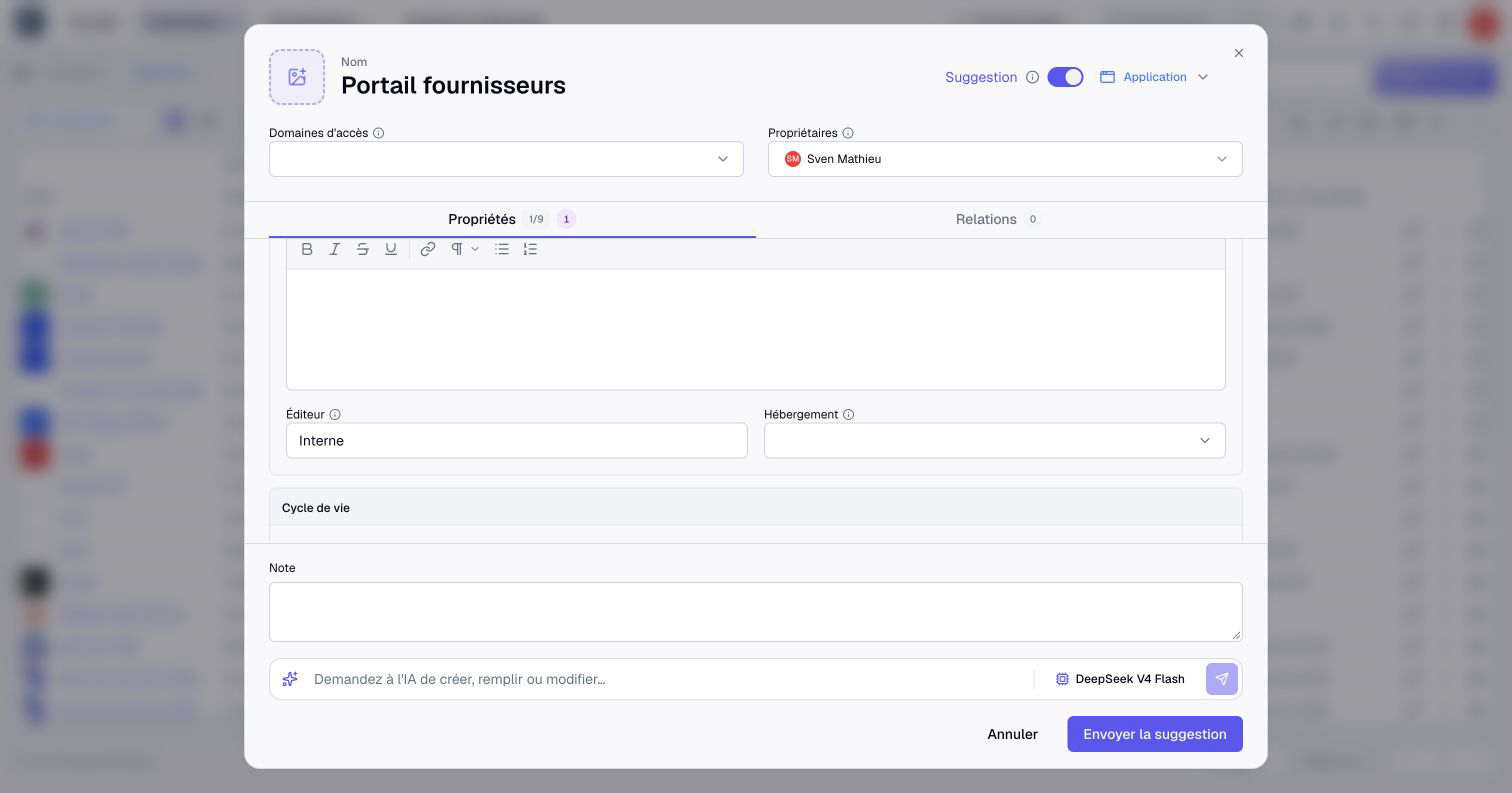
An asset is missing? Use Suggest an asset, or enable Suggestion in Create asset if you can create directly. Fill in its properties and relationships, then Send the suggestion. Find it through See suggestions > Creations.
Its author or an authorized creator can Edit the suggestion before it is created or refused. Create adds the asset and accepts the eligible suggested relationships; the others remain pending. Refuse discards the suggested asset.
For an asset that is no longer needed, Suggest archiving asks someone with deletion permission to accept or reject the archiving. The form’s archive action also suggests when Suggestion is enabled. Review these requests in See suggestions > Archiving. Acceptance archives the asset, deactivates its relationships and rejects its other pending suggestions.

For the same correction across several assets, use inventory selection and Suggest changes. An Editor can also choose Suggest instead of apply in bulk editing. Review the assets to update directly, submit for review or keep unchanged.
See suggestions for permissions, suggestions resolved together and scenario rules. Use your home page to find suggestions requiring review.
For the full creation workflow, see Suggest an asset for creation.