Track repository quality
You organize the follow-up of the data in Boldo. You want to know whether it can be trusted: do the assets have an owner, is their information complete, was it checked recently? The Repository quality page answers these three questions, and the weekly digest reminds the owners every week.
This guide takes five minutes.
Before you start
- Quality tracking must be turned on for your organization. If it is not, ask an administrator.
- This guide is for administrators and the organization owner. Only they can open Repository quality and set the weekly digest. Other members follow their work from Home.
Select Real data for this walkthrough, which includes freshness and reminders. In a scenario, the report follows that scenario’s ownership and completeness. Freshness indicators are hidden and reminders are disabled, while the combined score still includes real-data freshness.
1. Read the overview
Click Repository quality in the top bar. The banner counts the assets, the ones not evaluated and the ones without an owner.
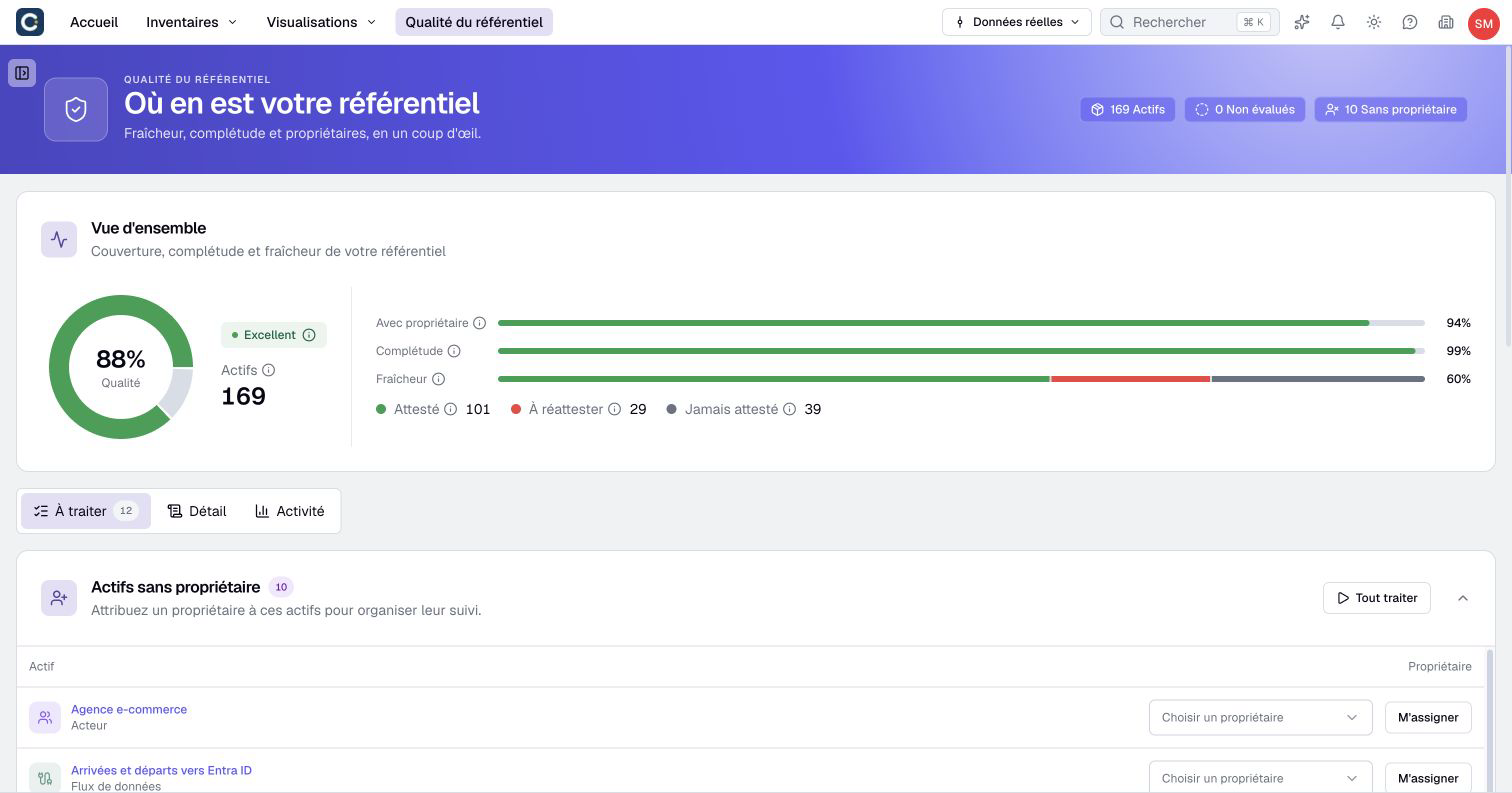
The Overview gives a Quality score and three indicators:
- With owner: the share of assets someone looks after;
- Completeness: the share of expected information that is filled in;
- Freshness: the share of assets attested and still valid, with no re-attestation requested and no deadline passed. It splits into Attested, To re-attest and Never attested.
Low freshness with good completeness means the information is there, but nobody has checked it for a long time.
2. Handle what is missing
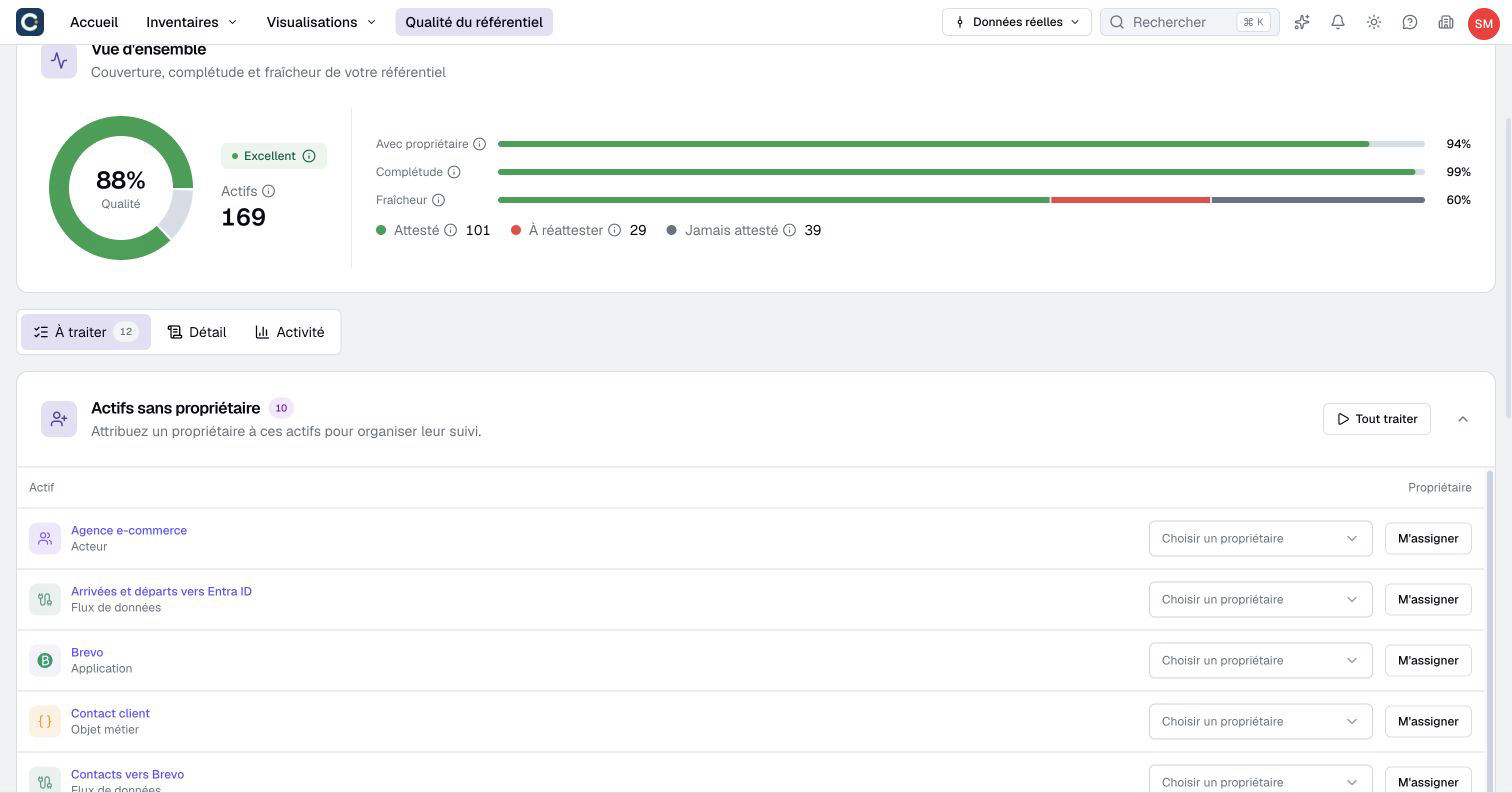
The To handle tab lists what needs action, for example the Assets without an owner. Review all shows them one by one so you can give each an owner.
3. Spot where to act
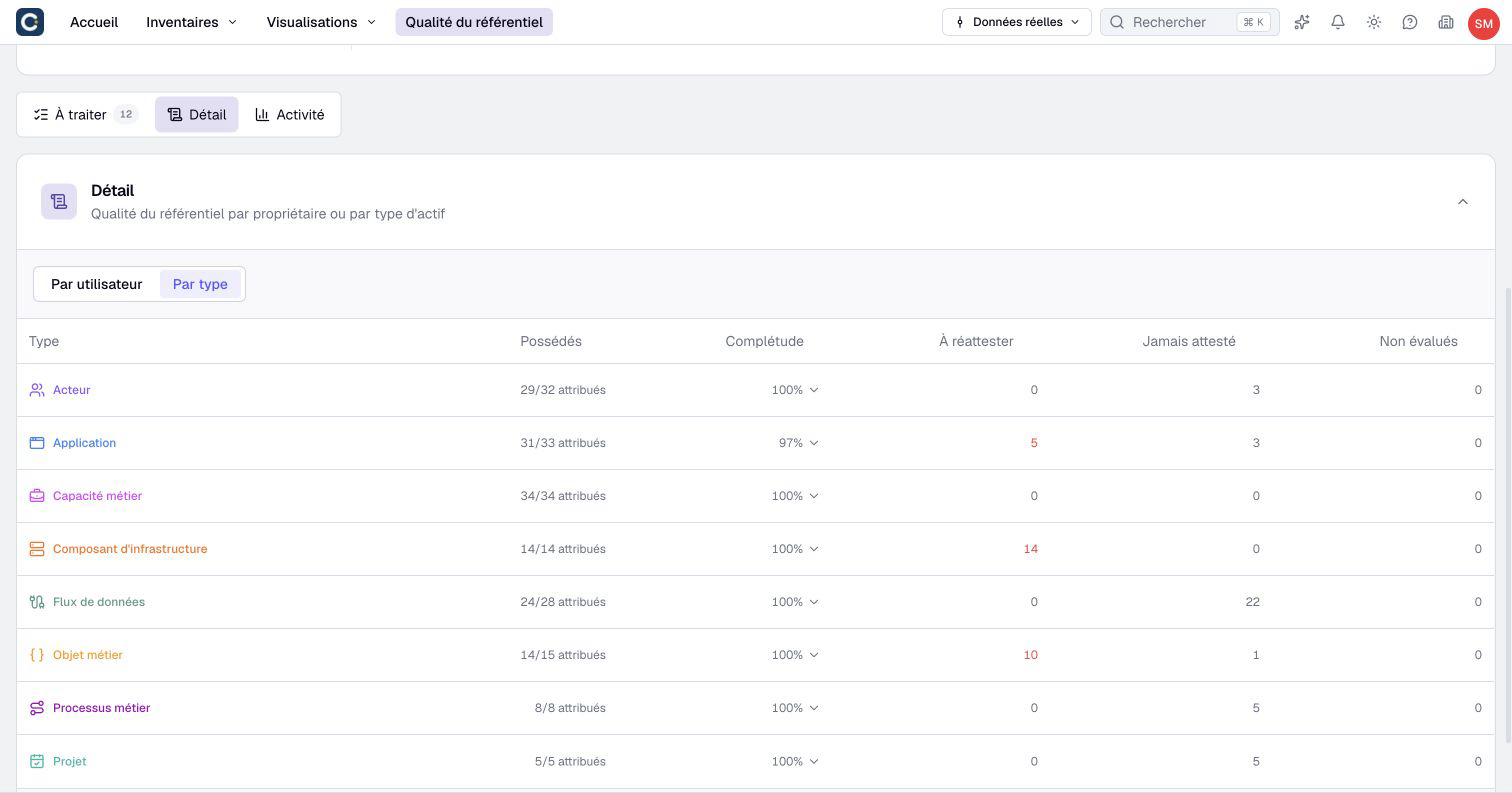
The Breakdown tab splits quality, for example by owner or by kind of asset. You see right away who has many assets to re-attest, and where to focus the effort.
4. Follow the activity
The Activity tab shows what happened over the last twelve weeks: creations, updates, suggestions, attestations, comments and archiving. Click a badge to keep only one kind of event.
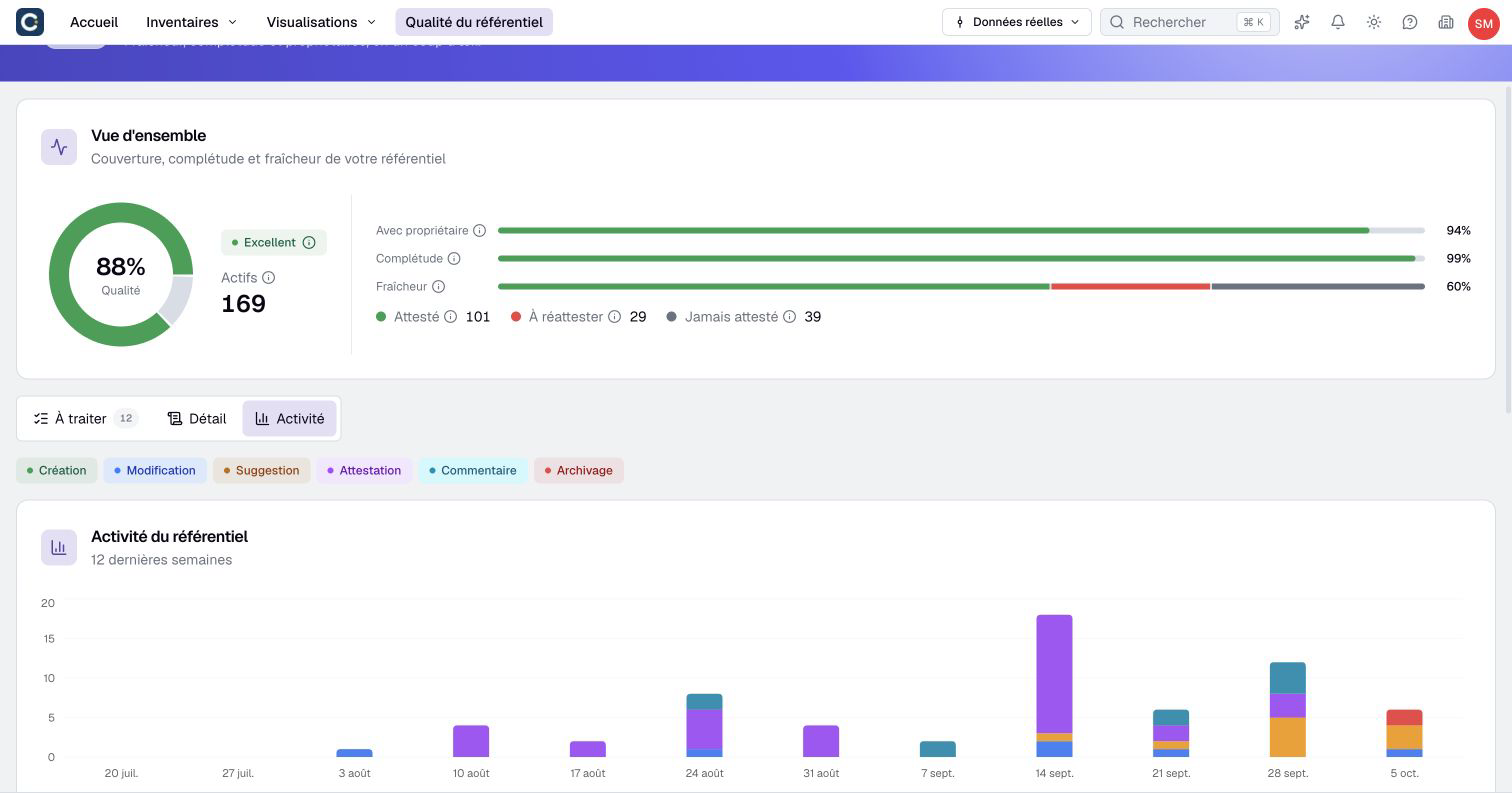
Below, Recent activity lists each event: the asset, the person and the time.
5. Let the weekly digest do the chasing
Open Organization settings, the building icon at the top right, then Repository quality. Turn on Send the weekly digest and choose the day. The time and time zone are the organization's email time, set in My preferences > Notifications under Email schedule.
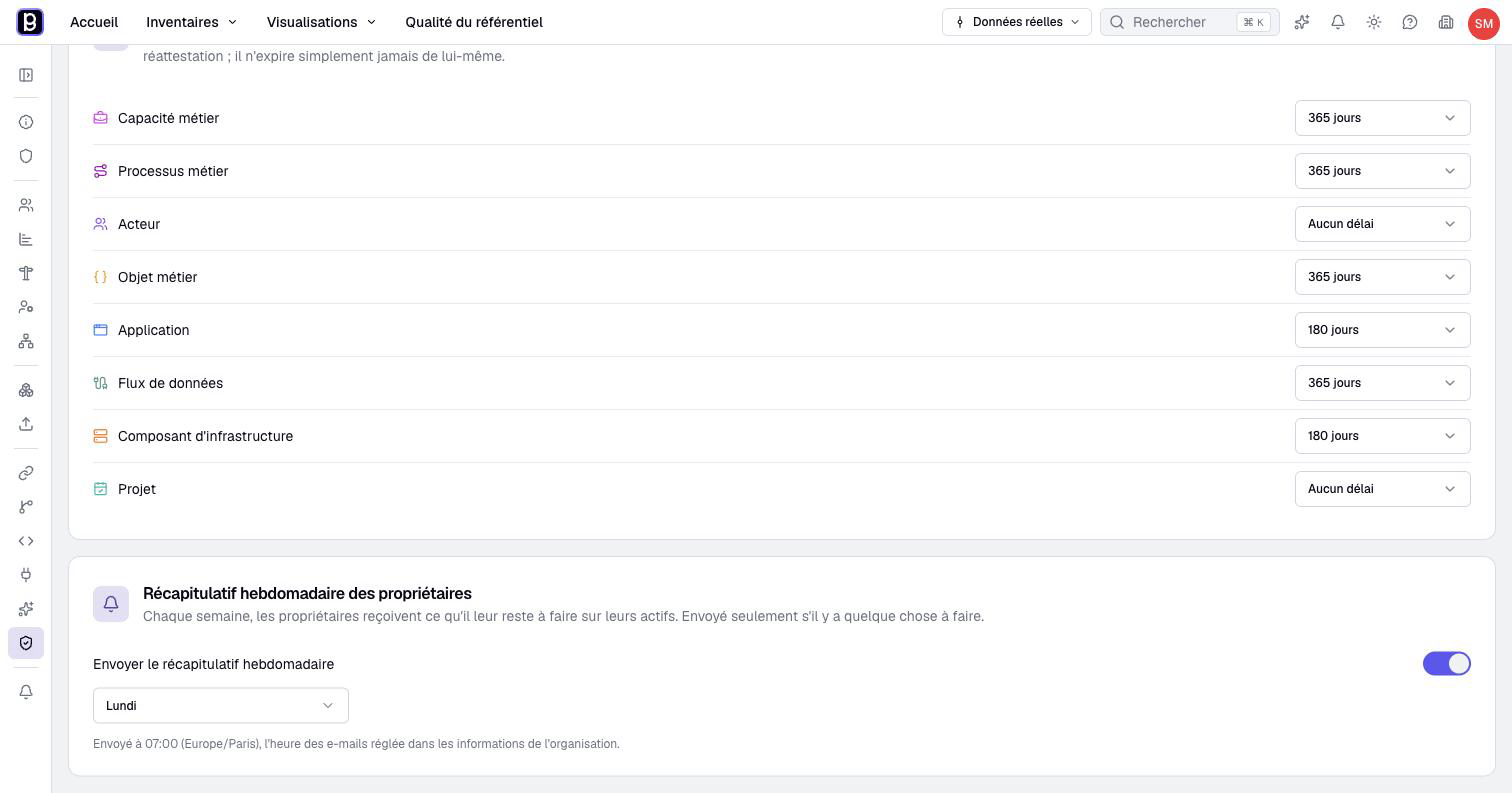
Every week, eligible owners with work to handle receive an email according to their preferences. It sums up assets to re-attest, to complete, and owned assets with pending suggestions. This last count includes suggestions owners made on their own assets. That email time also applies to the daily suggestions digest.
Key points
- Three indicators: owners, completeness and freshness.
- To handle and Review all get you acting, Breakdown tells you where.
- The weekly digest reminds the owners for you.
Go further
- Set up repository governance: the full case, from the first attestation campaign to long-term follow-up.
- Own an asset and attest it: what owners do on their side.
- Understand quality and freshness: the reference page, with the details of the calculations.