Track technical obsolescence
A server whose vendor no longer ships security patches, a database version that reached its end of life: obsolescence rarely makes noise until the day something breaks. You want to see it coming. This guide shows how to list what is out of support, see who depends on it, and follow the deadlines coming up, so you can plan upgrades instead of suffering them.
Before you start
- Your infrastructure components need an end of support date. It is a property of each component, and keeping it up to date is the job of the component's owner.
- The views, charts and analyses used here are taken from the example. Build your own the same way, or ask the person who maintains your repository.
1. List what is out of support
Open the view that lists the components whose support ends soon. In the example, it keeps the components whose support ends before 2027 and that are still running, grouped by year.
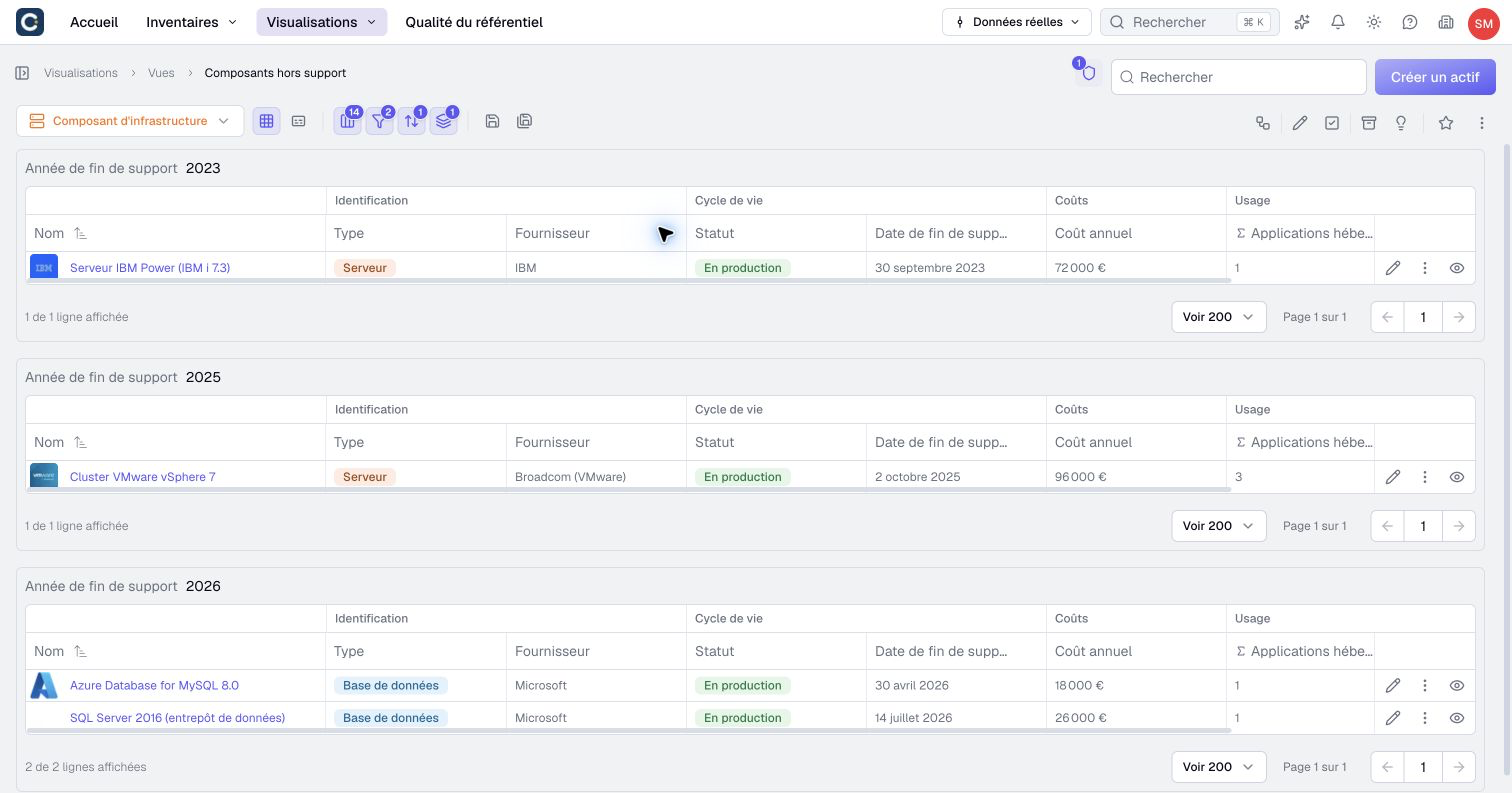
Read it from the top: the oldest year is the most urgent. In the example, the server that runs the historic ERP has been out of support since September 2023.
2. See the deadlines coming
A chart gives the longer view. In the example, the chart counts the components whose support ends each year, split by type.
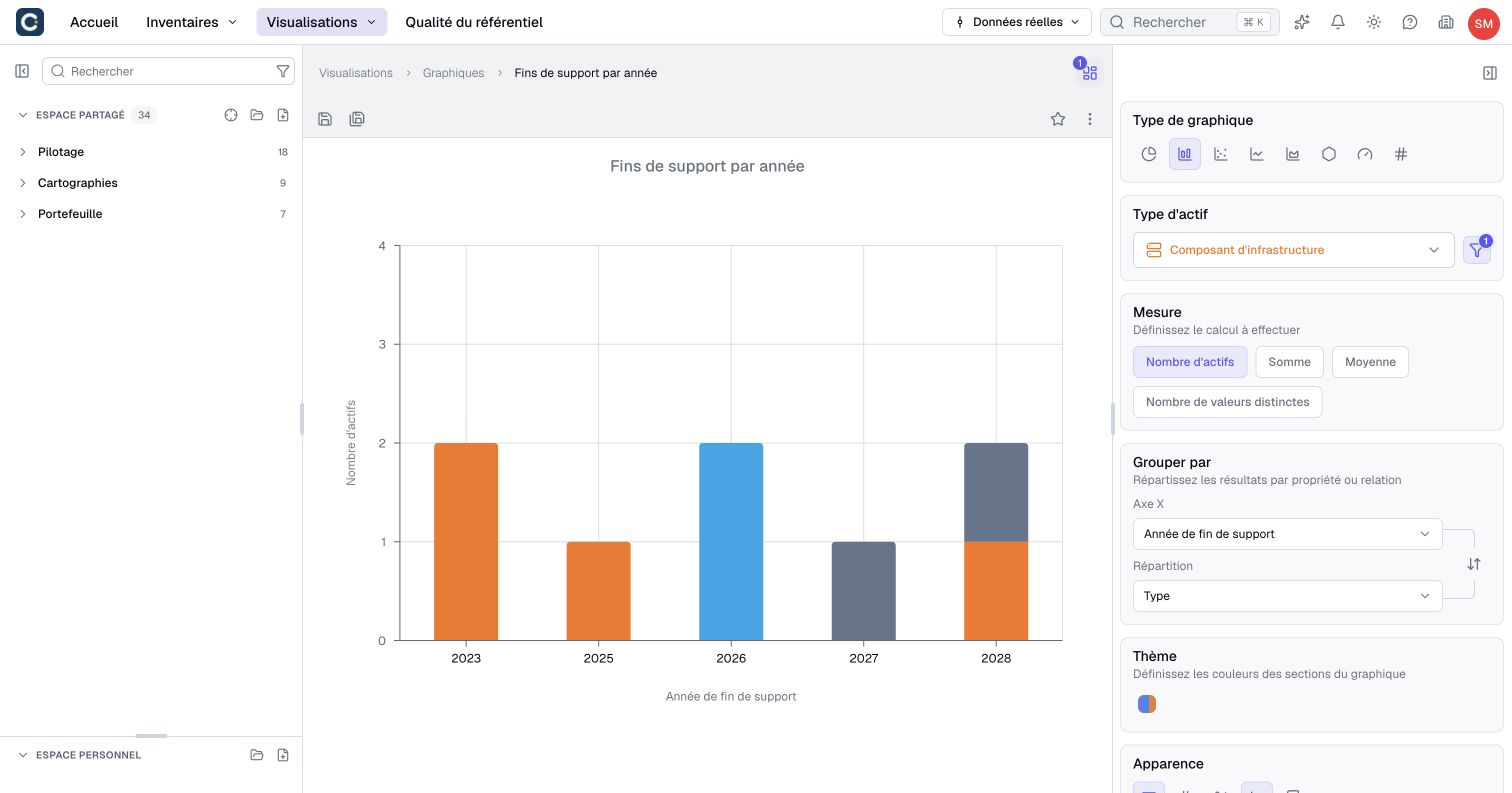
What ends in two years is what you need to budget now. Use this chart when you prepare the annual IT budget.
3. Find out who to warn
A component out of support is a risk for everything it hosts. An impact analysis goes from the components to the applications they host, then to the teams responsible for those applications and the departments above them.
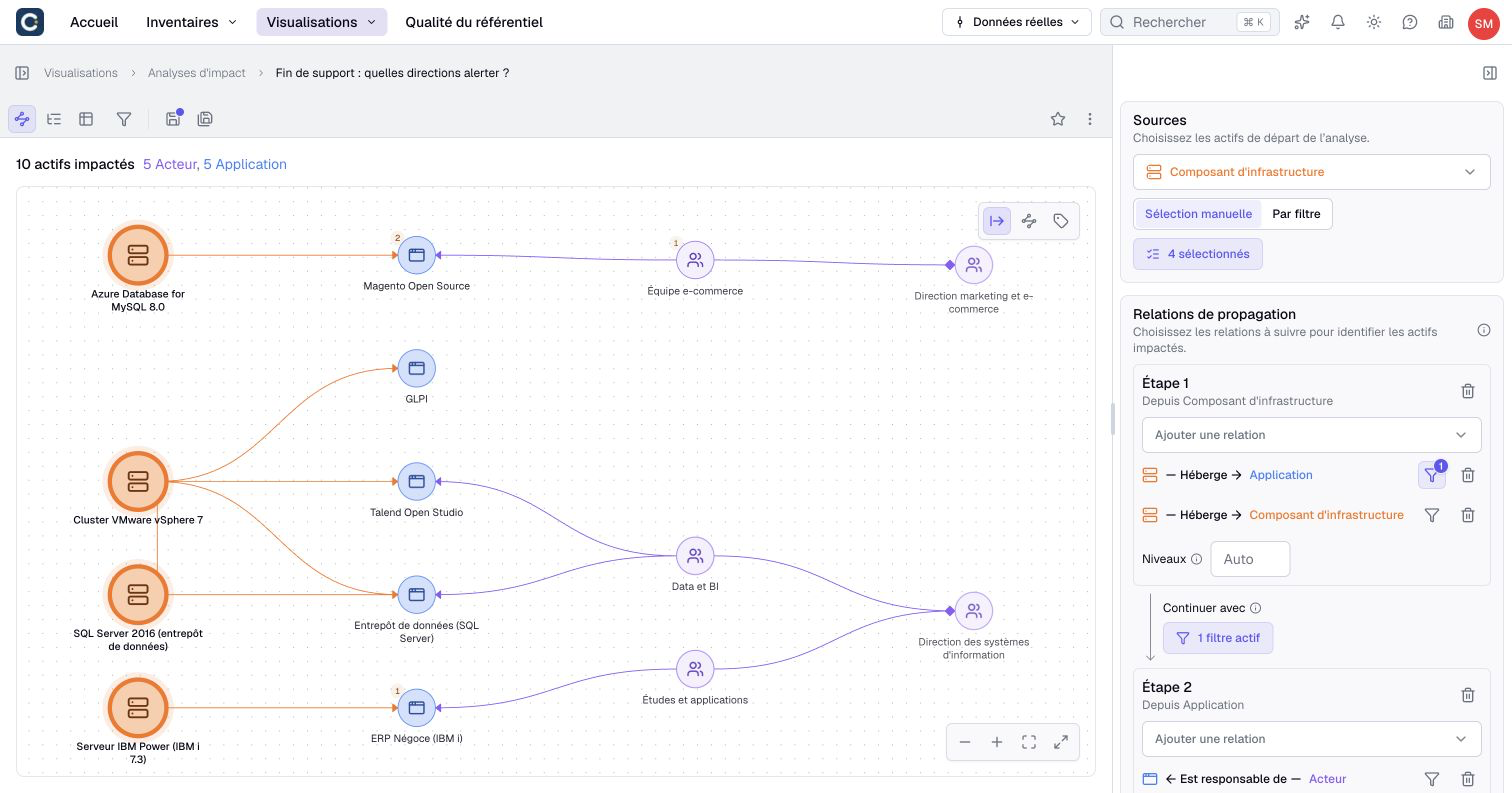
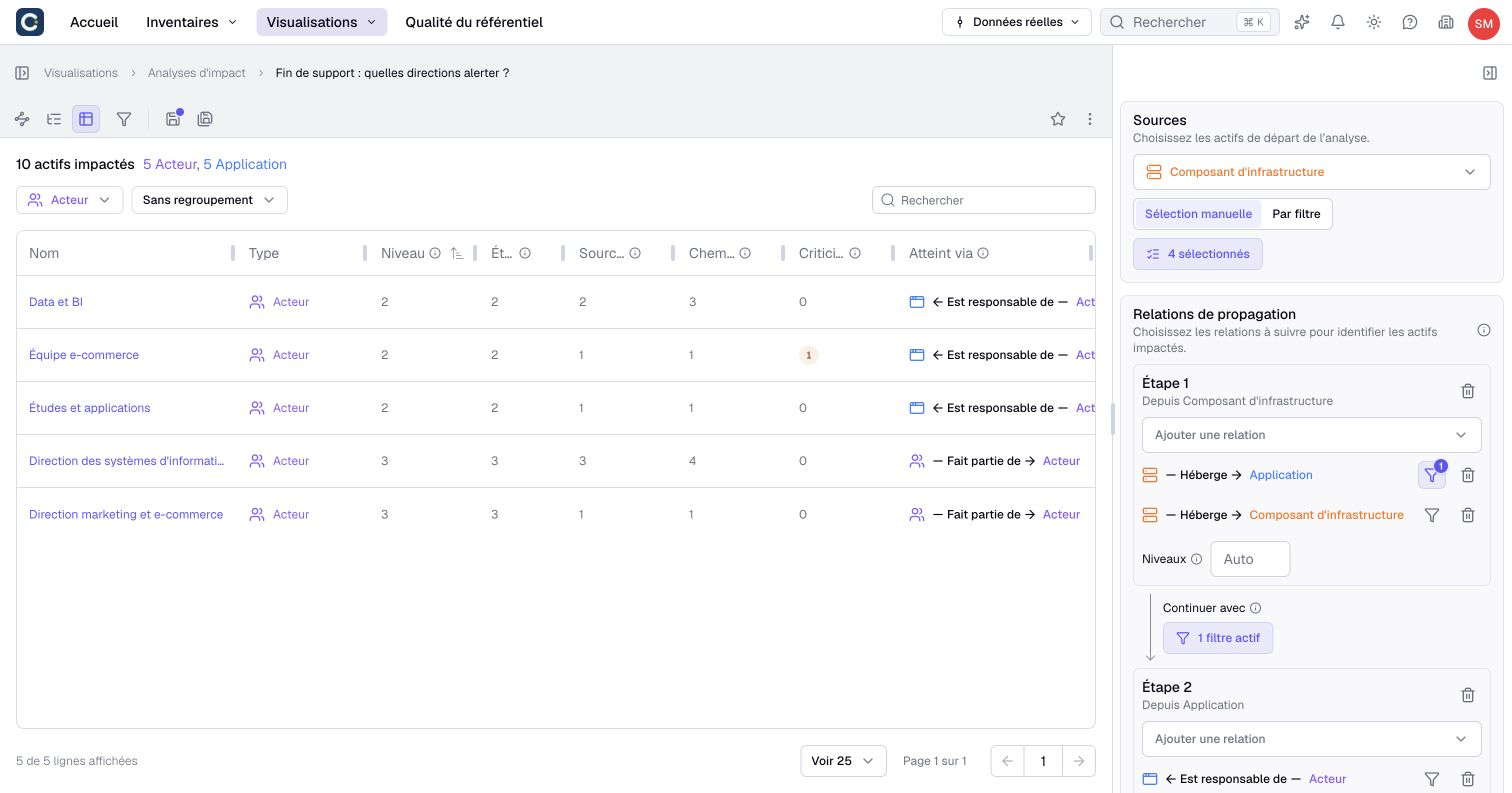
In the example, the analysis reaches 5 applications and 5 teams. Switch to the table and keep only the actors, the teams and departments, to get the list of people to contact.
4. Watch the contracts too
Obsolescence is not only technical. A software contract that ends without anyone noticing is renewed at the vendor's price, or stops. In the example, a view lists the applications in production whose contract ends before the end of 2027, sorted by date.
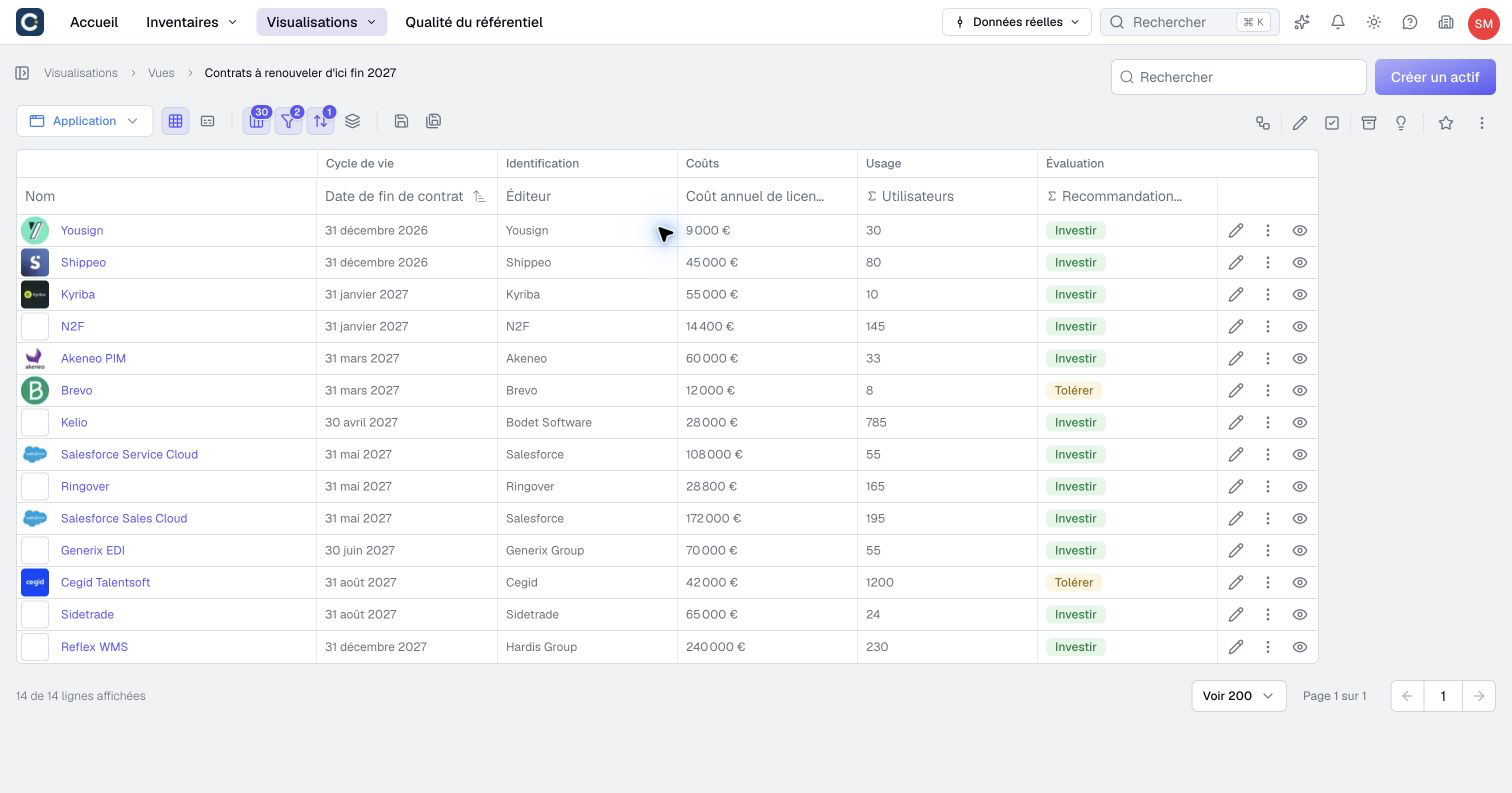
The TIME recommendation column helps you decide: renegotiate what you invest in, question what you tolerate.
5. Follow it on the dashboard
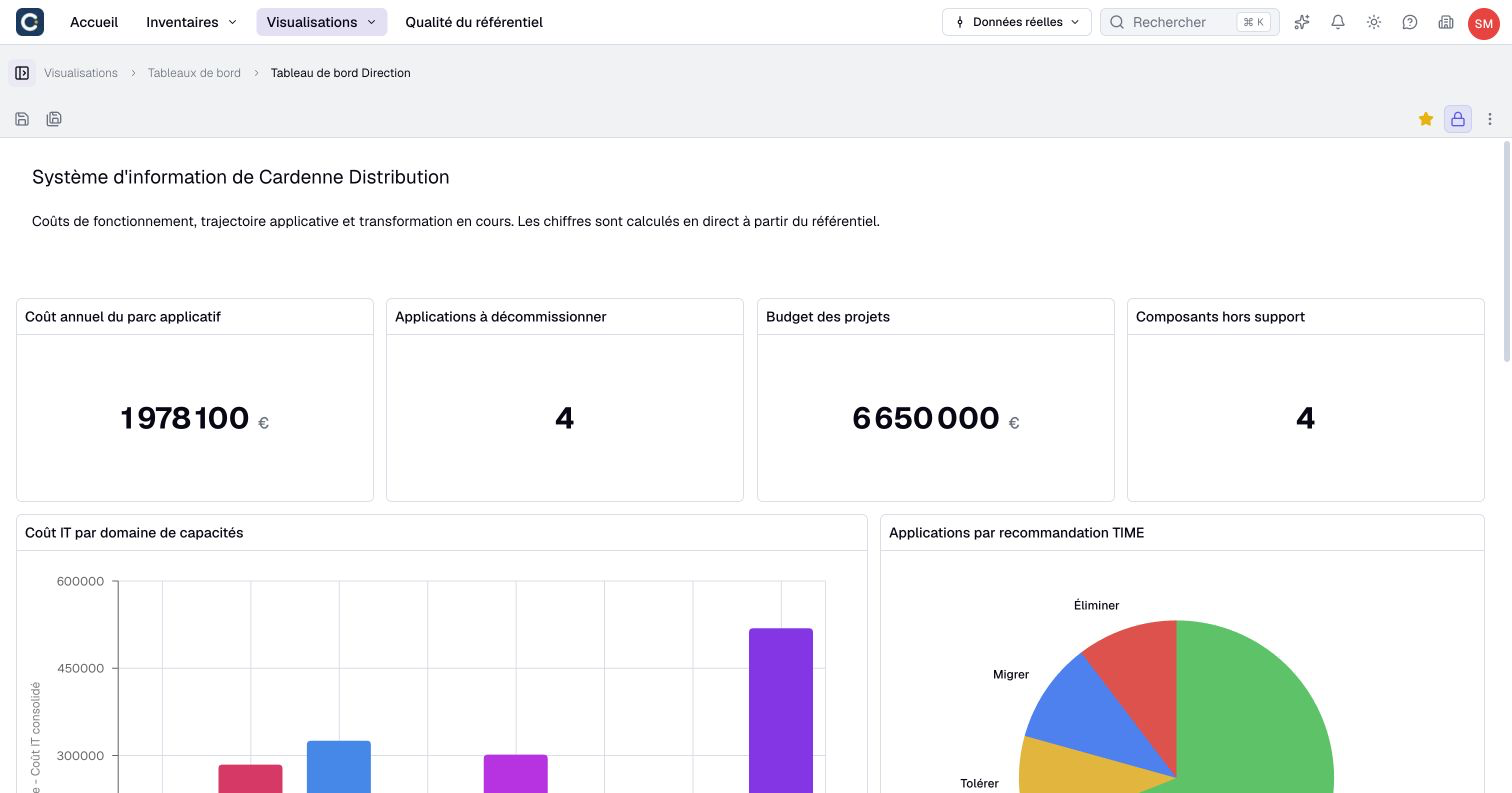
The management dashboard shows the number of components out of support next to the other key figures. When a component is upgraded and its end of support date moves, the figure goes down on its own.
Key points
- The end of support date is a property of each component, kept up to date by its owner.
- A grouped view shows what is out of support, a chart shows what is coming.
- An impact analysis turns a list of servers into a list of people to warn.
Go further
- Assess the impact of a decommissioning or an outage: set up the analysis that finds who depends on a component.
- Set up repository governance: make sure every component has an owner who keeps its dates up to date.
- Prepare the annual IT budget: budget the upgrades coming in the next years.