Authentication
Use this page to manage the security controls that belong to your personal account. In the app, it appears as Security in the user menu.
Depending on how you sign in, the page can include password management, two-factor authentication, active sessions, and connected apps.
Some accounts have more than one sign-in method. Boldo uses the method of your current session when deciding which organizations you can open. SSO controls remain managed by your identity provider.
Access
- Click the user icon in the top right
- Open Security
Password
If you sign in with email and password, you can change your password from this page.
- Open Security
- Click Change password
- Enter your current password
- Enter and confirm the new password
- Validate
After the change, Boldo keeps you signed in on the current device and signs out your other sessions.
If no email-password method is linked to your account, password changes are managed by your identity provider and do not appear in Boldo.
Two-factor authentication (2FA)
2FA protects your account by requiring a verification code in addition to the password.
Boldo 2FA applies to email-password sessions. If you are currently signed in through SSO, your identity provider handles the second factor and Boldo can hide the 2FA action for that session.
Enable 2FA
- Click the user icon in the top right
- Open Security
- Click Activate
- Enter your current password
- Scan the QR code with your authenticator app
- Enter the six-digit code generated by the app
- Confirm the setup
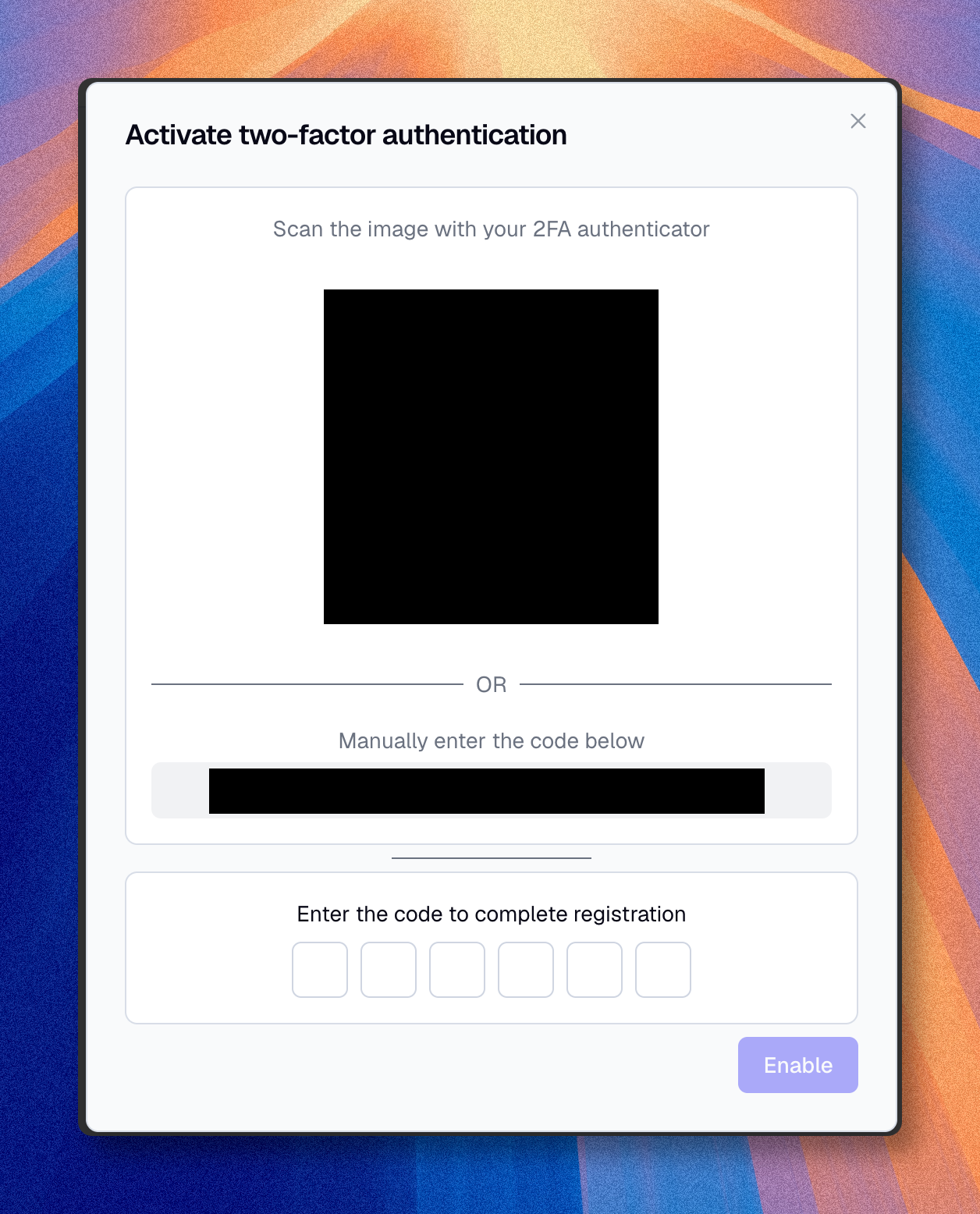
If an organization requires 2FA and you have not set it up, Boldo shows a full-screen setup before you can enter that organization. There it emails you a verification code instead of asking for your password. If that code is expired or invalid, request a new one from the dialog and use the latest code.
Disable 2FA
- Click the user icon in the top right
- Open Security
- Click Unenroll
- Confirm with your current password
If one of your organizations requires 2FA, you can still disable it on your account, but email-password sessions will not be able to access that organization again until you enable 2FA.
Session duration
Boldo signs you out automatically after a period of inactivity. By default this period is 7 days: using Boldo extends your session, and after 7 days without activity you must sign in again.
Organizations can set their own duration, from 1 day to 60 days. Because your session is personal, the strictest duration among your organizations applies everywhere, and an organization without a custom duration counts as the 7-day default. The Security page shows your effective session duration and, when an organization sets it, which one.
Active sessions
The Active sessions section lists the devices currently signed in to your account.
Use it to:
- check where your account is active
- identify the current session
- sign out another device
- sign out every other session at once
Each session can show the device, browser or operating system, IP address, and last activity date when available.
If you do not recognize a session, revoke it and change your password if your account uses email and password.
Connected apps
Connected apps are MCP clients that you have authorized through OAuth. This section appears only when your plan includes MCP.
From this section, you can see which external clients can read Boldo data on your behalf and revoke access when you no longer use them.
Revoking a connected app affects only your authorization for the listed organization. It does not revoke other users' authorizations for the same client.
Read MCP if you need to understand how connected AI clients access Boldo.