Request a new attestation
An attested asset may need another review before its deadline, or when its type has none. Use Request re-attestation when a change or a doubt calls its accuracy into question.
For example, a change in application responsibilities may warrant checking the application immediately. A request records that need without changing the information itself.
Check that the action is available
The quality program must be active. Work on a non-archived asset in real data. Its type does not need a revalidation delay.
The asset must already have an attestation and be Attested or Review soon. An asset that is already To re-attest does not need another request. A Never attested asset already needs an attestation, so the action is not offered.
You must be able to read the asset and either own it or have an Administrator or organization Owner account. Permission to edit its content is not required.
The action is not offered for archived assets or scenario copies. See quality and freshness if the displayed state is unexpected.
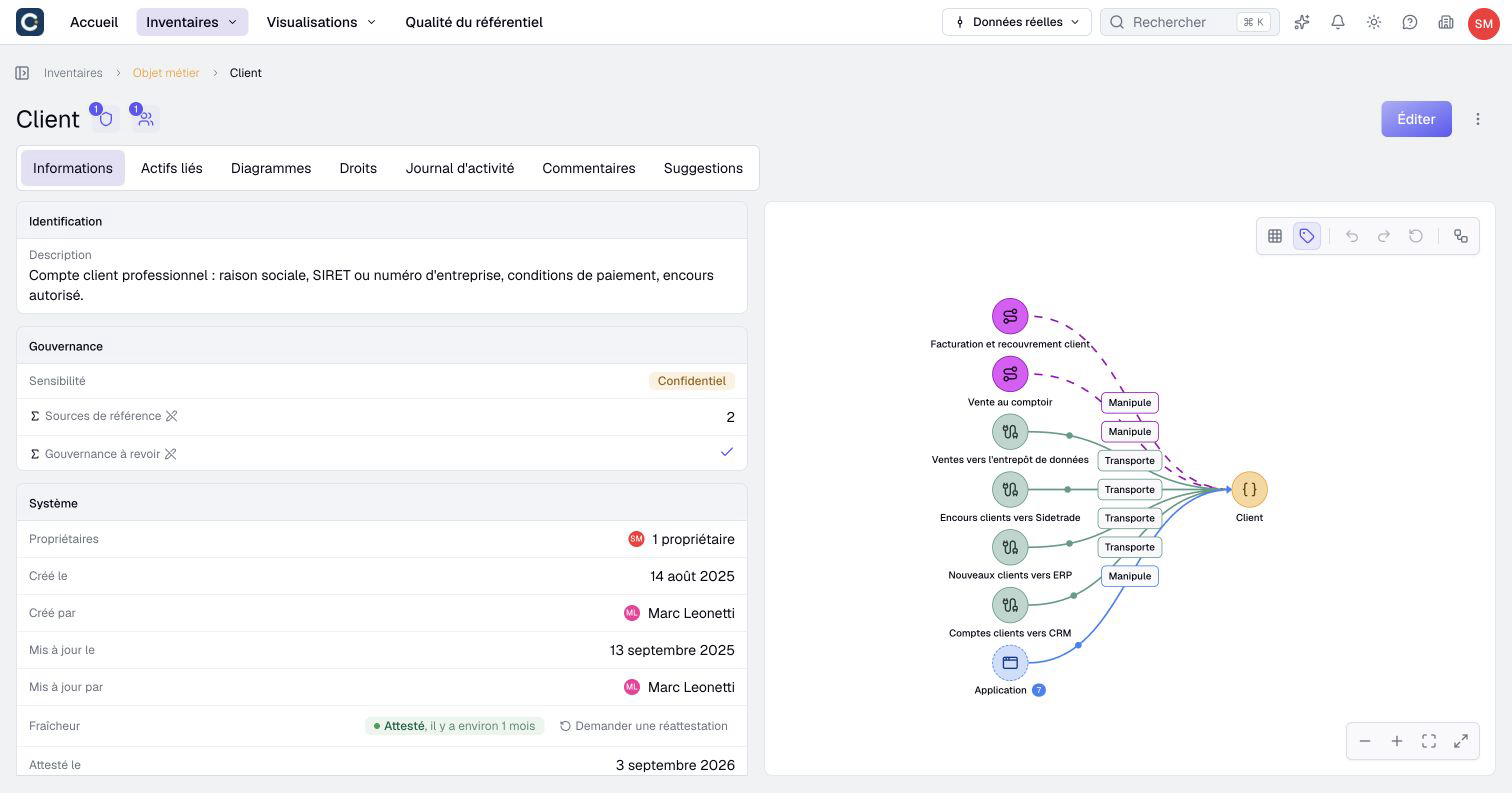
Record a request
- Open the asset from its inventory.
- In Information, find the System card and the Freshness row.
- Select Request re-attestation.
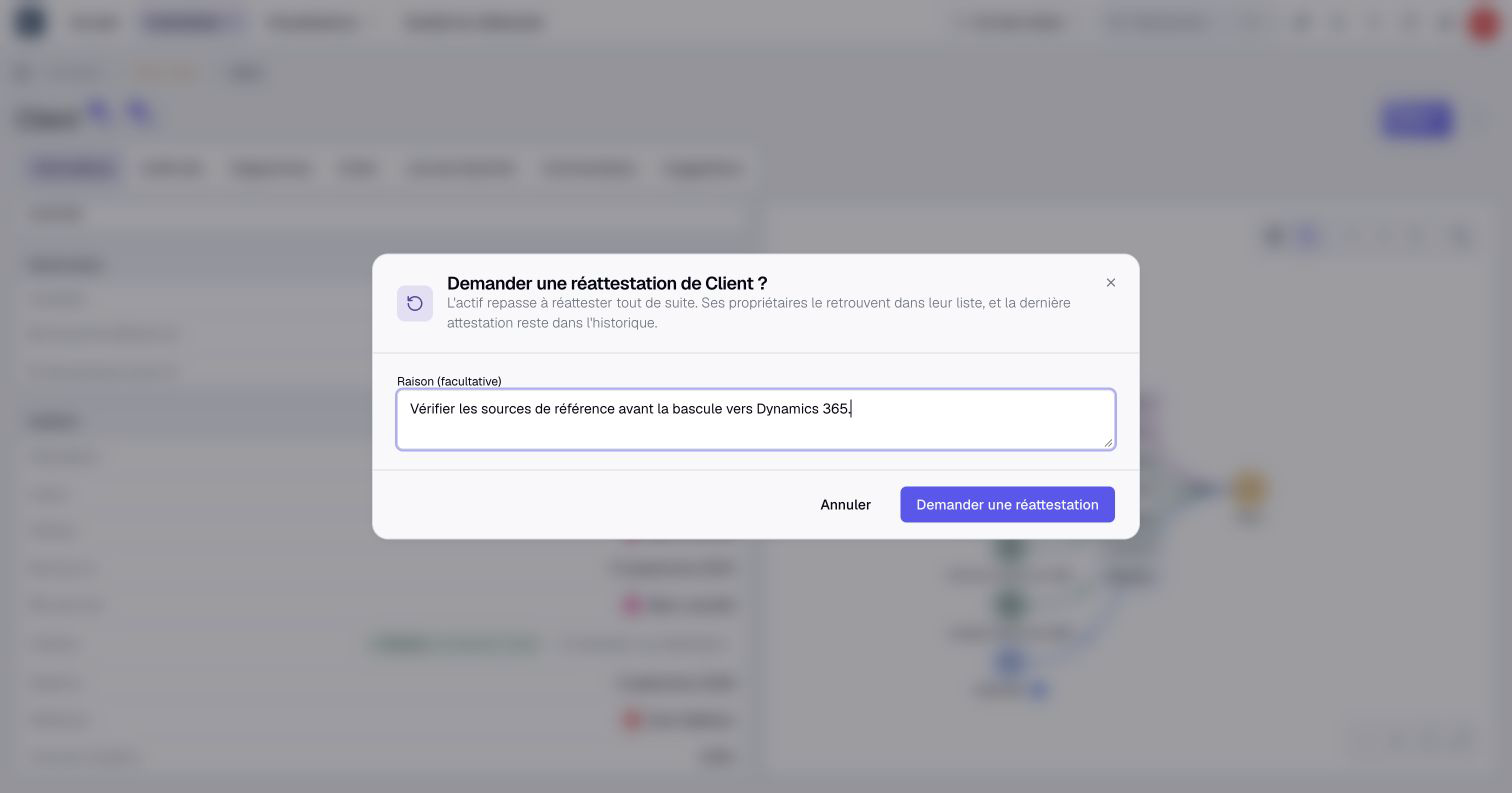
- Fill in Reason (optional) if useful. It is limited to 500 characters.
- Select Request re-attestation in the dialog, or Cancel to leave the asset unchanged.
- Check the Re-attestation requested message and the new state, To re-attest, on request.
The same action appears in an asset's edit form, in the Attestation field, with the same conditions. When you can also attest the asset, it is the circular arrow next to Attest up to date; hover it to read its name. It takes effect immediately: cancelling the form afterwards does not cancel the request.
Write a reason that helps the next reviewer act, such as “Application responsibilities changed; check the owners and support arrangements.” Avoid a vague instruction such as “Check this.”
Check the result
In System, check Re-attestation requested by, the date and the Reason if supplied. The previous attestation date and author remain available.
When activity history is included in your plan, open the asset's activity log to find the Re-attestation requested event. The request does not change property values, owners or the content's last-modified date.
The asset enters the To attest queue for owners who can read it. Other eligible owners can receive a notification, subject to their notification settings. You do not receive your own request as a notification.
The reason remains on the asset page. Do not rely on an email or notification to convey all the review context; direct the reviewer to the asset itself.
Finish the review
An owner checks the current information, arranges any necessary corrections and attests the asset again. That new attestation updates freshness and clears the current request's author, date and reason.
The historical request remains in the activity log when available. The new attestation does not erase the fact that a review was requested.
If the request was mistaken, explain the situation to the owner. Do not attest unchecked information merely to remove the indicator. The confirmation dialog's Cancel button only cancels a request before it is recorded.