Explore and visualize
Start with the question you want to answer. A view selects assets, a chart summarizes them and a diagram explains a composition. Processes and impact analyses help examine paths, while dashboards gather several readings.
The representation uses the knowledge base and your current permissions. Saving a visualization does not generally freeze every underlying value.
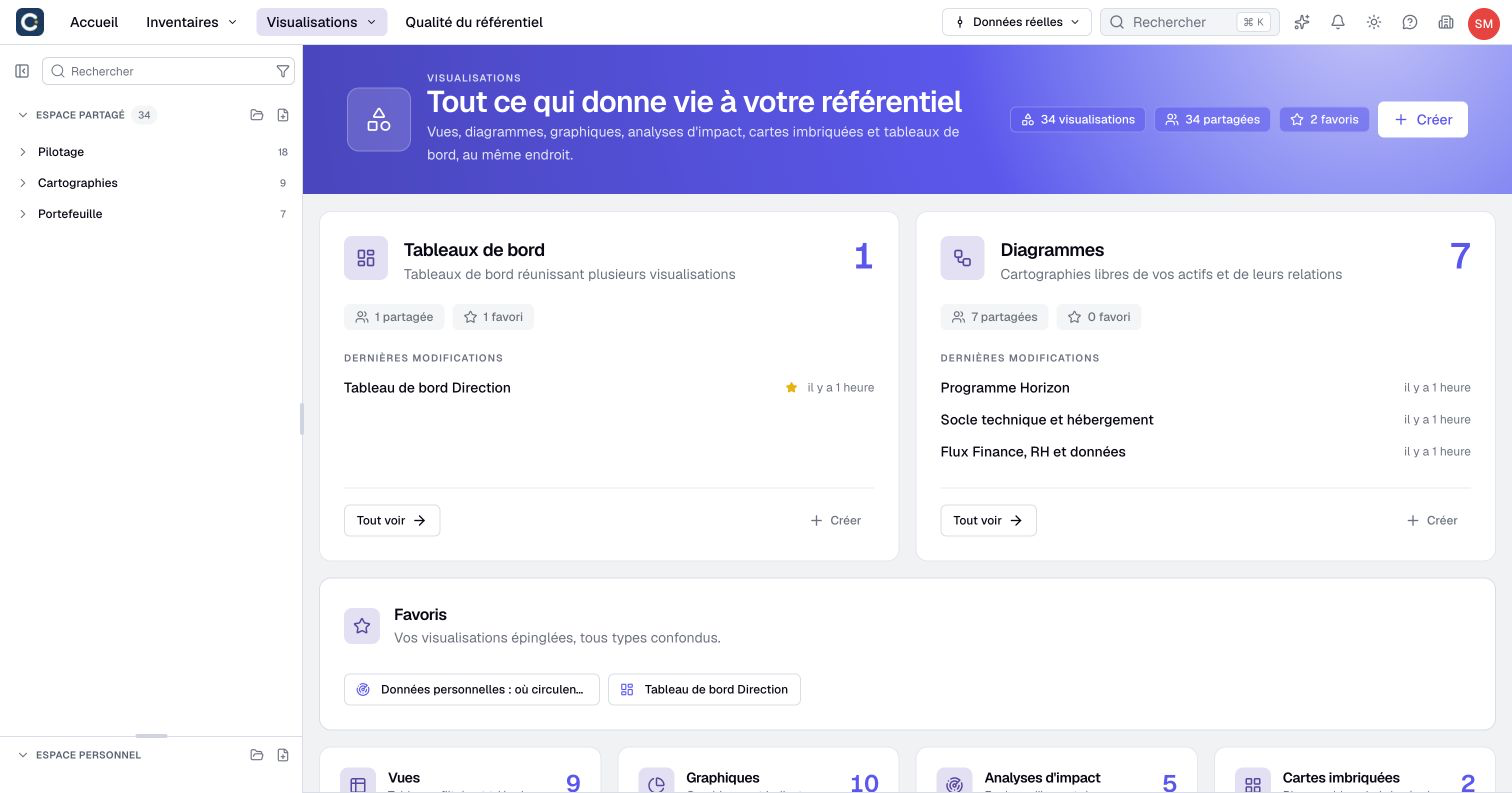
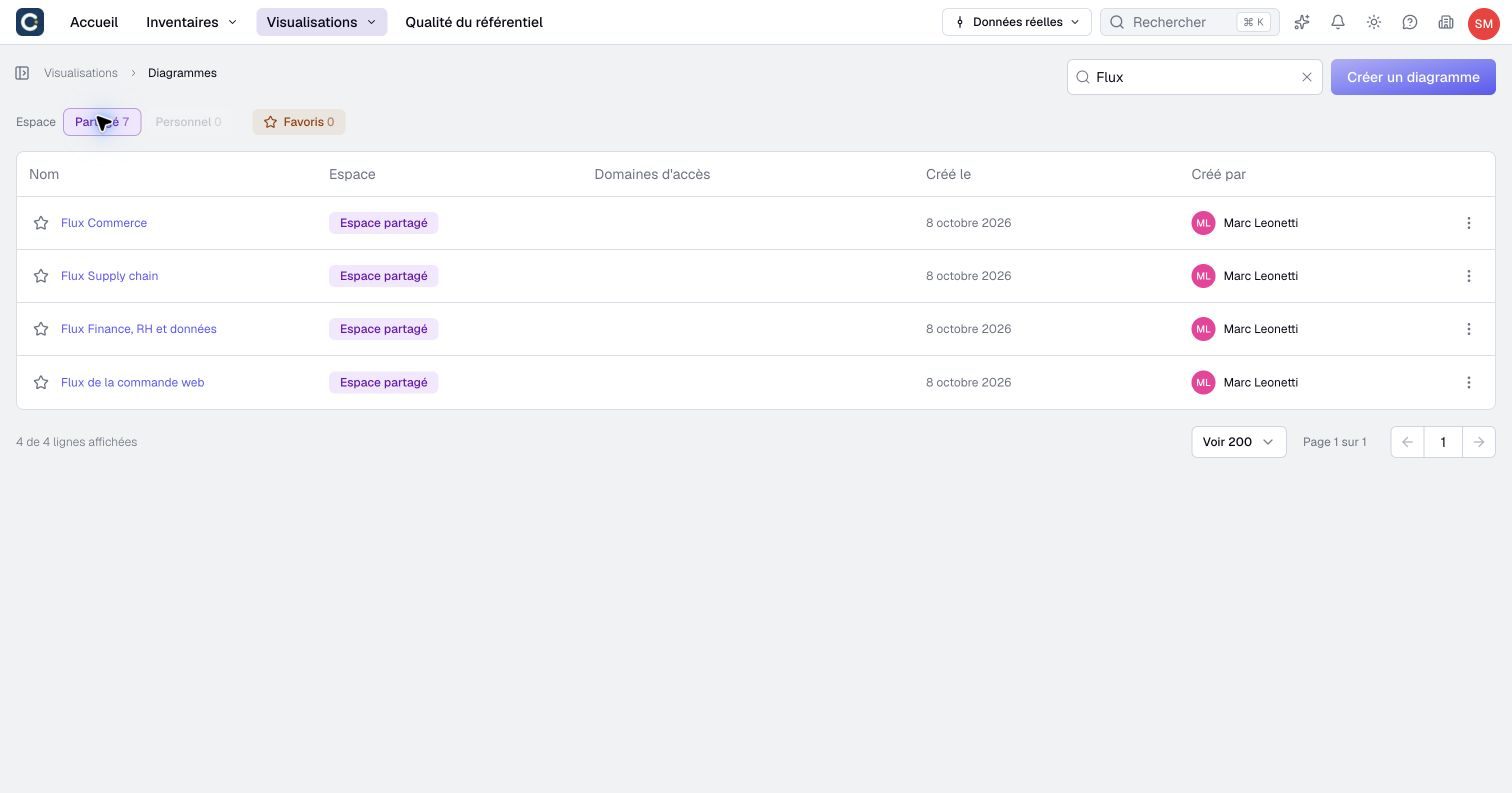
Find a saved visualization
Open Visualizations, then the list of views, diagrams, charts, nested maps, impact analyses or dashboards. Combine the name search with Shared, Personal and Favorites to narrow the results. Shared and Personal are alternative spaces; Favorites can be combined with either.
Each overview card shows up to three recently modified visualizations of its type. Select a name to reopen it directly; the displayed time indicates its last modification. The overview's space and favorite counts can open a list with that filter already selected. Browser Back restores the list's space and favorite filters. These filters change what you see, not your access or the visualization's location. Use the catalog to browse folders and inspect previews.
Select and summarize data
- Choose a visualization for your question.
- Create an inventory view and filter its assets or relationships to define the population.
- Build a chart for aggregates, or a nested map for a relationship-based hierarchy.
Draw and explain
Build a diagram from inventory assets and graphical objects, then arrange it and prepare camera views.
Configure its display to choose labels, visible properties and individual card settings.
Describe a process inside an asset when the explanation involves steps and choices. Explore its branches to present examples without executing or editing the process.
Combine readings and assess change
A dashboard gathers text and source widgets. An impact analysis follows selected relationships from source assets and exposes reached assets, paths and limits.
Use versions for named reference points and restoration. Before presenting or sharing, check the population, real data or scenario context, permissions and any result limits. An accessible visualization does not automatically make all of its source data accessible.