Calculate metrics and update property types
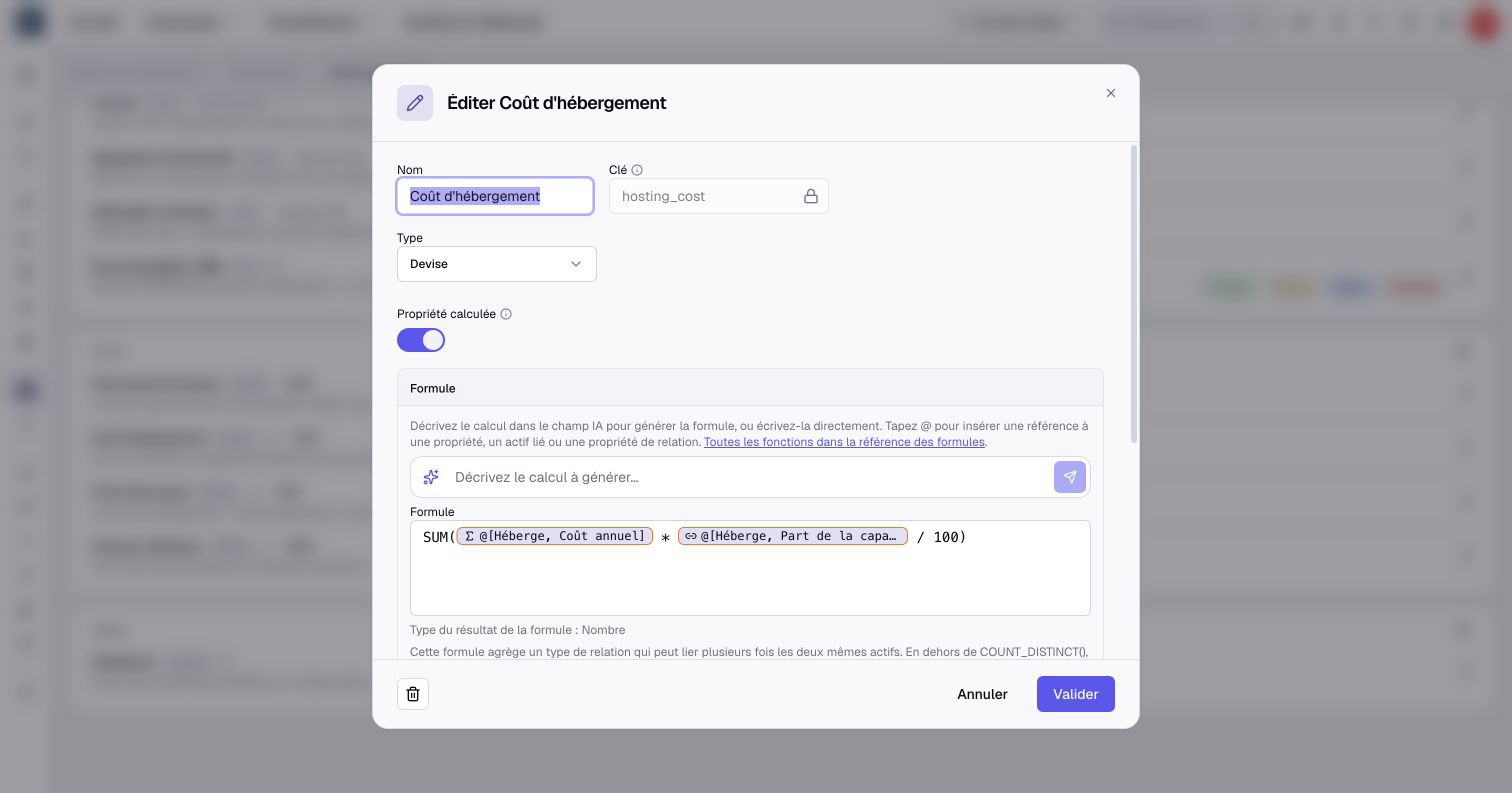
An application's infrastructure cost depends on the servers it uses and the share allocated to it. With computed properties in Boldo, you can express that calculation once in the metamodel and reuse the result throughout your repository.
Calculate from the data you maintain
A formula can combine properties on the same asset, values from directly related assets, and properties carried by their relationships. Use it for a risk score, a cost total, a count, or a conditional label.
For infrastructure costs, multiply each server's monthly cost by the share stored on the relationship, then sum the contributions. A relationship can also have a computed property using its own values and those of its source or target.
Administrators build formulas by selecting the properties to use. When AI is enabled for the organization and available to their account, they can also describe a calculation to the AI. They review and adjust the generated formula before saving.
Creating and editing formulas depends on your plan. Formulas on relationships require the corresponding plan capability.
Reuse the result across Boldo
Computed values appear in forms, tables, filters, charts, exports, and the API, subject to visibility rules. They are read-only and recalculate when their source data changes.
Inside a scenario, formulas use scenario data. Changing the planned infrastructure therefore lets you inspect its calculated cost before applying the transformation.
When several relationships reach the same asset, COUNT counts the links and COUNT_DISTINCT counts the unique related assets. The formula reference explains the available functions.
Adapt existing properties as your model evolves
The property conversion assistant helps you change an existing property's type. For example, convert free-text environment values such as Production and Prod into one controlled list option.
Check which values can be converted, map existing values to the new options, and decide how to handle failures before confirming. Some choices clear stored values, so review the reported counts carefully.
Start in Organization → Metamodel, on an asset or relationship type's properties. Follow computed properties for formulas and property type conversion for existing data.