Work in Boldo from your AI assistant
An external AI assistant connected to Boldo can now do more than read your knowledge base. Through the MCP connection, it can submit suggestions for review or make authorized changes directly. You choose the level of access with your administrator.
Turn a conversation into a suggestion
Ask your assistant to suggest creating a missing application, correcting a property, changing a relationship or archiving an asset. The suggestion is sent to Boldo, where a person with the required permissions can review it before it changes the inventory.
You can also ask the assistant to list an asset's suggestions or withdraw a pending suggestion you submitted. A pending creation suggestion can be corrected by its author or an authorized creator, without withdrawing it first. The suggestion workflow and asset creation suggestions explain how to follow these requests in Boldo.
Allow direct changes when you need them
With direct-write access, the assistant can create, update, archive and restore assets, and create, update or remove relationships. For example, it can update a defined set of applications after you have agreed on the expected values in your conversation.
Direct changes take effect immediately. They do not create a suggestion awaiting review in Boldo; any confirmation takes place in your assistant. Specify the organization, scope and expected result, then check what was saved.
Keep control of access
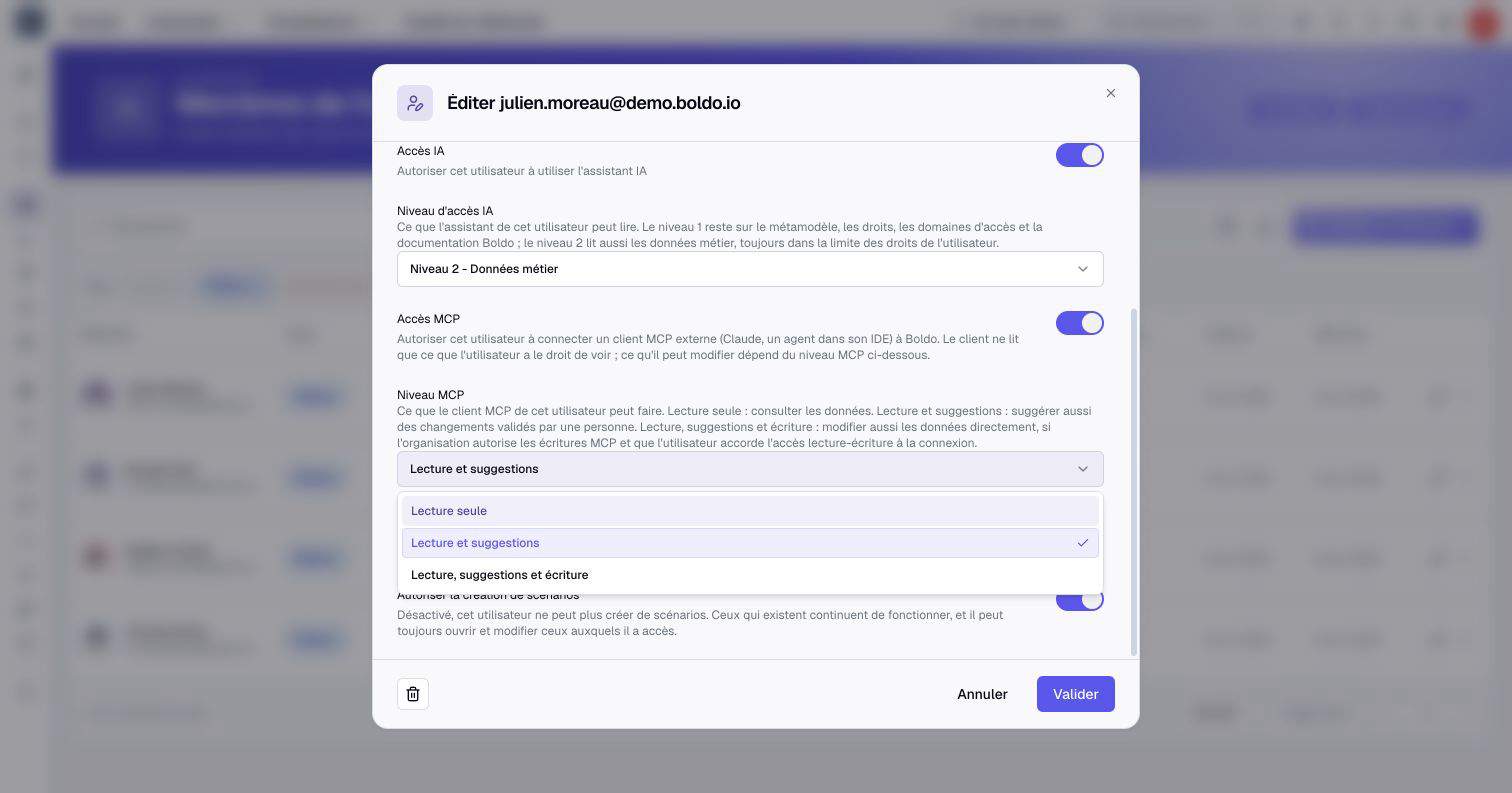
Administrators choose each member's MCP level: Read only, Read and suggest, or Read, suggest and write. Direct writes also require the organization to enable them and the member to grant write access when connecting the assistant.
The member's AI access level and business permissions still apply. Direct writes require an Editor account or higher and permission to perform the requested action. A connected assistant does not gain wider access than its user.
Compatible actions can target a scenario when that context is specified for each request. Without a scenario, they target real data. MCP does not apply or abandon scenarios.
See Connect an MCP client and manage authorizations for eligibility, setup, scenario use and connection revocation.