Understand the impact of your changes
Before retiring a database, you need to know which applications and business capabilities depend on it. Boldo introduces impact analyses to follow those dependencies through your inventory and show how a change can propagate.
Follow the relationships that matter
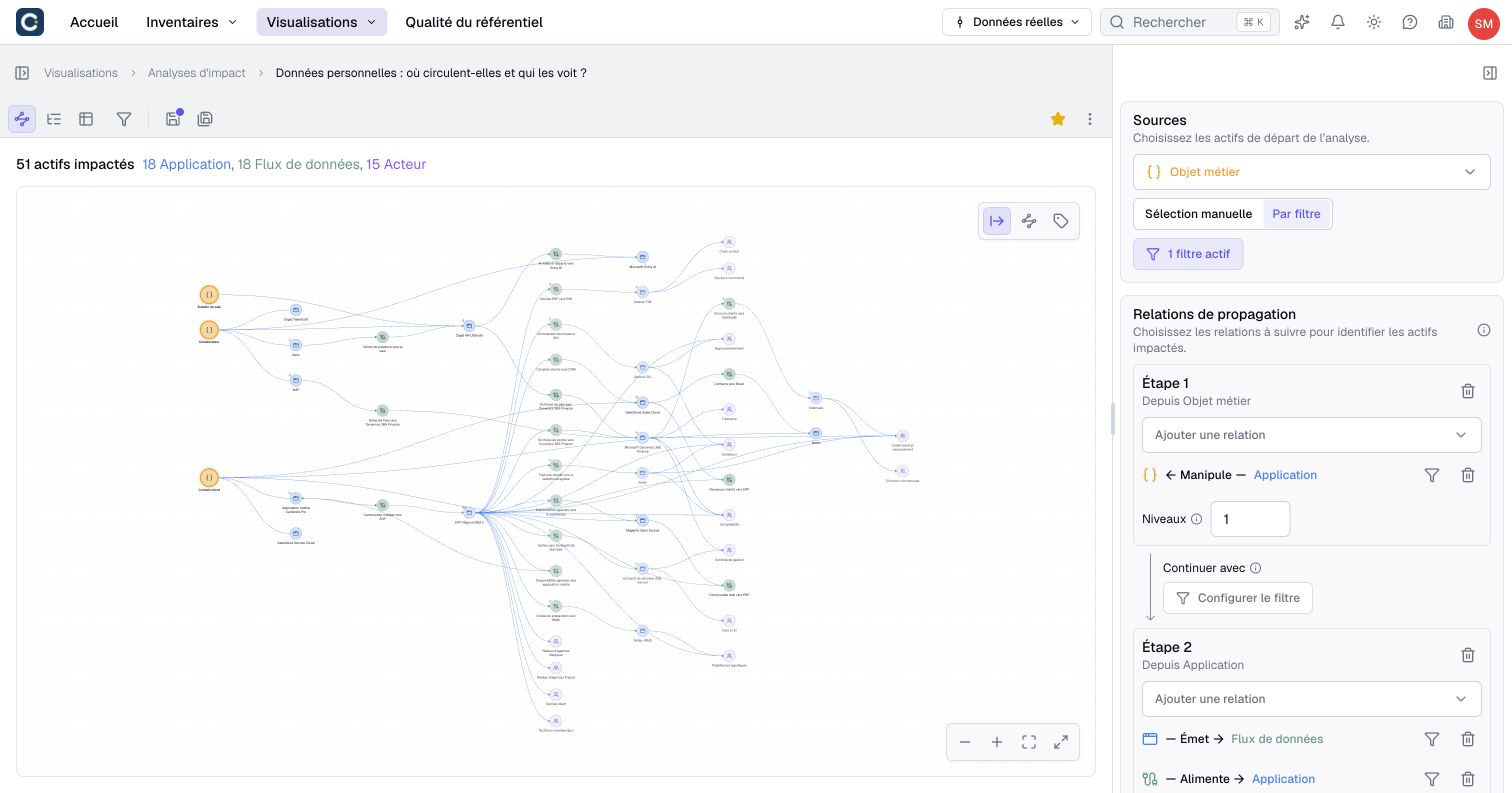
Choose one or several source assets, then select the relationship types and directions to follow. Set the depth of the analysis and where propagation should stop.
For the database example, you can follow dependencies through applications to the business capabilities they support. A display filter focuses the result on capabilities while keeping intermediate paths understandable. You can also define sources with a filter so the starting list follows your inventory.
For a more specific path, organize the analysis into up to five successive stages. Follow databases to applications first, then applications to business capabilities. Each stage has its own relationships, directions, and depth. A handoff filter selects which reached assets start the next stage.
Read the result from different angles
The tree helps you follow paths, the graph shows connections, and the table lets you sort and inspect reached assets. Each result includes its distance from the sources, measured in relationships traversed.
The structural criticality score shows how many other assets would become unreachable in the analysis if a given asset were removed. It depends on the paths you selected and is separate from any business criticality property.
Results use current data and your access rights. Check any truncation warning before drawing conclusions: a limited result does not describe every dependency.
Use the results in your architecture reviews
Save the configuration for recurring reviews, add it to a dashboard, or export results and paths. Export to diagram creates a diagram you can annotate for an architecture workshop.
The AI assistant can run an analysis from a question or help prepare a saved configuration. Inside a scenario, the analysis uses that scenario's data to explore the planned state.
Open Impact analyses in the navigation to get started. The number of saved analyses depends on your plan. The impact analysis guide explains sources, filters, directions, and result interpretation.