Check each user’s effective permissions
A colleague can open an application but cannot update one of its properties. Which role grants access, and what limits editing? The new By user view brings together a member’s effective permissions so administrators can investigate that specific case.
Inspect access for one person
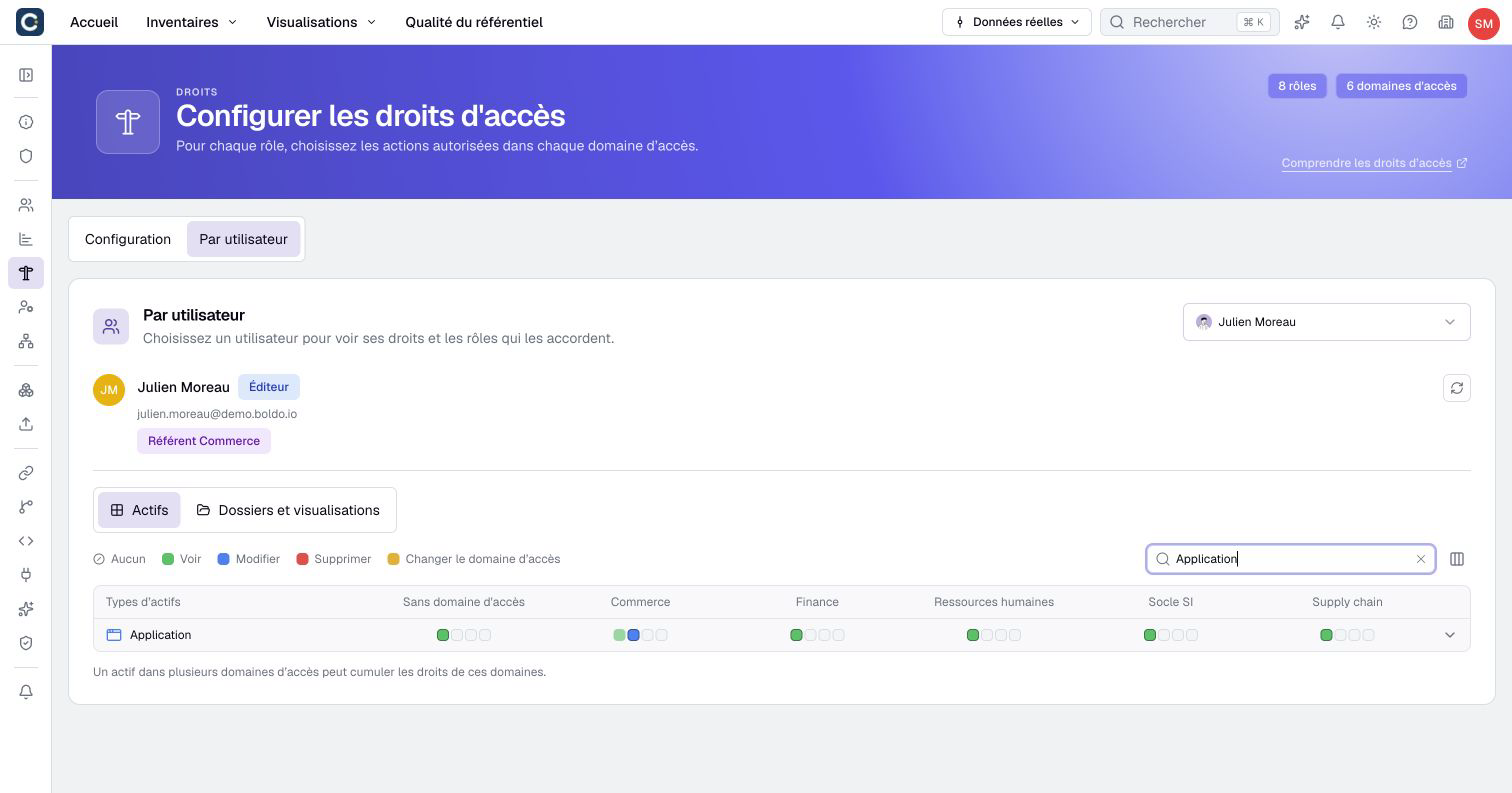
Open Organization settings → Rights → By user, then select a member. The header shows their effective user type and roles. Search for an asset type and filter the displayed domains to focus on the relevant data.
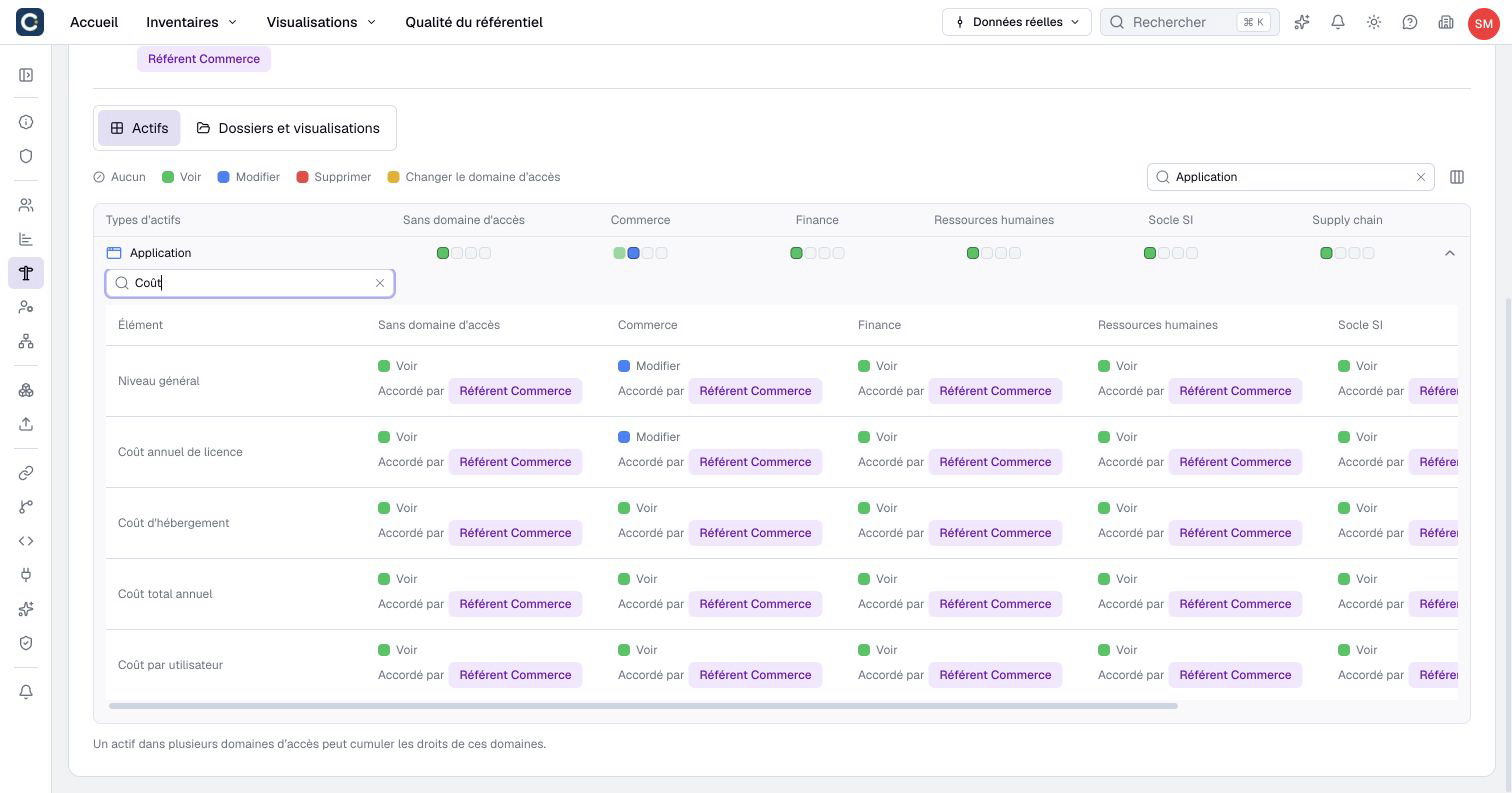
Expand a type to examine its properties, relationships, and relationship properties. The Folders and visualizations tab shows content access separately. Access to a visualization does not automatically grant access to the assets it displays.
Understand where access comes from
For each permission, inspect the roles that grant it and the resulting access level. A role may grant editing while the member’s Viewer type limits the effective permission to reading. Computed properties also remain read-only.
Permissions from applicable roles and domains combine. Filtering the displayed domains helps you read the table; it does not change anyone’s access. For an asset in several domains, check each applicable domain before concluding that access is missing.
After correcting a role or user type, select Refresh and check the action with the affected member. This diagnostic does not simulate sign-in restrictions such as SSO or two-factor authentication.
Administrators and the organization Owner can use this view when the plan includes fine-grained permissions. See diagnosing a user’s permissions for the full procedure.